R&S
®
ZVA / R&S
®
ZVB / R&S
®
ZVT GUI Reference
Channel Menu
Operating Manual 1145.1084.12 – 30 499
Delay
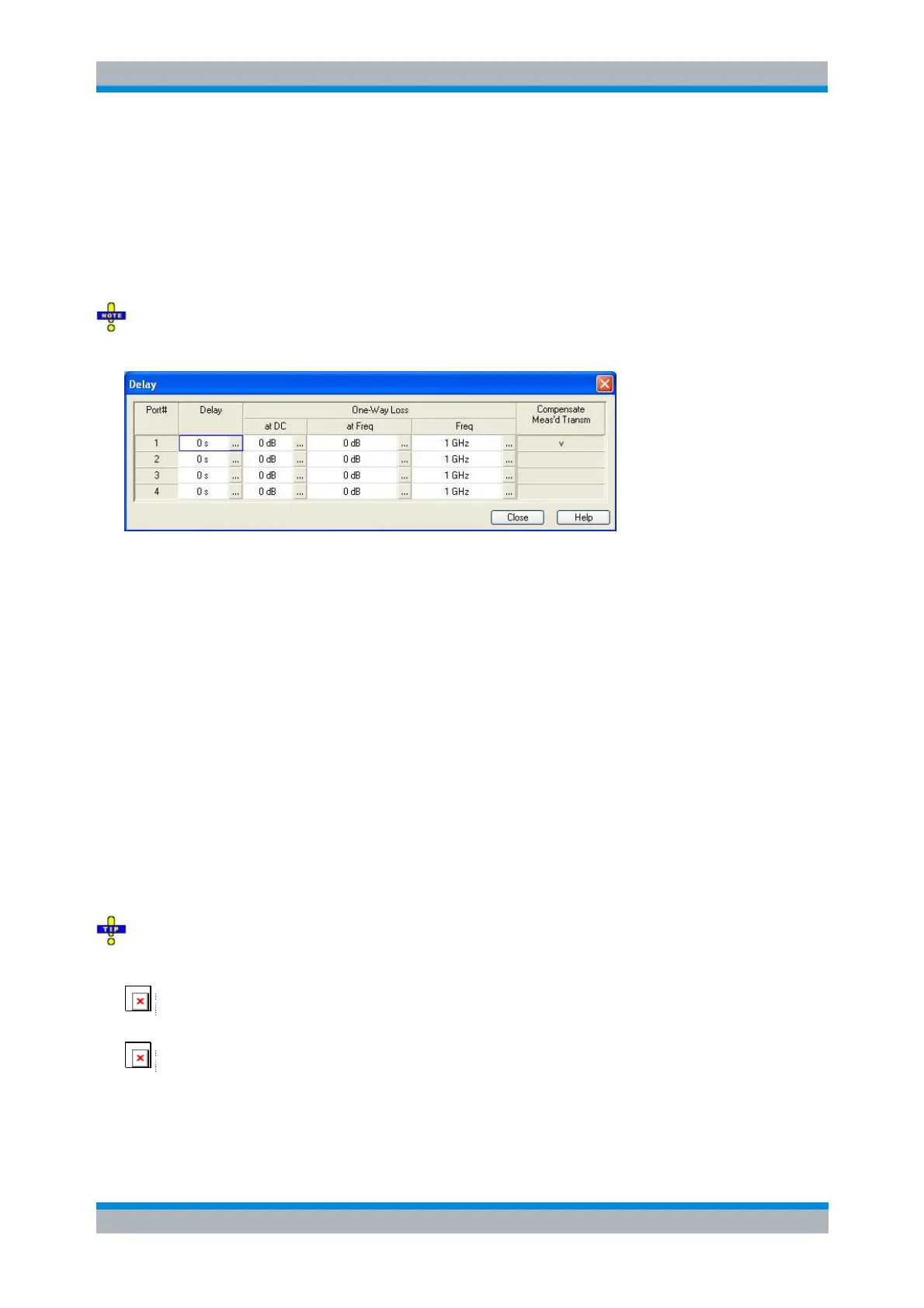
Opens a dialog to define the length offset parameters for the physical test ports as delays. The dialog also
contains the DC loss, the loss at the reference frequency Loss(f
ref
), and the reference frequency f
ref
; see
Loss parameters: Definition above.
Compensate Meas's Transm. indicates the ports for which a direct fixture compensation has been carried
out, replacing the offset parameters.
Since the loss at the reference frequency is stored as loss per length, it can only be changed if the
corresponding length is larger than zero.
[SENSe<Ch>:]CORRection:EDELay<port_no>[:TIME]
[SENSe<Ch>:]CORRection:LOSS<port_no>
[SENSe<Ch>:]CORRection:LOSS<port_no>:FREQuency
[SENSe<Ch>:]CORRection:LOSS<port_no>:OFFSet
[SENSe<Ch>:]CORRection:OFFSet<port_no>:DFComp[:STATe]?
Auto Length
Adds an electrical length offset to the active test port with the condition that the residual delay of the active
trace (defined as the negative derivative of the phase response) is minimized across the entire sweep
range. If Delay is the selected trace format, the entire trace is shifted in vertical direction and centered
around zero. In phase format, the Auto Length corrected trace shows the deviation from linear phase. The
effect of a dispersive connector type (i.e. a waveguide; see Offset Model dialog) assigned to the receiving
port of the measured quantity is taken into account.
If the measured quantity is a ratio, or if it is derived from a ratio, its receiving port is given as the index of
the wave quantity in the numerator. If the active trace shows an S-parameter S
ij
, then Auto Length adds a
length offset at port i.
Length and delay measurement, related settings
Auto Length is suited for length and delay measurements on transmission lines.
Connect a (non-dispersive) cable to a single analyzer port no. n and measure the reflection factor
S
nn
.
Select Auto Length.
The delay is displayed in the Delay dialog. The cable length, depending on the velocity factor, can be read
in the Mechanical Length dialog.
It is also possible to determine cable lengths using a transmission measurement. Note that Auto Length



 To Next Page