R&S
®
ZVA / R&S
®
ZVB / R&S
®
ZVT GUI Reference
Channel Menu
Operating Manual 1145.1084.12 – 30 503
Refer to section Channel - Offset for details.
Direct Compensation provides a frequency-dependent transmission factor. The phase of the transmission
factor is calculated from the square root of the measured reflection factor, assuming a reciprocal test
fixture. The sign ambiguity of this calculated transmission factor is resolved by a comparison with the
phase obtained in an Auto Length calculation. This compensation type is recommended for test fixture
connections that do not have the properties described above.
A Direct Compensation resets the offset parameters to zero. In the Electrical Length, Mechanical Length,
and Delay dialogs, a checkmark indicates the ports for which a direct compensation has been carried out.
Open / Short vs. Open and Short compensation
A non-ideal open or short termination of the test fixture connections during fixture compensation impairs
subsequent measurements, causing an artificial ripple in the measured reflection factor of the DUT. If you
observe this effect, an Open and Short compensation may improve the accuracy.
Open and Short compensation is more time-consuming because it requires two consecutive fixture
compensation sweeps for each port, the first with an open, the second with a short circuit. The analyzer
automatically calculates suitable averages from both fixture compensation sweeps in order to compensate
for the inaccuracies of the individual Open and Short compensations.
[SENSe<Ch>:]CORRection:COLLect:FIXTure[:ACQuire]
[SENSe<Ch>:]CORRection:COLLect:FIXTure:LMParameter:LOSS[:STATe]
[SENSe<Ch>:]CORRection:COLLect:FIXTure:LMParameter[:STATe]
Remote control provides additional flexibility. You can:
Measure the same port(s) repeatedly without changing the standards and attribute
the results to different channels.
Calculate the compensation data for different ports, using mixed Open and Short
standards.
Refer to the program example for
[SENSe<Ch>:]CORRection:COLLect:FIXTure[:ACQuire].
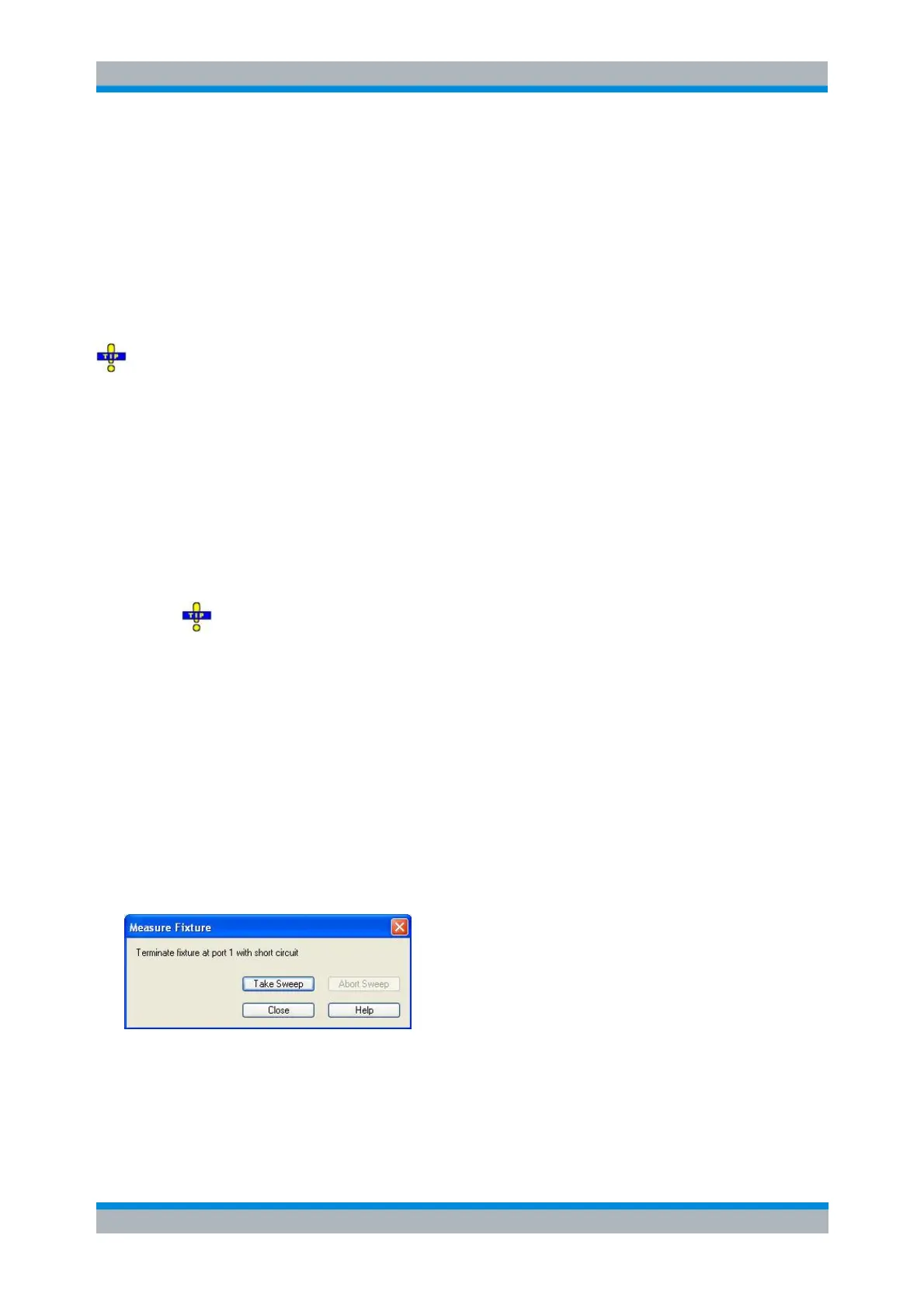
Measure Fixture
The Measure Fixture dialog is opened when an Open, Short, or Open and Short fixture compensation is
selected.
The dialog acts as a wizard for fixture compensation measurements, depending on the settings in the
Fixture Compensation dialog. Proceed as indicated below the title bar. Press Take Sweep to start a fixture
compensation sweep after establishing the required test setup.
[SENSe<Ch>:]CORRection:COLLect:FIXTure:STARt



 To Next Page