218
Basic Procedure for Wipe Settings
Chapter 5 Wipes
• When Speed is selected
• When Magnitude is selected
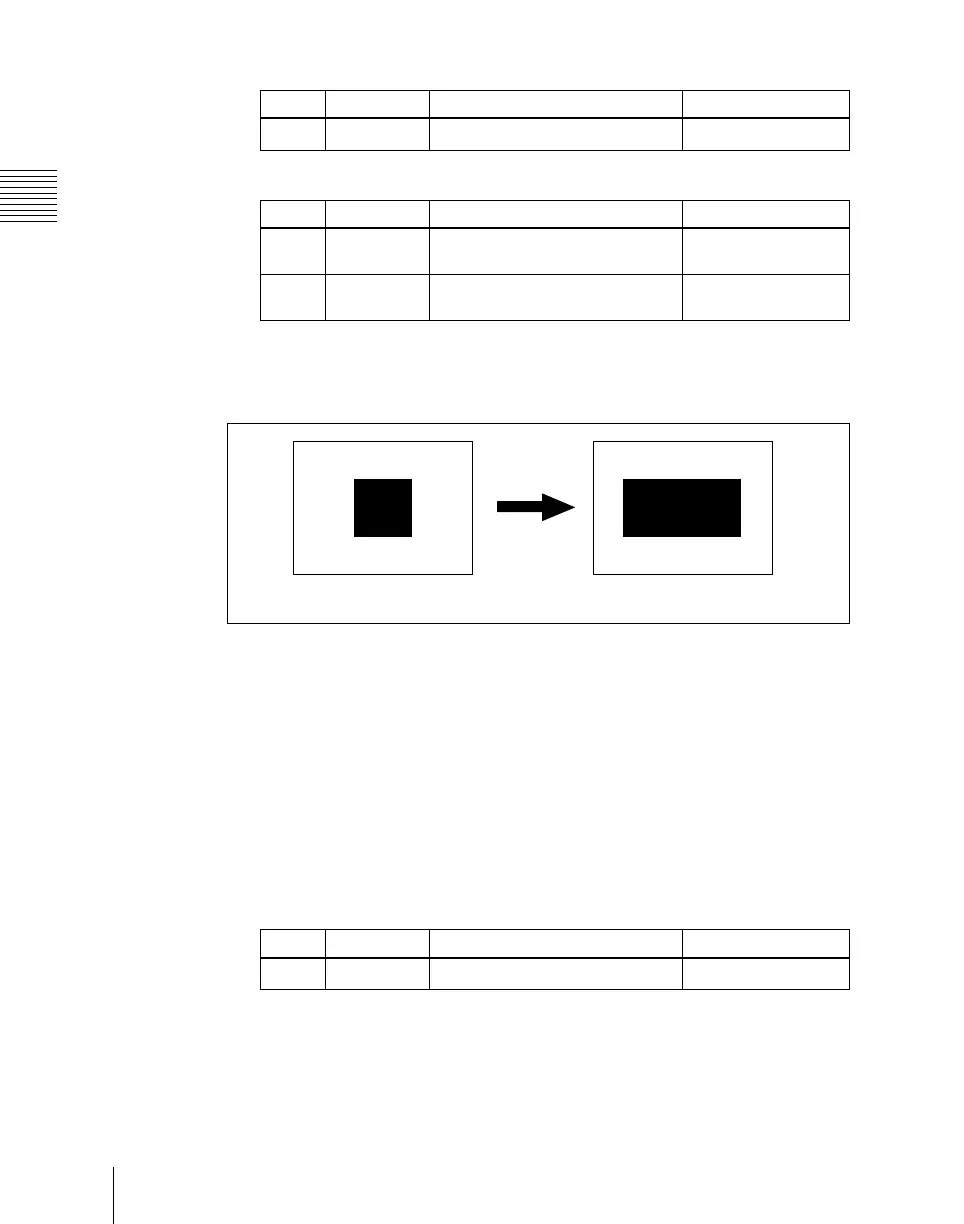
Setting the wipe pattern aspect ratio (Aspect ratio)
You can freely change the aspect ratio of the pattern.
A negative value of the parameter Aspect stretches the pattern vertically; a
positive value stretches the pattern horizontally.
You can set the aspect ratio independently for the main pattern and sub pattern.
1
In the M/E-1 >Wipe menu, select HF5 ‘Main Modify.’
The Main Modify menu appears.
2
Press [Aspect], turning it on.
3
Set the following parameter.
Knob Parameter Adjustment Setting values
1 Speed Rotation rate of pattern
–100.00 to +100.00
Knob Parameter Adjustment Setting values
1 Angle Angle of pattern rotation at start of
transition
–100.00 to +100.00
2 Magnitude Angle of rotation through course
of transition
–200.00 to +200.00
Aspect off Aspect on
Knob Parameter Adjustment Setting values
1 Aspect Aspect ratio
–100.00 to +100.00













 To Next Page