459DME Special Effect Operations
Chapter 11 DME Operations
Softening the inner and outer sides of art edges
1
In the Art Edge menu, press [Soft], turning it on.
2
Adjust the following parameters.
Setting the way in which art edge colors change
1
In the <Art Edge Source> group of the Art Edge menu, select the color
pattern to apply to the art edges.
Flat Color: Uses Color 1 (see page 462) as a flat color.
Gradation Matte: Color 1 changes to Color 2 (see page 462) at the border
lines (see step 2 (page 460)).
Rainbow Matte: The color set as Color 1 changes hue into color on the
border lines.
Radial Gradation: Color 1 on the inner side is mixed into Color 2 on the
outer side, according to the shape of the art edge.
Radial Rainbow: The hue of Color 1 on the inner side changes into Color
2 on the outer side, according to the shape of the art edge.
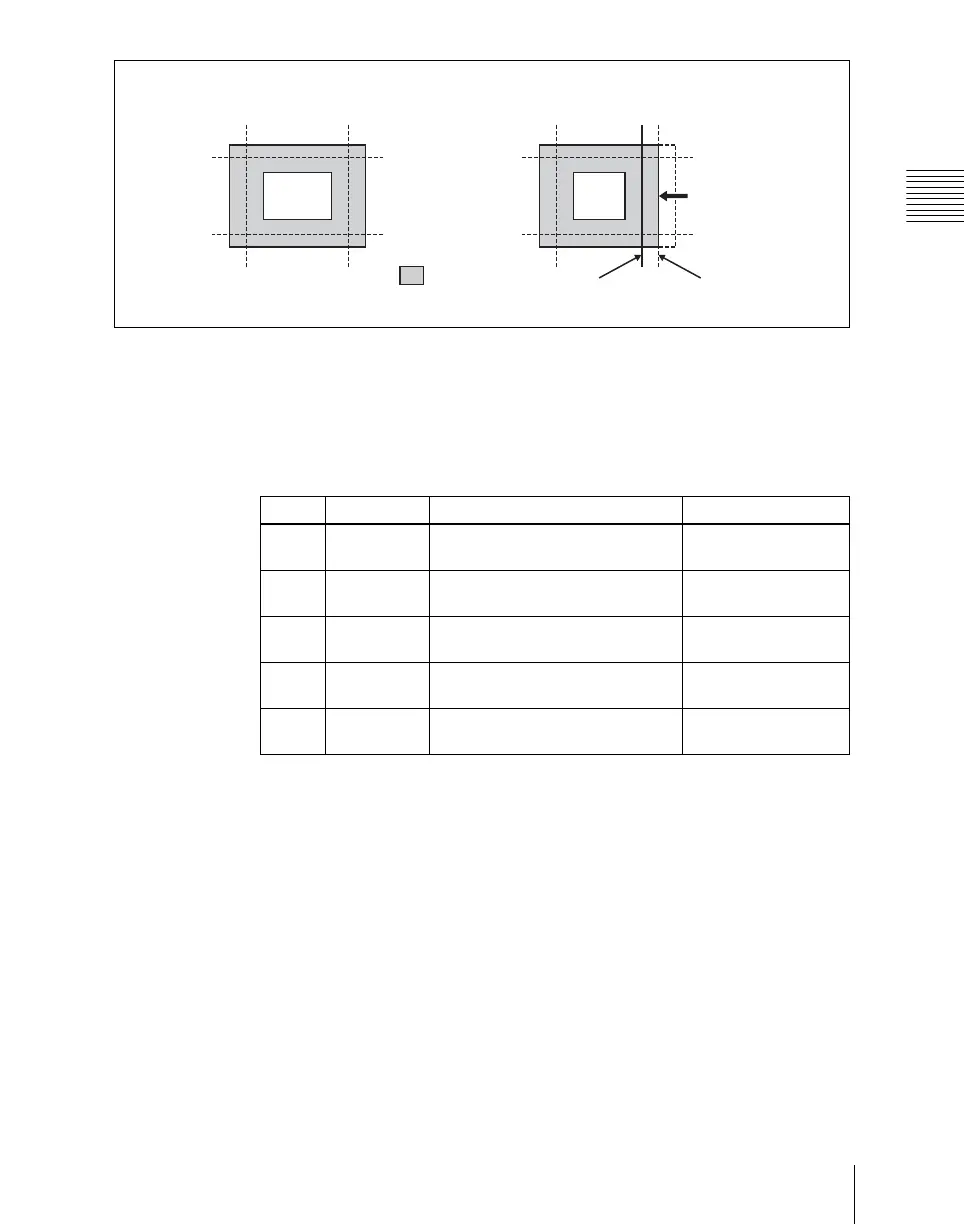
Top
Left Right
Bottom
Example: Moving the right edge position in the “minus” direction.
Art edge portion
Position before
moving
Position after
moving
Moving in the
minus direction
Knob Parameter Adjustment Setting values
1 Inner H Simultaneously adjust softness of
left and right inner edges
0.00 to 100.00
2 Inner V Simultaneously adjust softness of
top and bottom inner edges
0.00 to 100.00
3 Outer H Simultaneously adjust softness of
left and right outer edges
0.00 to 100.00
4 Outer V Simultaneously adjust softness of
top and bottom outer edges
0.00 to 100.00
5 All Simultaneously adjust softness of
all inner and outer edges.
Value of Outer H
shown













 To Next Page