Chapter 11 DME Operations
540
DME Special Effect Operations
Linking and unlinking image and spotlight
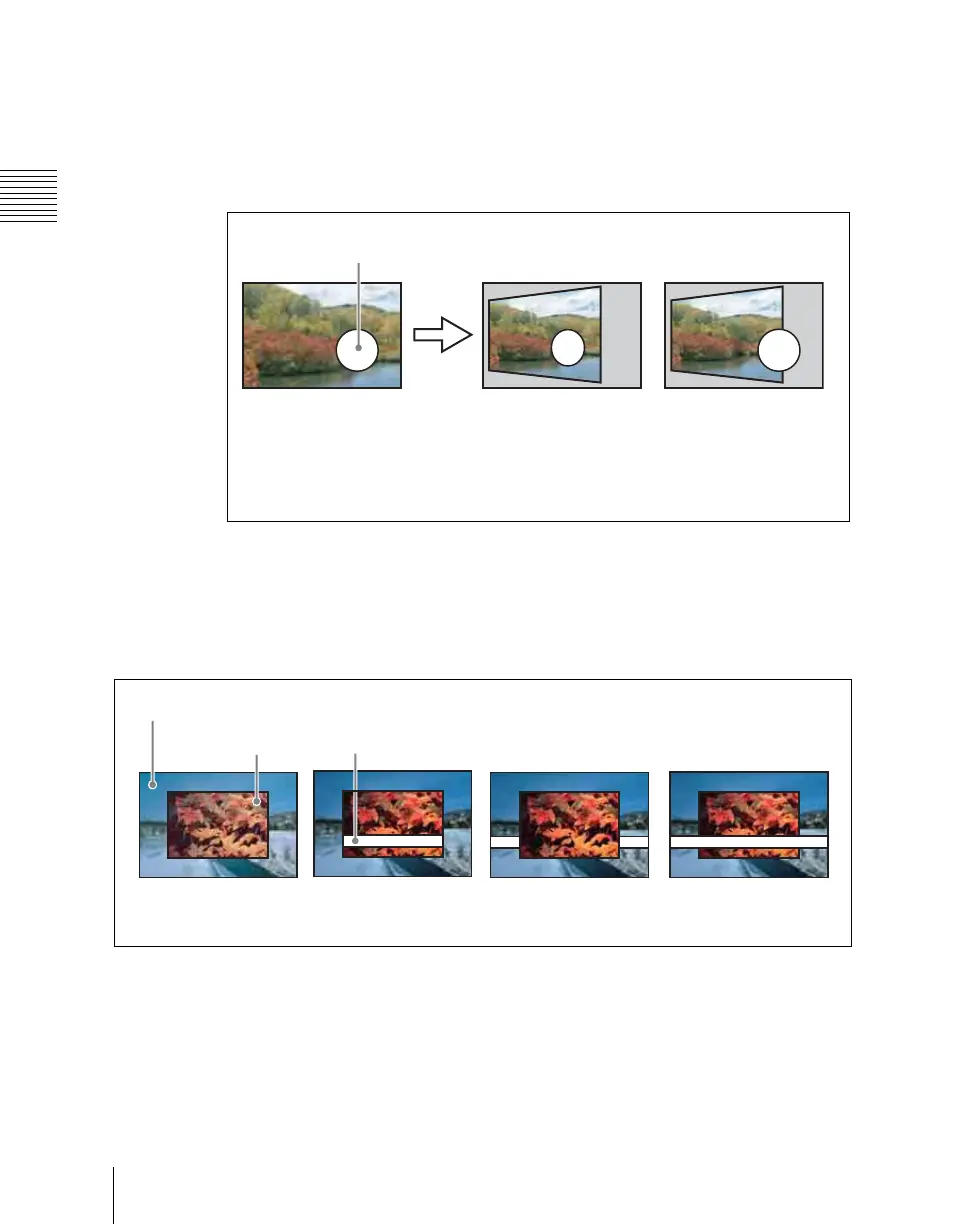
The spotlight can move together with a DME image, or be fixed in place.
Source: Place the light source in source coordinate space. The spotlight is
linked and moves when the image moves.
Target: Place the light source in target coordinate space. The spotlight does
not move, even when the image moves.
Selecting the lighted area
You can select the area lit by the spotlight.
FRGD: The light strikes the image foreground.
BKGD: The light strikes the image background.
Both: The light strikes both foreground and background.
Surface Flat
For the currently selected light source only, you can forcibly make the image
surface effect flat.
This is effective when you have selected texture as image surface effect and
want a flat effect for one light source only.
Spotlight
Image before movement Coordinate axis = Source
Spotlight moves together
with DME image.
Coordinate axis = Target
Spotlight does not move,
even if DME image
moves.
No effect
Background
Foreground
Spotlight
FRGD selected BKGD selected Both selected













 To Next Page