93Basic Menu Operations
Chapter 2 Menus and Control Panel
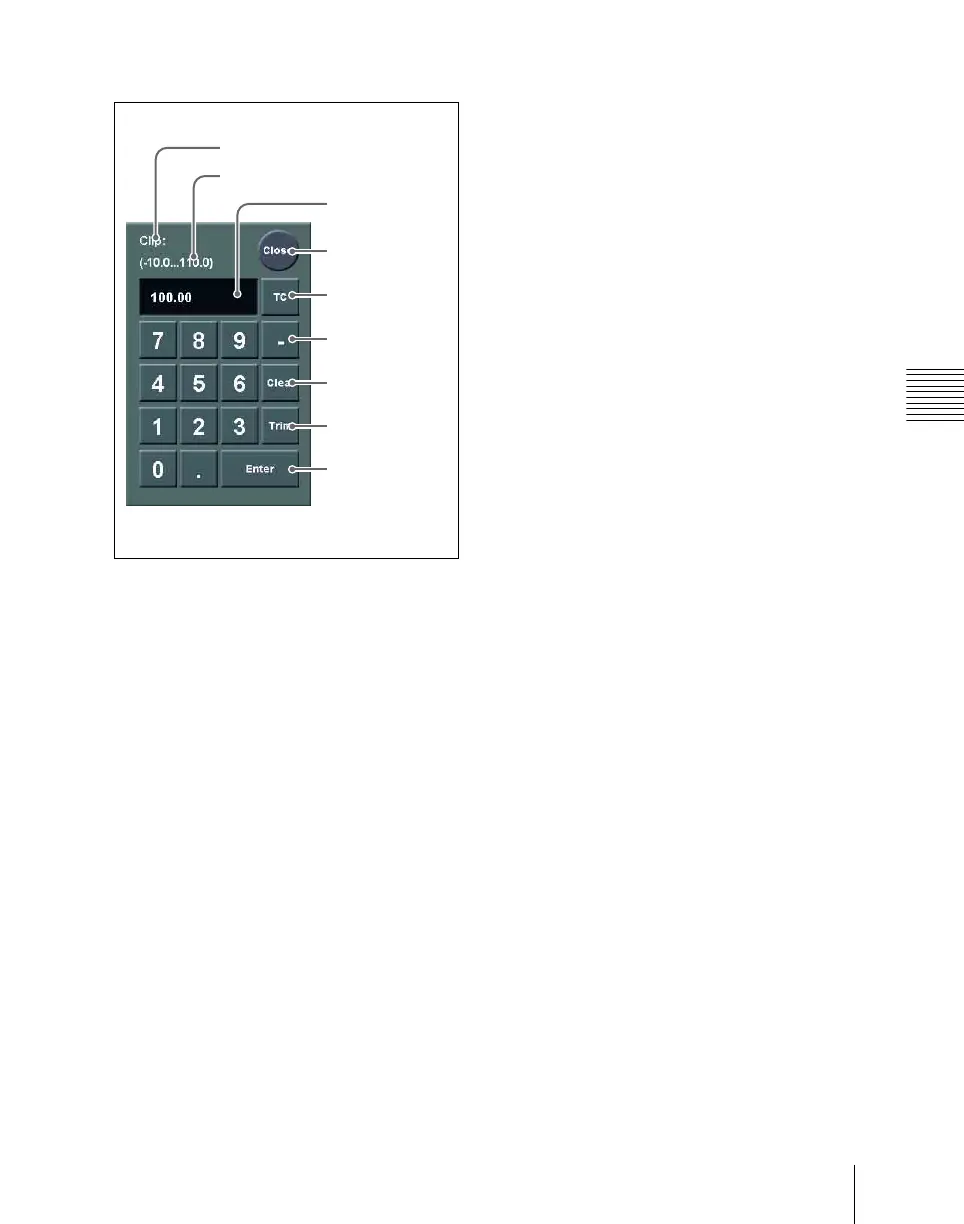
Numeric keypad window
a Item display
This is the name of the parameter being set
in the numeric keypad window.
b Max./min. (maximum/minimum)
value indication
This shows the maximum and minimum
settings of the parameter.
c Input value
This is the value being input into the
numeric keypad window.
d Close button
This closes the numeric keypad window.
e TC (timecode) button
When the numeric keypad window is
opened for a setting requiring a timecode
value to be entered, this button appears in a
depressed state.
You can enter a timecode value in the range
that depends on the signal format (see
“Setting the Signal Format (Format
Menu)” in Chapter 18 (Volume 3)) as
follows:
00:00:00:00 to 23:59:59:nn,
where nn = (number of frames per
second) – 1.
f – (minus) button
This toggles the sign of the entered value.
When it is pressed, the value is negative.
g Clear button
This clears the input. It does not change the
parameter setting.
h Trim button
After entering the difference from the
current value, press this button to confirm
the numeric input.
i Enter button
This confirms the entered value.
If correctly set, the numeric keypad
window closes.
If not correctly set, the input display
changes color.
1 Item display
2 Max./min. value indication
3 Input value
4 Close button
5 TC (timecode)
button
6 – (minus)
button
7 Clear button
8 Trim button
9 Enter button













 To Next Page