94
Basic Menu Operations
Chapter 2 Menus and Control Panel
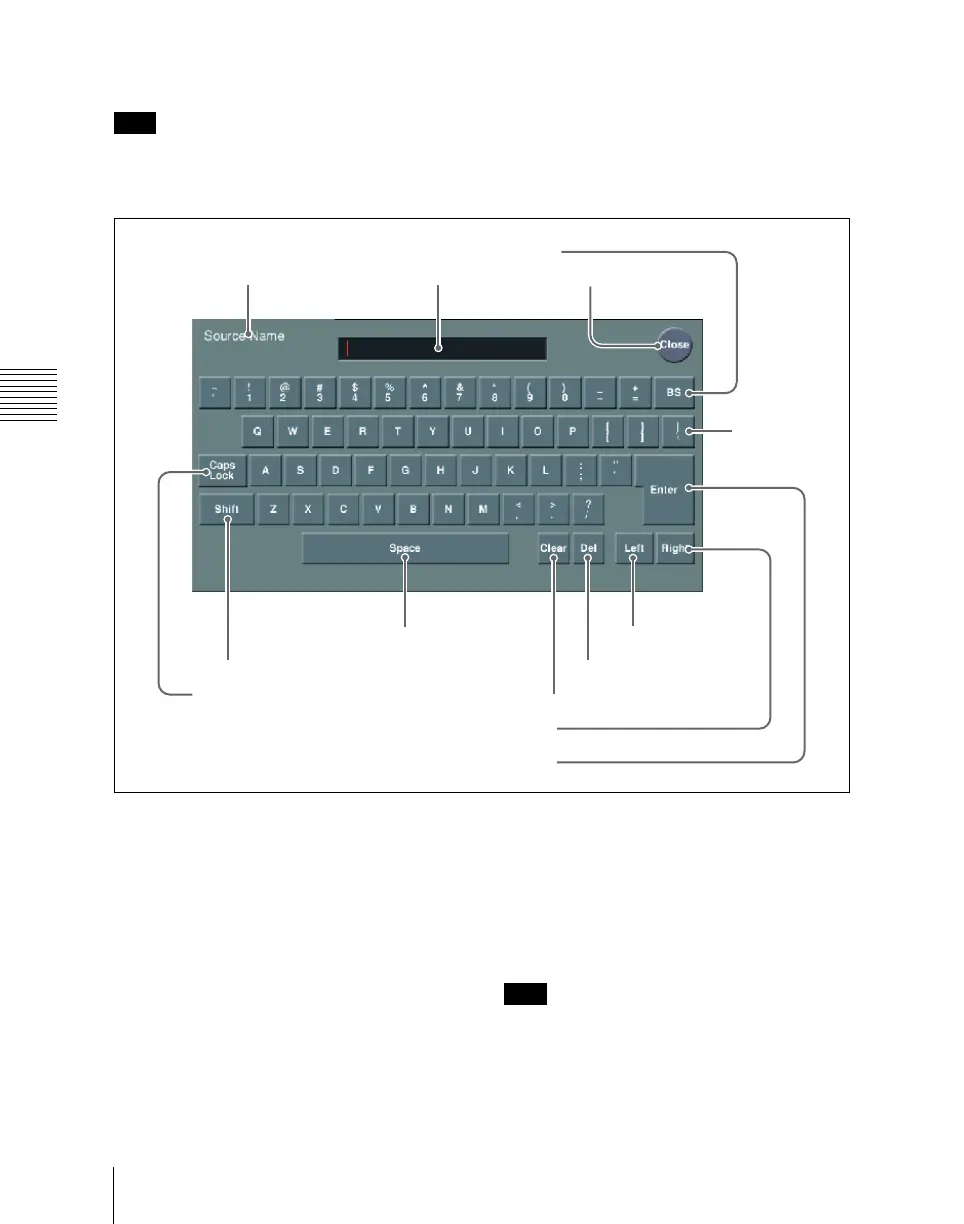
Keyboard window
Note
Except when changing source names, the
following characters cannot be used. The
same applies to macro file editing.
space, \, /, :, ;, , (comma), . (dot), <, >,
*, ?, ", |
a Item display
This is the name of the parameter being set
in the keyboard window.
b Input string
This is the character string being input in
the keyboard window.
c Close button
This closes the keyboard window.
d BS button
This clears the character immediately
before the cursor in the input string.
e Caps Lock button
This enables input of capital letters only.
Note
You can enter items to be displayed on the
control panel LCD using lowercase letters,
but these will be converted to capitals for
display.
1 Item display 2 Input string
4 BS button
3 Close button
0 Left button
6 Shift button
5 Caps Lock button
7 Space button
8 Clear button
9 Del button
qa Right button
qs Enter button
qd Line feed
button













 To Next Page