5 Operation
Driving
There must be sufficient distance between the
highest points of the truck or the load and the
fixed elements of the surrounding area. The
height is based on the overall height of the lift
mast and the dimensions of the load; see the
chapter entitled "Technical data".
Rules for roadways andtheworkingarea
It is only permitted to drive on routes autho-
rised for traffic by the operating company or its
representatives. Traffic routes must be free
of obstacles. The load may only be set down
and stored in the designated locations. The
operating company and its representatives
must ensure that unauthorised third parties do
not enter the working area.
NOTE
Please observe the definition of the following
responsible person: "operating company".
Hazard areas
Dangerous locations on the driveways must
be designated by the signs typical for traffic or,
if necessary, by additional warning signs.
2
5060_003-092_V2
12
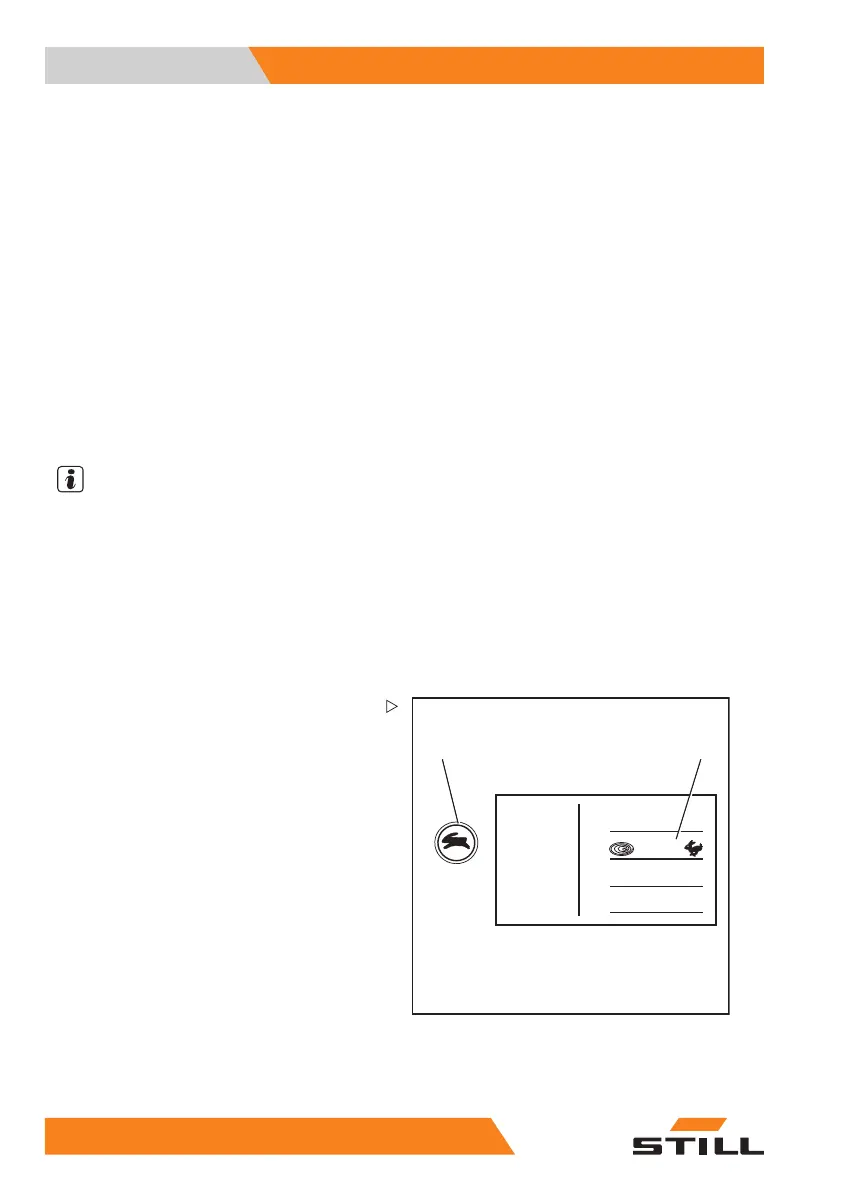
Setting the drive programs
The driving and braking characteristics of the
drive can be set on the display operating unit.
– Push the drive prog
ram button (1) repeat-
edly until the numb
er of the desired drive
program appears on
the display (2).
Drive programs 1-5 are available.
The basic principle is that the higher the drive
program number is, the greater the driving
dynamics.
The following dr
ive programs are possible:
10
8 55048011501 EN - 12/2015



 To Next Page