5 Operation
Driving
Actuating the mechanical parking
brake
DANGER
There is a risk of being run over if
the truck rolls away and therefore a
danger to life.
– The truck should not be parked on
aslope.
– In emergencies, secure with wed-
ges on the side facing downhill.
– Only leave the truck if the parking
brake is applied.
NOTE
Once the parking brake is released, the
previously selected drive direction is retained
and is shown on the drive direction indicator.
NOTE
If you operate the accelerator pedal while the
parking brake is applied and a drive direction
is selected, the message PARKING BRAKE
appears on the display.
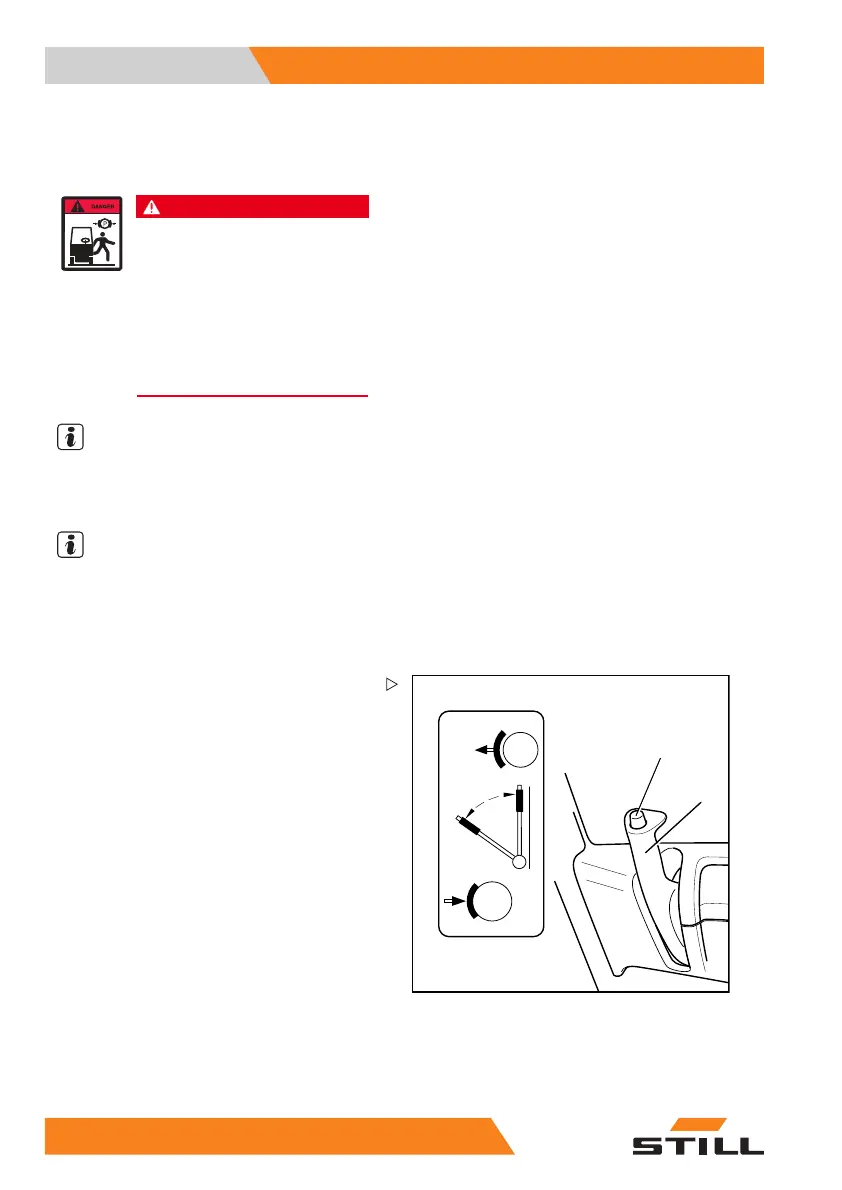
2
1
5060_003-035_V3
Applying the parking brake
– Apply the parking brake lever (2) and allow
it to engage.
The truck can no longer be driven. The drive
direction indicator will go out.
Releasing the parking brake
– Push and hold the knob (1) on the parking
brake lever.
– Move the parking brake lever all the way
forward, and then release the knob.
12
0 55048011501 EN - 12/2015



 To Next Page