Operation 5
Malfunctions
Malfunctions
8
9
0
6
7
4
2
1
3
5
7312_003-157
2
3
4
1
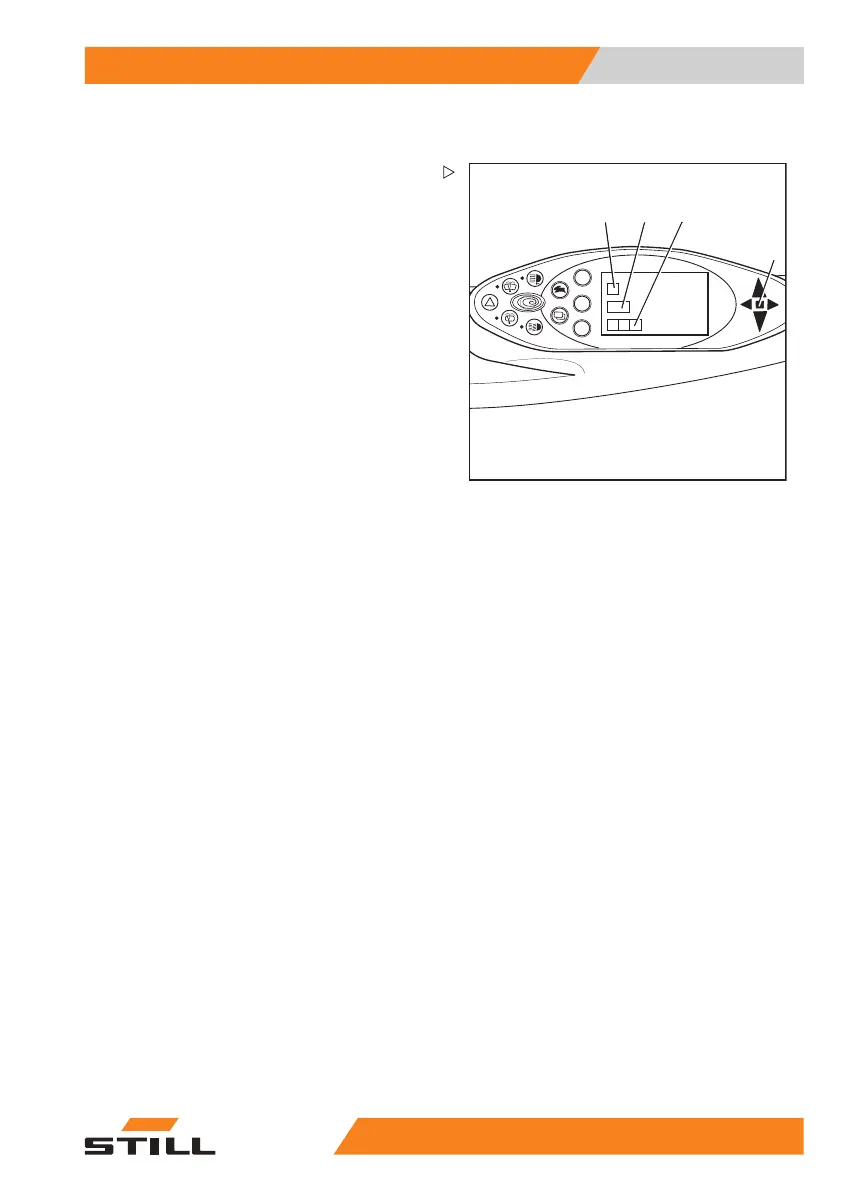
Screen content
If a message is shown on the display operating
unit, the "Malfunction" message will light up in
the multi-function display(1).
The following messages can appear on the
screen:
• A graphic symbol (2)
• Message text (3) naming the
event
• An error code (4), consisting of a letter and
a four-digit number.
A message always appears repeatedly and
for a certain period depending on the event.
In the case of successive
events, the respec-
tive messages are displa
yed one after another
on the screen.
After a few seconds, the screen will alternate
between the last shown operating display and
the message.
The frequency of alternation depends on the
type of event.
– If a message appears, f
ollow these operat-
ing instructions.
Once the event is remedied, the message
disappears.
If a malfunction continues to occur, the
message will continue to appear.
– Park the truck secure
ly.
– Inform the service centre.
55
048011501 EN - 12/2015 229



 To Next Page