Operation 5
Workingwithattachments
F1
F2
6210_003-032
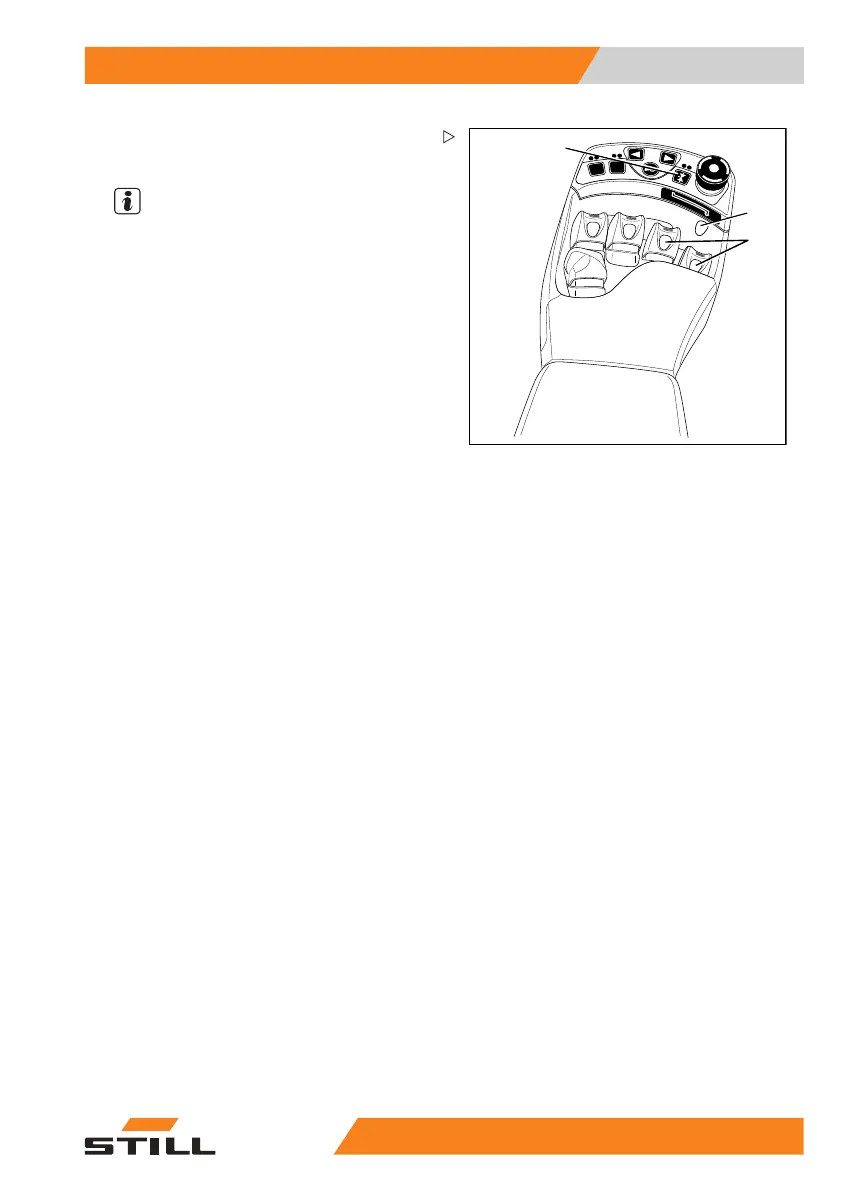
1
3
2
Controlling attachments with finger-
tip and the 5th function
NOTE
The designation "5th function" refers to the
fact that the four operating levers control
four functions, while the "5th function" can
be controlled by switching functions.
The attachments (variant) are controlled using
the operating levers (1).
You can also use the switc
h (2) to switch
functions, in which case
the corresponding
operating lever contro
ls the "5th function".
The pictogram (3) behind the operating
lever shows in the upper and lower parts the
function that is activated with this lever.
The meanings are as follows:
– Move operating lever f
orwards.
Theattachmentmovesinthedirectionof
movement shown in the upper part of the
pictogram.
– Move operating lever back.
The attachment move
sinthedirectionof
movement shown in th
e lower part of the
pictogram.
– Actuate the switch (2).
The additional function of the attachment is
activated/deactivated and can be controlled
as the "5th function" using the operating lever.
55
048011501 EN - 12/2015 189



 To Next Page