5 Operation
Working with attachments
F1
F2
6210_003-033
4
5
6
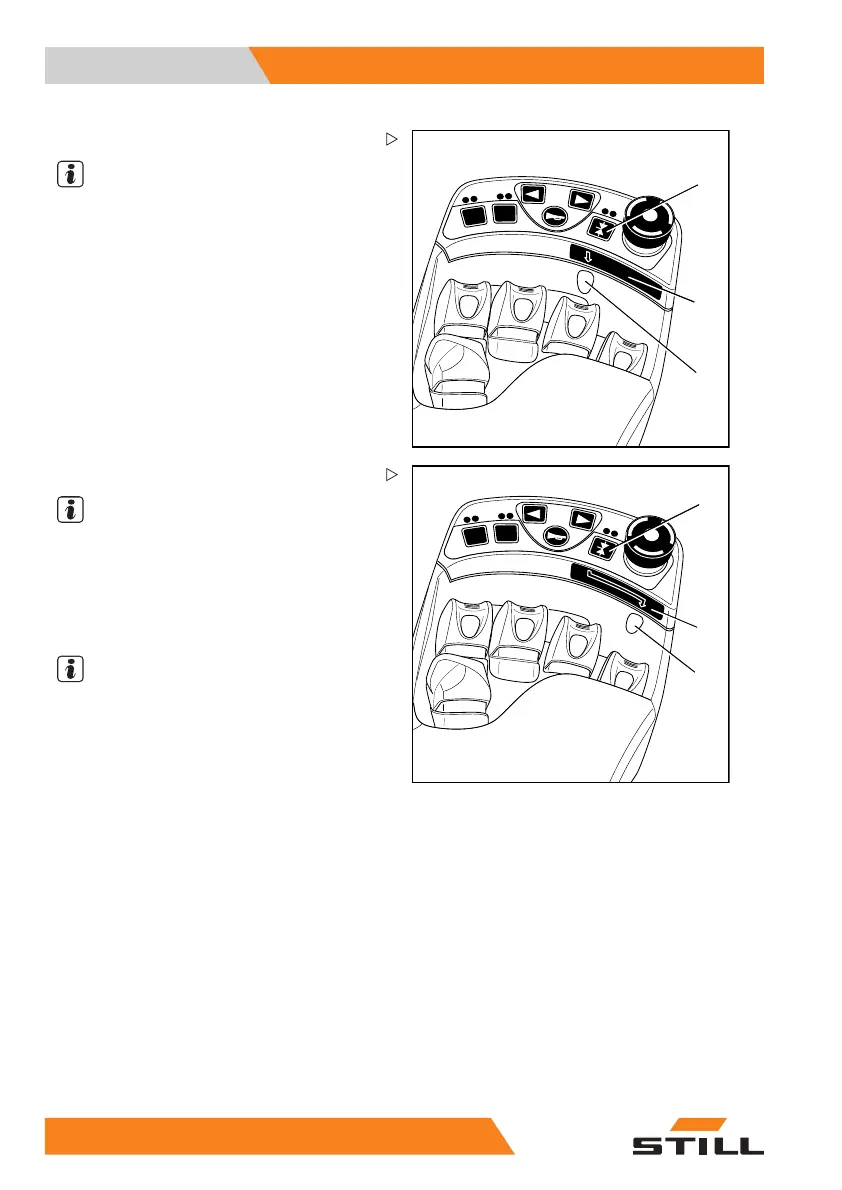
– Press the function key (4).
NOTE
The arrow (5) under the funct
ion key indicates
which operating lever is equ
ipped with the "5th
function".
The "5th function" is switched to the 3rd
operating lever; see adhesive label (6).
F1
F2
6210_003-034
7
8
9
– Press the function key (7).
NOTE
The arrow (8) unde
r the function key indicates
which operating l
ever is equipped with the "5th
function".
The "5th function" is switched to the 4th
operating lever; see adhesive label (9).
NOTE
The movement/
action of this "5th function"
canbefoundin
the operating instructions of
the fitted atta
chment.
19
0 55048011501 EN - 12/2015



 To Next Page