Operation 5
Driving
5060_003-082
1
2
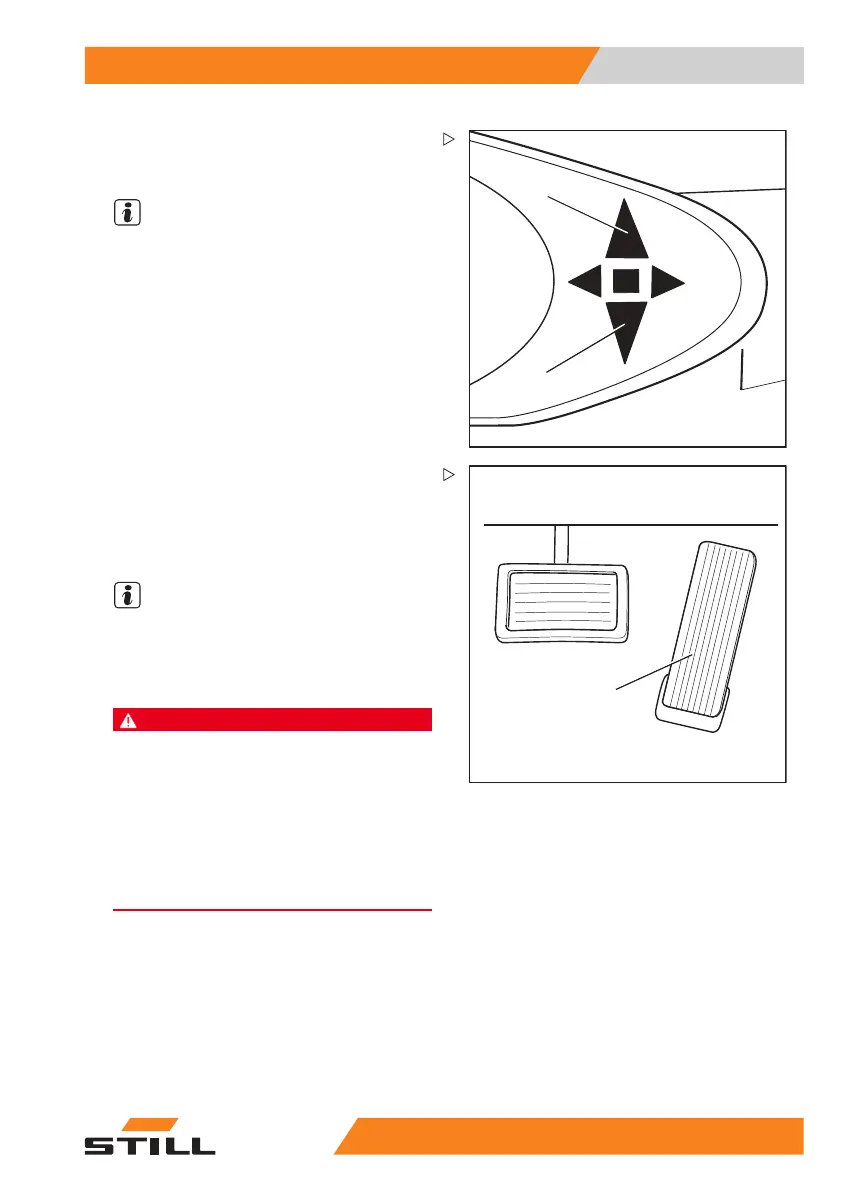
The indicator for the selected drive direction
("forwards" (1) or "backwards" (2)) lights up on
the display and operating unit.
NOTE
Depending on the equipment,
an acoustic
signal (variant) may sound
a warning during
reverse travel, the warnin
g light (variant) may
light up or the hazard warni
ng system (variant)
may flash.
3
5060_003-084
– Actuate the accelerator pedal (3).
The truck will travel in the selected drive direc-
tion. The speed is controlled by the accelera-
tor pedal position. When the accelerator pedal
is released, the truck decelerates.
NOTE
The truck can bri
efly be stopped on upward
or downward grad
ients without actuating
the parking brak
e (electric brake). The truck
begins to creep d
ownwards slowly.
DANGER
Risk of accident due to brake failure!
The electric brake only functions while the key
switch is switched on, the emergency off switch
has not been actuated and the parking brake is
released.
– Use the brake pedal if the electric brake malfunc-
tions.
– Do not leave the truck without applying the
parking brake!
Changing the drive direction
– Remove foot from accelerator pedal.
– Select the desired drive direction.
– Actuate the accelerator pedal.
The truck will travel in the selected drive
direction.
55
048011501 EN - 12/2015 115



 To Next Page