Operation 5
Driving
5060_003-085
21
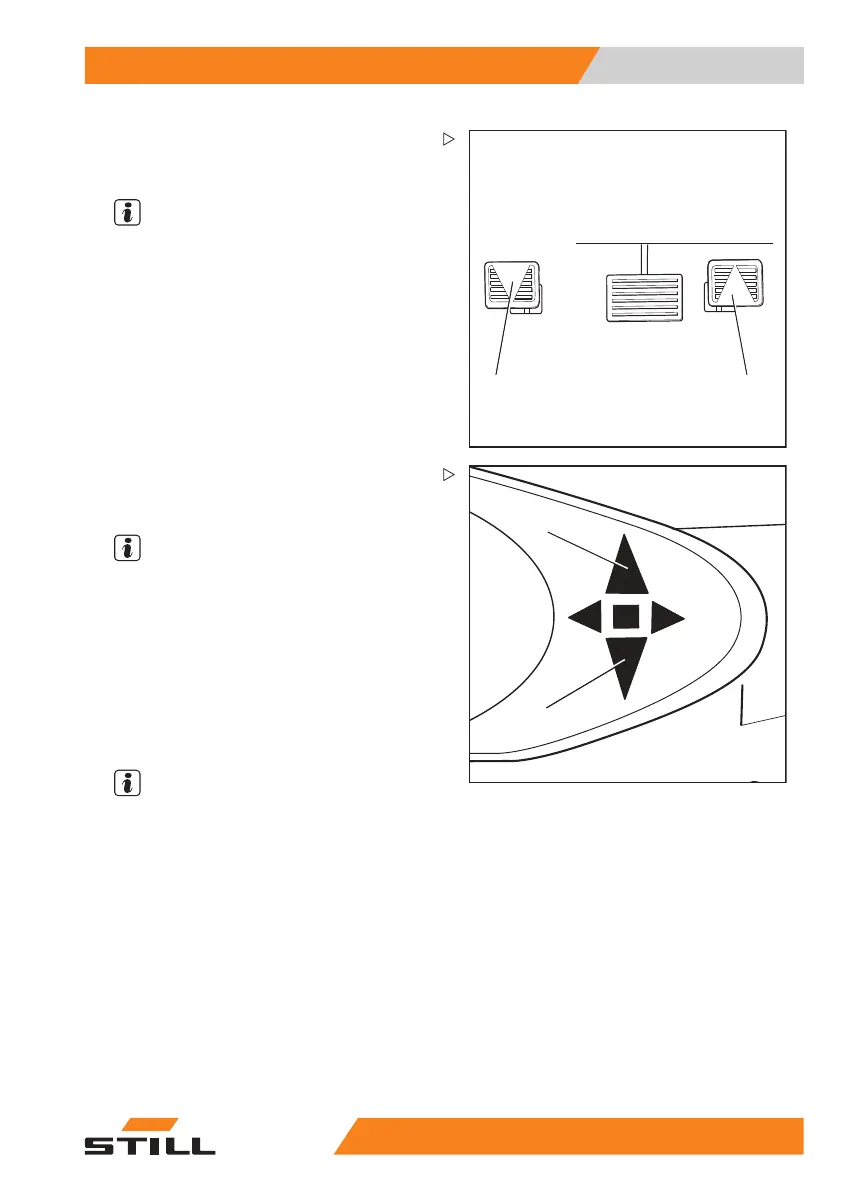
– Press the right accelerator pedal (1) to drive
"forwards" and press the left accelerator
pedal (2) to drive "backwards".
NOTE
In the dual pedal version, an
y drive direction
switches on the operating d
evices will not
function.
5060_003-083
3
4
The indicator for the selected drive direction
("forwards" (3) or "backwards" (4)) lights up on
the display and operating unit.
NOTE
Depending on the
equipment, an acoustic
signal (variant
) may sound a warning during
reverse travel,
the warning light (variant) may
light up or the ha
zard warning system (variant)
may flash.
The truck will travel in the selected drive direc-
tion. The speed is controlled by the accelera-
tor pedal position. When the accelerator pedal
is released, the truck decelerates.
NOTE
The truck can be stopped briefly on upward
or downward gradients without actuating the
parking brake (electric brake). The truck will
then begin to creep downhill slowly.
55
048011501 EN - 12/2015 117



 To Next Page