6 Maintenance
Maintenance
5060_003-158
1
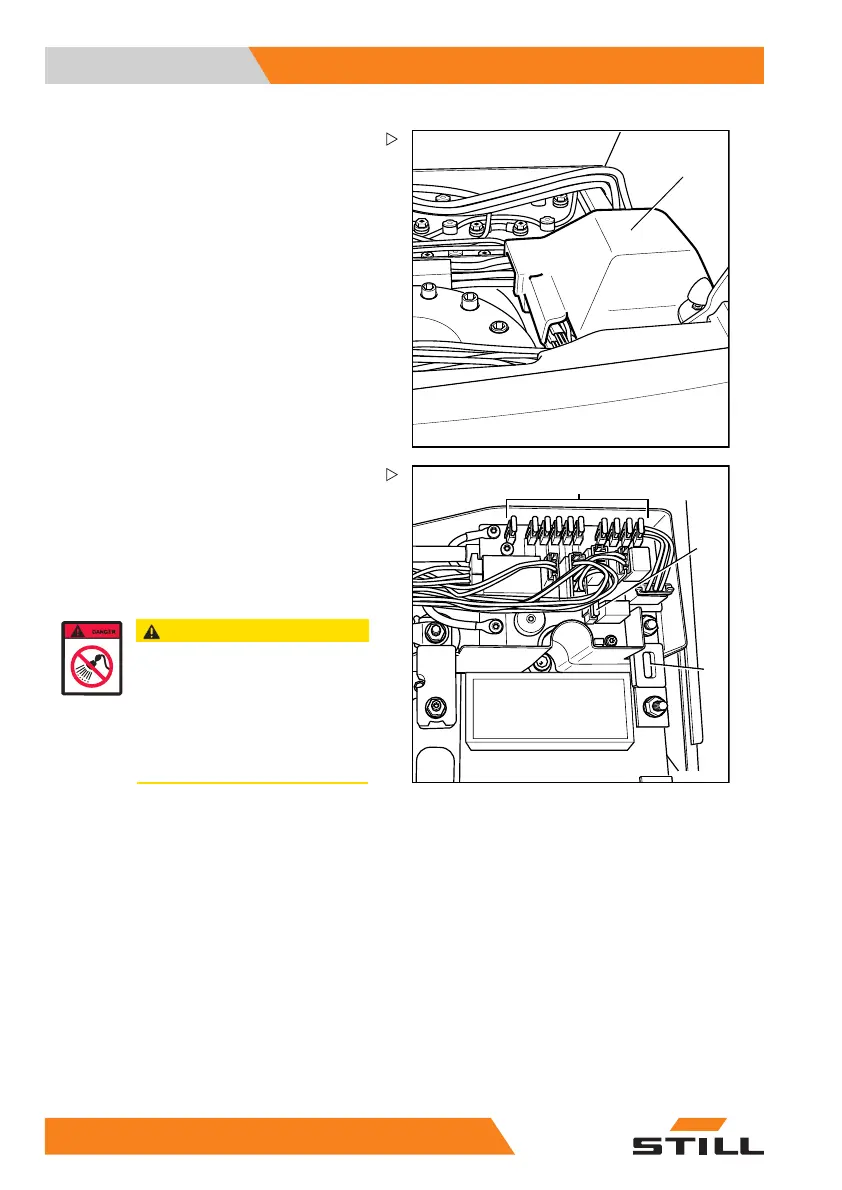
– Open the cover (1).
– Remove the cover from the control electron-
ics.
5060_003-159
3
3
2
– Check the condition of the main fuse (2)
(no damage to the porcelain body) and
check that it is securely attached; tighten
the clamping screws if necessary.
– Check the condition of fuses (3), check that
the cable connections are secure and check
for oxidation residues. Clean if necessary.
CAUTION
Water in the electrical system can
cause damage to components!
In order to protect the electrical
system against ingress of water, the
cover must be closed.
– Refit the cover after completion of
the activities.
– Close the cover of the control electronics.
– Close the cover.
– Close the battery hood.
– Connect the battery male connector.
– Carry out a functional test.
32
6 55048011501 EN - 12/2015



 To Next Page