INSTALLATION AND STARTUP
1MANUL220 Belanger, Inc.® * PO BOX 5470 * Northville, MI 48167-5470 * Ph (248) 349-7010 * Fax (248) 380-9681 22-13
Chapter 22 Initial Startup
Confirming Wheel Rotation
1) Check All Wheel Rotations and Pressure Settings
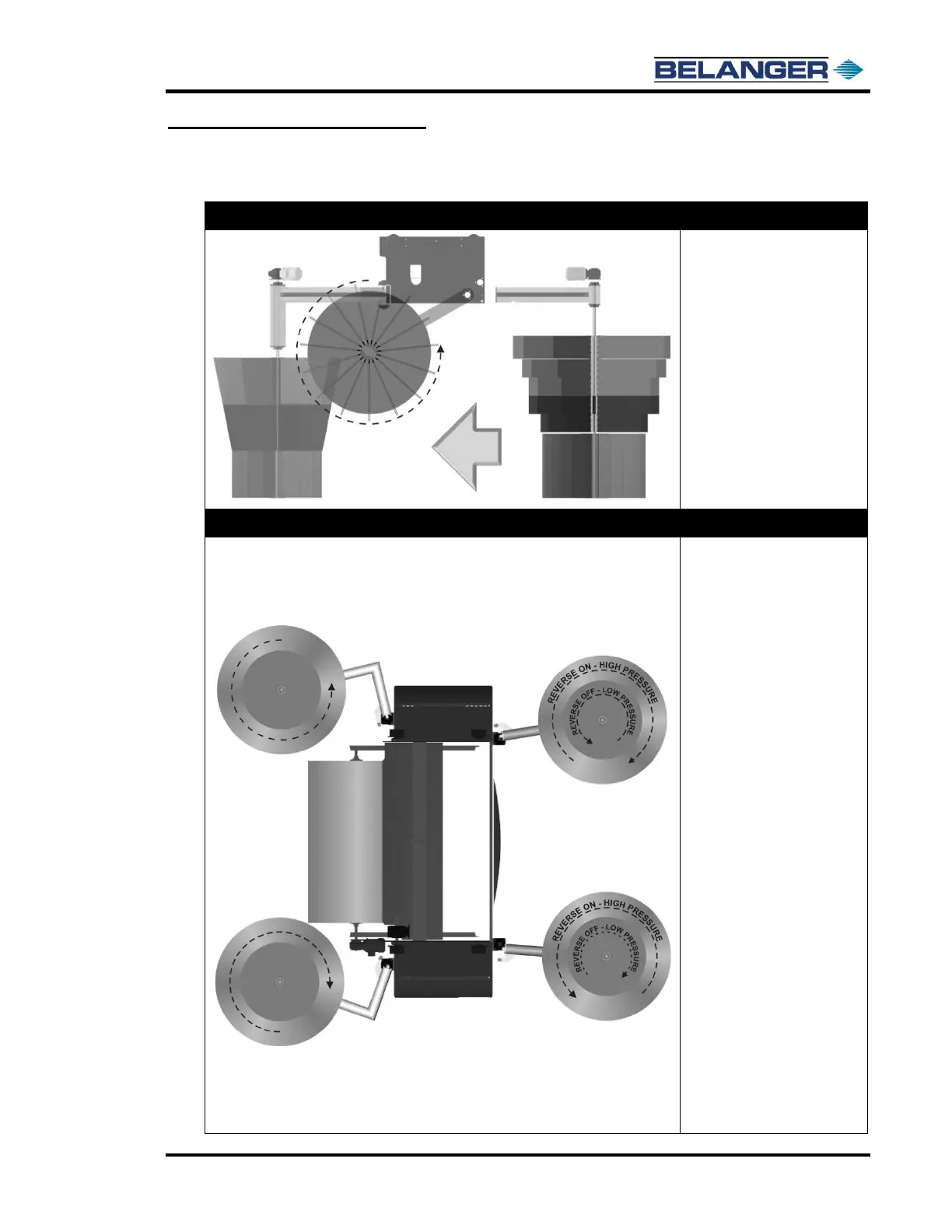
Top Wheel (Driver Side View)
• From the HMI (E-1063
Human Machine
Interface), FORCE the
Top Wheel on “TOP ON”
and verify
counterclockwise rotation
as viewed from the driver
side image on the left.
• Swap motor leads if
necessary.
• Turn off the Top Wheel.
• Hit the DISABLE FORCE
and clear all ovals.
Entrance and Exit Wheels (Top View)
• From the HMI (E-1063
Human Machine
Interface), FORCE the
Exit Wheels on “EXIT
ON” and verify rotation
as shown in the
overhead image to the
left.
• Force EXIT BOTH and
set air pressure to 65 psi
• Swap motor leads if
necessary.
• Turn off the Exit Wheels.
• From the HMI (E-1063
Human Machine
Interface), FORCE the
Entrance Wheels on
“ENTER ON” and
“ENTER RV”.
• Verify rotation as shown
in the overhead image to
the left for reverse.
• Set High Air pressure to
90 psi (located in the
driver side pod).
• Swap motor leads if
necessary.
• Turn off the Reverse
(RV).
• Set Low-Pressure
regulator to 60 psi.
• Hit the DISABLE FORCE
and clear all ovals. This
switches the machine
back to high-pressure.











 To Next Page