Apr. 2007
1
-21
DSC48
3
4
5
F. ADJUSTING ELEVATOR CHAIN AND ELEVA-
TOR RAKE
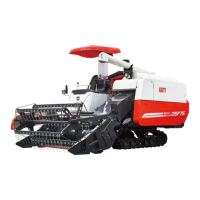
1. Elevator chain
• Check and adjustment
Check the stretched chain or the damaged or worn
roller.
• Replacement
If it is severely damaged or worn, or cannot be cor-
rected with the adjusting bolt
417W151A
(1) Elevator chain (4) Nut
(2) Elevator tension bolt (5) Elevator tension spring
(3) Elevator tension hook
(A) Gap: 0 ~ 2 mm (use tensility bolt to adjust)
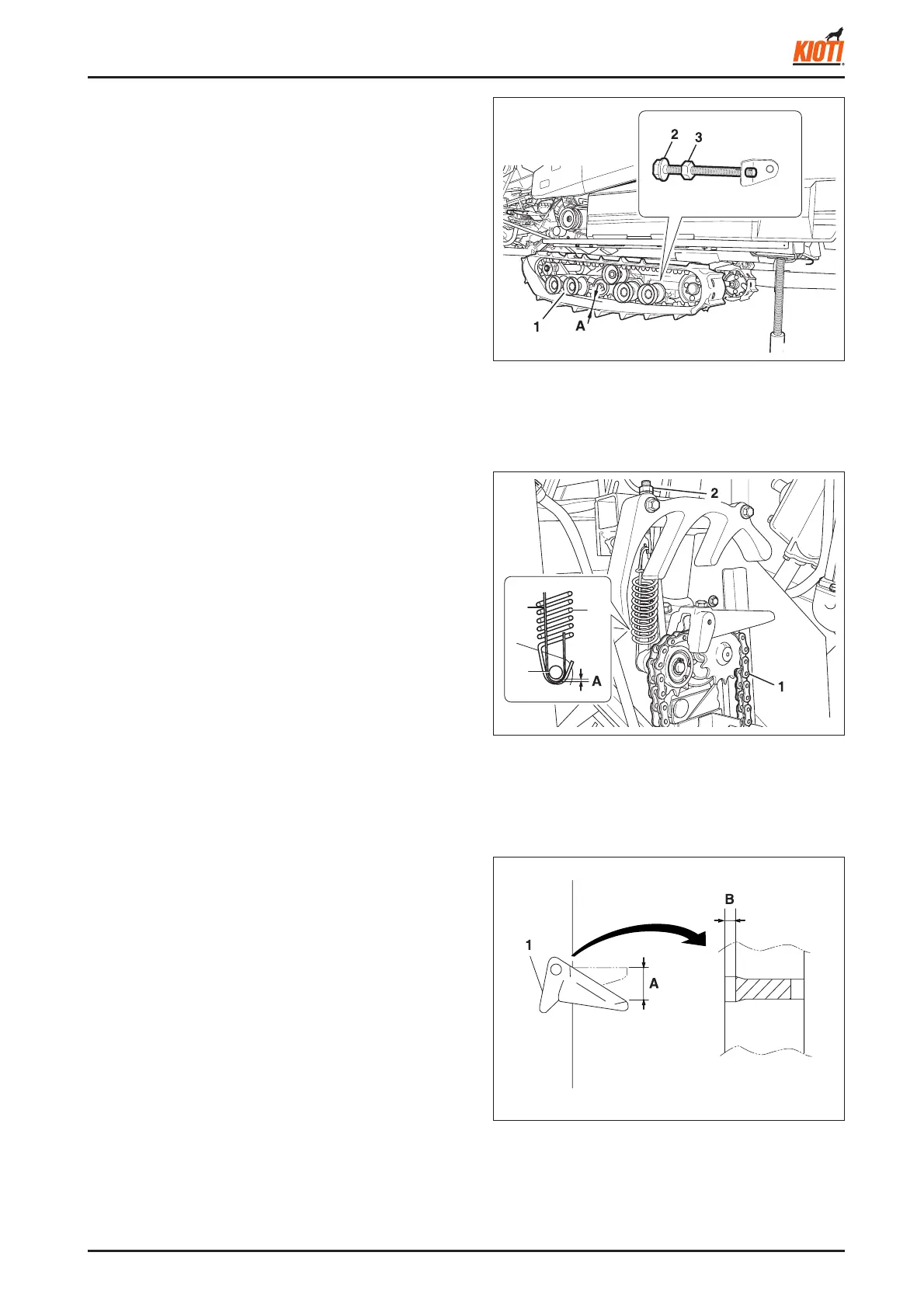
E. ADJUSTING CRAWLER TENSION
1. Lift the front and rear of the frame with a jack. Tighten
the tension bolt to loose the tension of the crawler.
2. Unscrew the crawler mounting nut and tighten the ten-
sility bolt.
3. Adjust the distance between the crawler and the 2nd front
wheel to be 13 ~ 18 mm.
4. Check and adjust the tension of the crawler since its
tension affects the life of crawler and drive roller.
417W150A
(1) Roller
(2) Tensility bolt
(3) Mounting nut
(A) 13 ~ 18 mm
(0.512 ~ 0.709 in.)
417W152A
(1) Wear
(A) Replace if it goes down 25 mm or more
(B) Sagged 3.1 mm or more
2. Elevator rake
• Check and adjustment
Check whether it is deformed, worn or stretched.
• If it cannot be adjusted itself, adjust it by removing the
link of the chain.
NOTE:
• Replacement
If it is excessively damaged or defl ected over 25 mm



 To Next Page