2 • Description
Doc. 065051-03 1/08 9
Valve Options
One or two injection valves can be installed in the AS autosampler compartment.
Or, the AS can be configured without an injection valve and instead be connected
to one or two valves installed in other chromatography system modules. Two
injection valves are required for simultaneous injections.
For the sequential injection option, a diverter valve is installed in the AS.
2.2 Front Panel Features
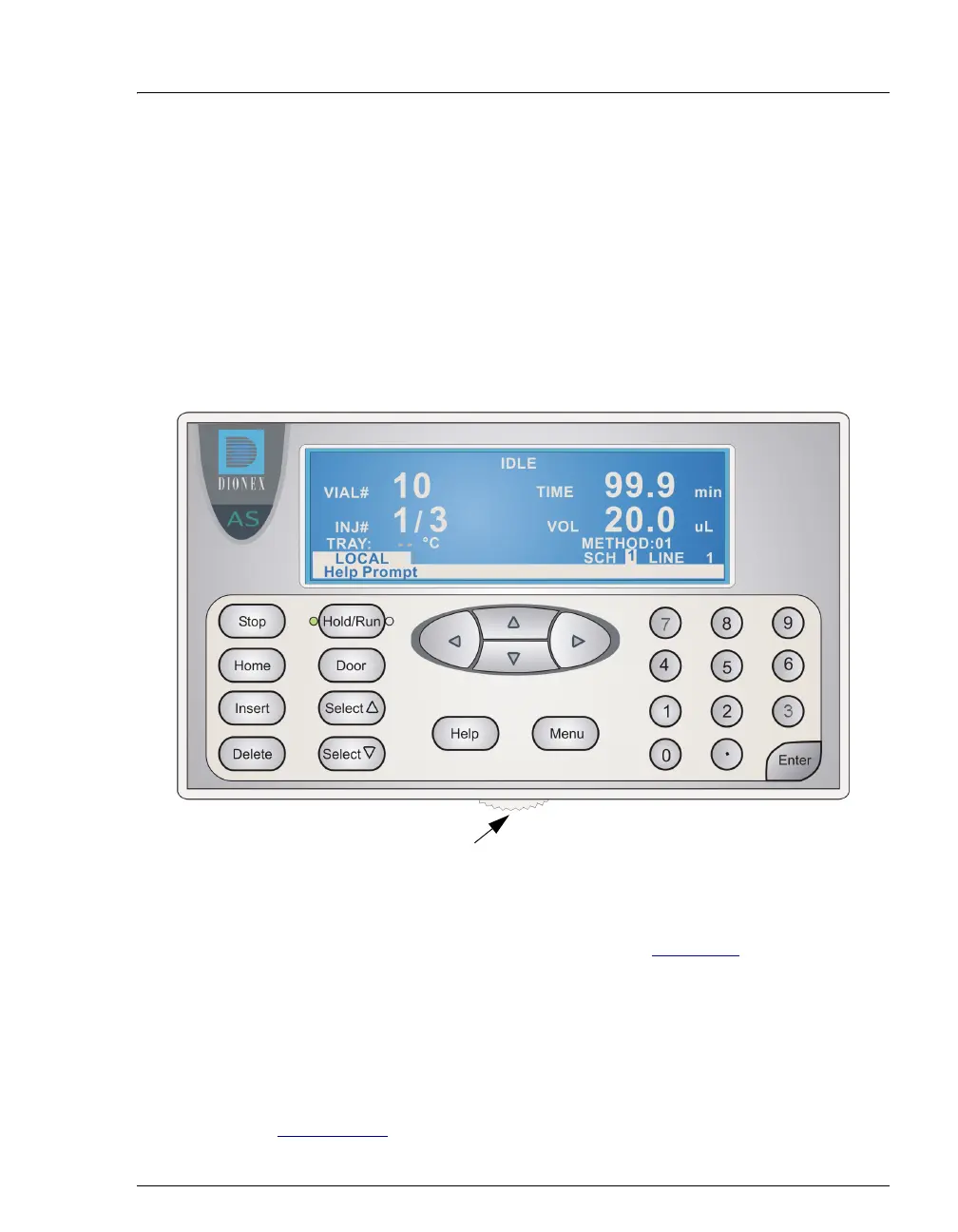
Figure 2-2. AS Front Panel
Information is displayed on the LCD, or screen. To adjust the screen contrast, use
the knurled knob in the recess below the keypad (see Figure 2-2
).
From the keypad, you can:
• Directly control AS operation
• Create and modify programmed series of operating steps, called methods
• Create and modify programmed series of injections, called schedules
Refer to Section 2.2.2
for a summary of how to select screens and edit parameters.
Adjust screen contrast



 To Next Page