AS Autosampler Operator’s Manual
164 Doc. 065051-03 1/08
5.12 Removing the Sample or Prep Syringe Valve
1. On the MENU of SCREENS, press 5 and 3 to go to the PLUMBING
CONFIGURATION screen.
2. Move the cursor to the
SAMPLE SYRINGE CONFIG field or the PREP SYRINGE
CONFIG
field (depending on which syringe requires initialization).
3. Press
Select Δ to select the INITIALIZE
option.
4. Press
Enter.
The syringe plunger moves to the
initial position and the syringe motor
shuts off.
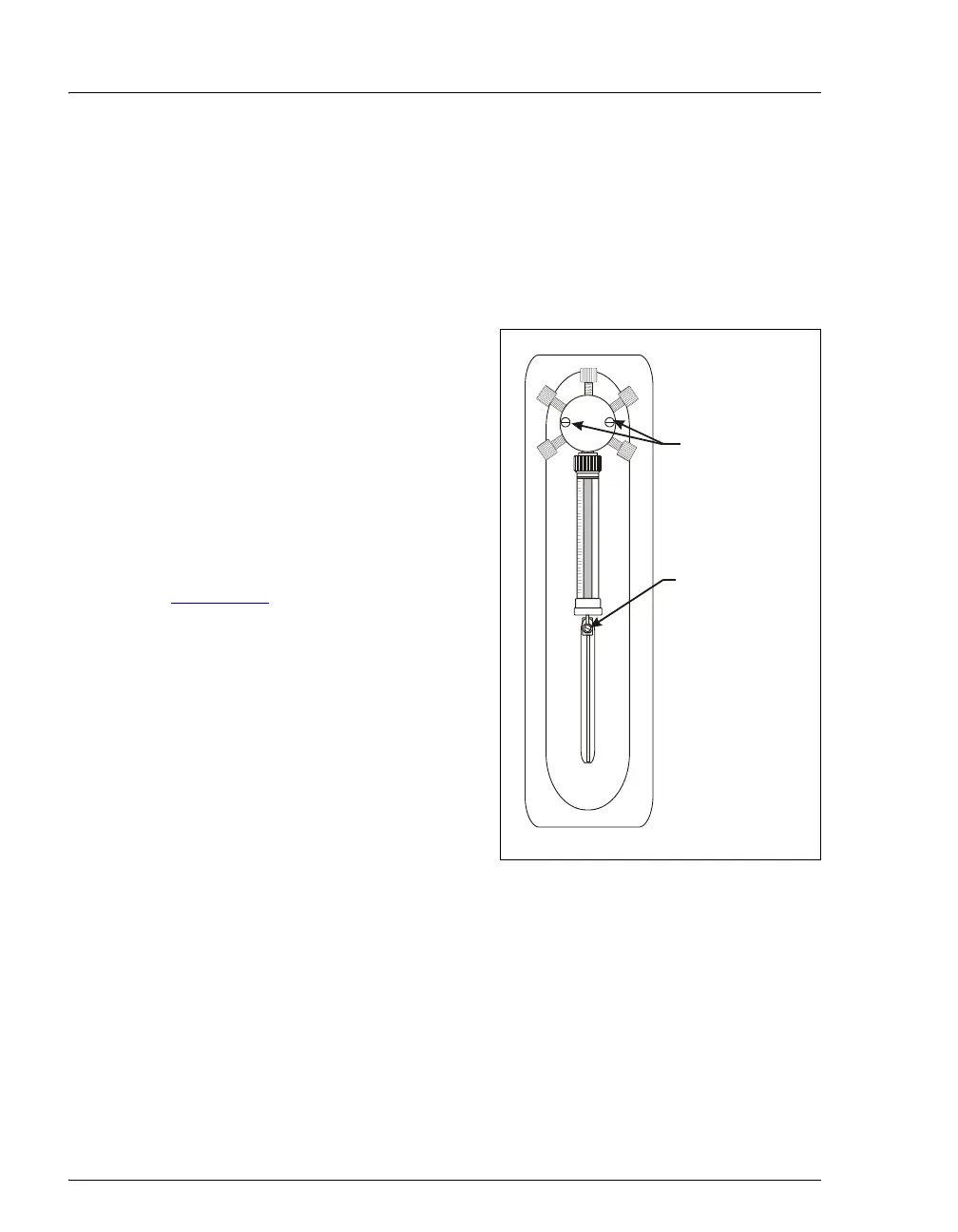
5. Unscrew and remove the syringe
drive connecting screw and the two
screws on the syringe valve (see
Figure 5-31
).
6. Pull the valve and syringe assembly
straight out to remove it.
7. Holding the syringe at the top fitting,
unscrew it from the valve.
8. Set the syringe aside in a safe place.
Figure 5-31. Removing the Syringe Valve
Syringe Drive
Connecting Screw
(Remove)
Valve Screws
(Remove)



 To Next Page