2 • Description
Doc. 065051-03 1/08 35
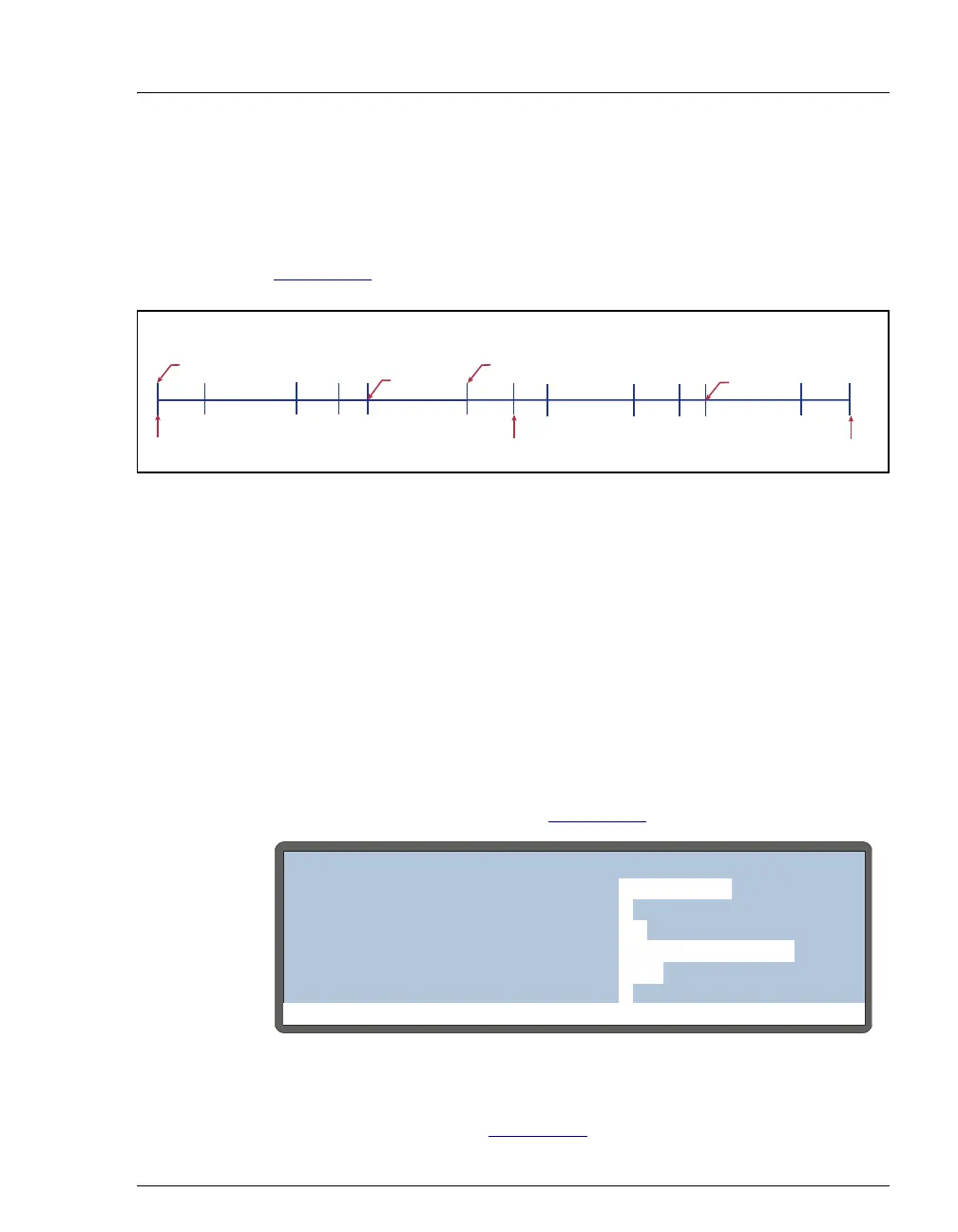
2.7.3 Running Samples Without Overlap
Placing the wait operation at the start of the sample prep steps allows
samples to be run sequentially. The
AS completes the sample prep and
timed events for an injection before starting the next injection (see
Figure 2-16
).
Figure 2-16. No Sample Prep Overlap: Wait Operation at
Beginning of Sample Prep Phase
2.7.4 Operating the AS as the System Master (Disabling the
Wait Operation)
When the wait operation is disabled, a single run command (for example,
pressing the
Hold/Run button) starts the schedule. Thereafter, the AS
performs the schedule lines without requiring additional commands. This
allows the
AS to act as the system master (the AS controls the system by
sending TTL signals to start the pump and detector methods).
To disable the wait operation, press
Menu and 5 to go to the MODULE
SETUP MENU and press 5 to go to the SYSTEM PARAMETERS screen. Set
the
WAIT field to DISABLED (see Figure 2-17).
For details about the order of events during a schedule when the wait
operation is disabled, see Figure 2-20
.
Figure 2-17. System Parameters Screen
SAMPLE PREPWASH/
FLUSH
WASH/
FLUSH
WASH/
FLUSH
SETUP
SETUP
INIT
INIT
Injection 1
Start First Method Start Next Method
TIMED EVENTS
SAMPLE PREP
Injection 2
TIMED EVENTS
WAIT
Continue Continue
Run
Help Prompt
SYSTEM PARAMETERS
WAIT:
DISABLED
METHOD SYRINGE SPEED:
CUT SEGMENT VOLUME:
INJECT PORT VOLUME:
uL
uL
10
43
4
SAMPLE MODE:
FLUSH SYRINGE SPEED:
4
NORMAL



 To Next Page