D • Front Panel Control
Doc. 065051-03 1/08 311
D.9 Calibrating the Inject Port Volume from the AS Front
Panel
Two methods are available for calibrating the inject port volume:
• Automatic calibration, using Chromeleon or Chromeleon Xpress (Release 6.8
SP2 or later) (recommended method) (see Section 5.9
)
• Manual calibration, using the front panel screens
This section describes the procedure for calibrating the inject port volume
manually using the front panel screens. Dionex recommends manual calibration
only if Chromeleon or Chromeleon Xpress (Release 6.8 SP2 or later) is
unavailable.
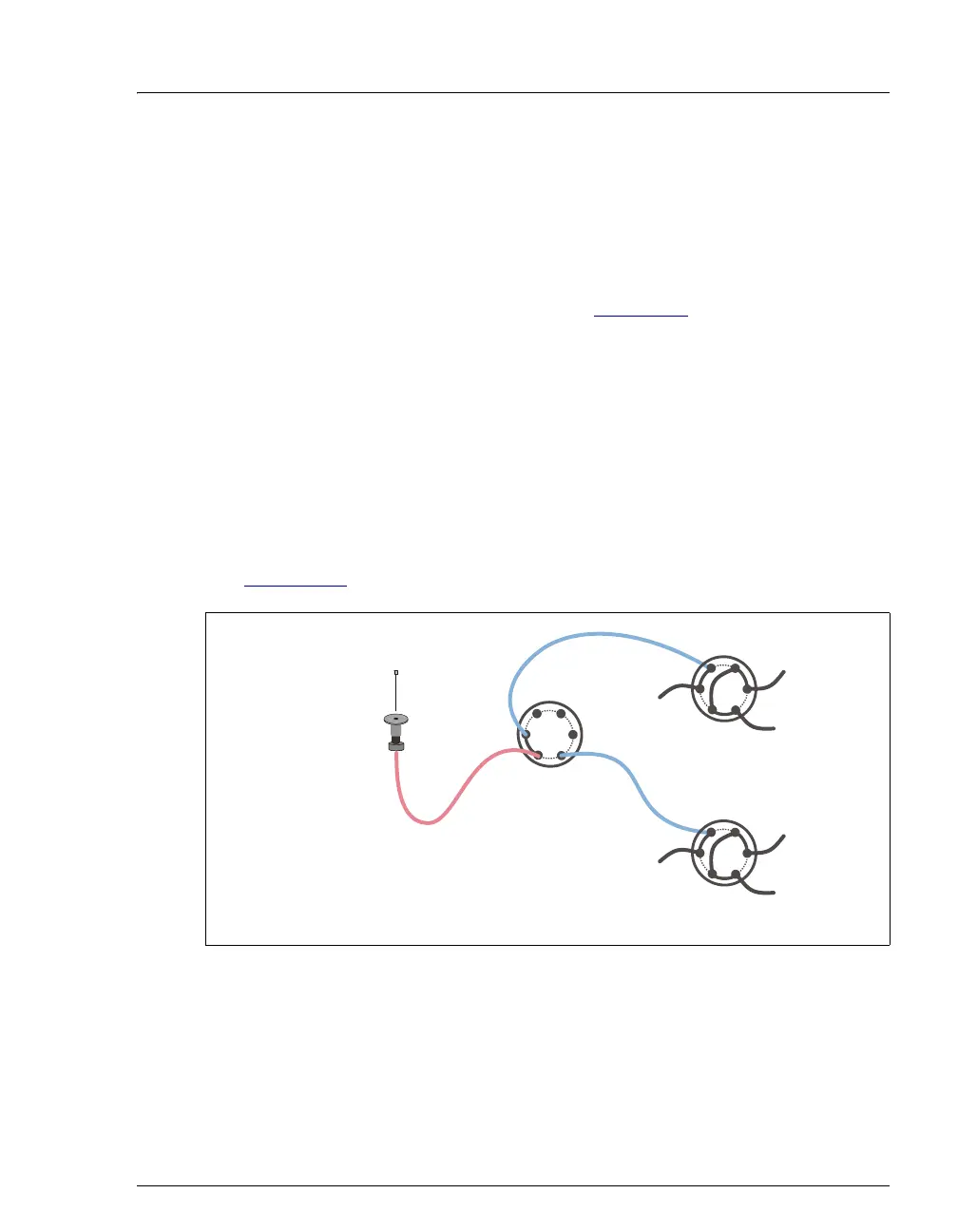
Note for Sequential Injections
For sequential injections, the volume to be calibrated includes the needle seal line,
the path through the diverter valve, and the diverter tubing to the injection valve
(see Figure D-18
).
Figure D-18. Sequential Injections:
Inject Port Volume Flow Paths
1
S
2
PP
P
Needle Seal Line
Diverter Valve
Inject Port
Diverter Line
W
L
P
C
L
S
Inject Valve #1
Inject Valve #2
W
L
P
C
L
S
Diverter Line
Needle



 To Next Page