AS Autosampler Operator’s Manual
46 Doc. 065051-03 1/08
3.1.2 Fill the Vials or Wells and Load the Sample Tray
Filling Vials
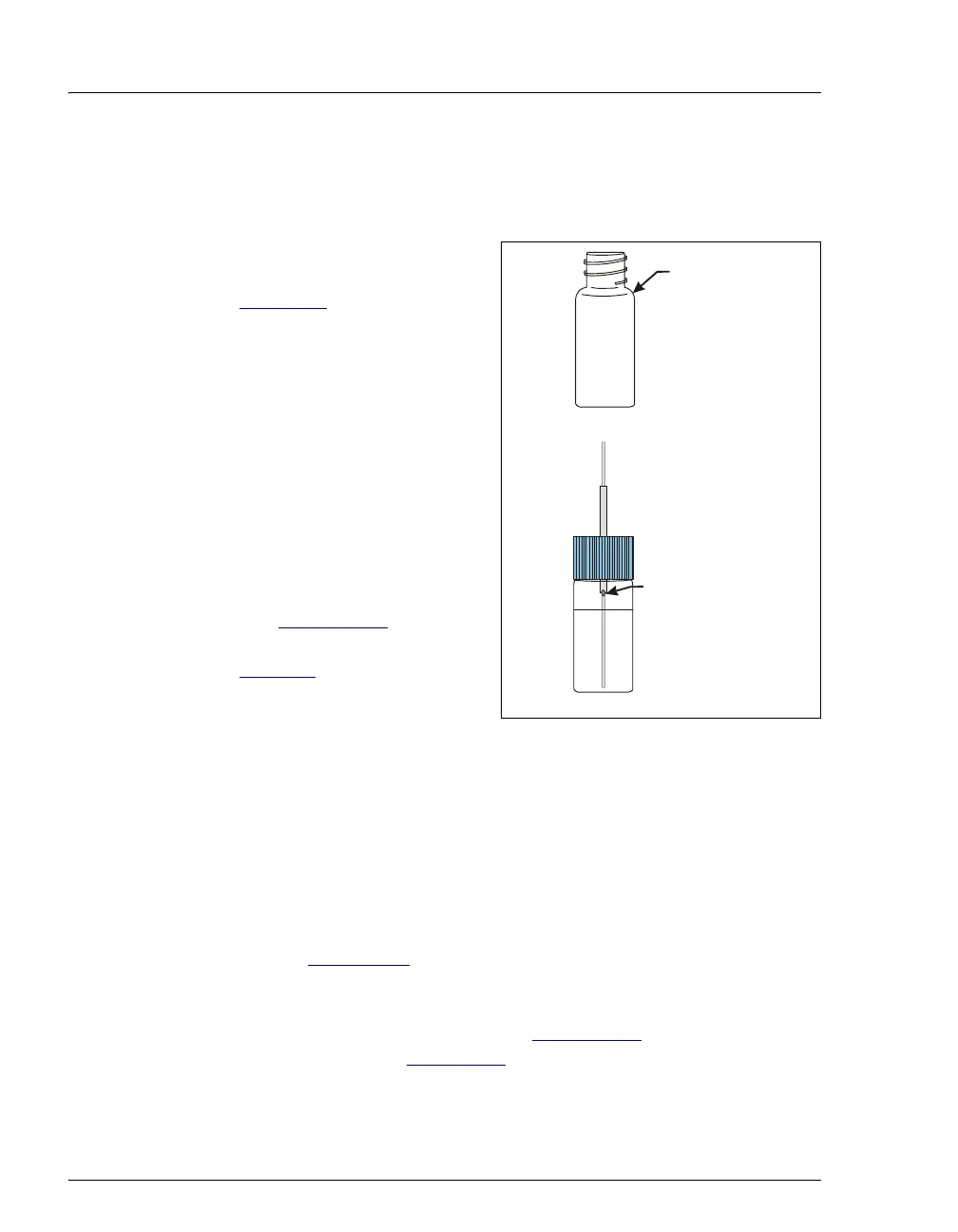
1. Fill the vials to the vial
shoulder or lower (see
Figure 3-1
). Do not fill to the
top.
During sampling, make sure
the needle’s vent is not
immersed in liquid.
For 10 mL vials only: If
necessary, raise the needle
height inside the vial to
position the vent above the
liquid. You can set the needle
height in a Chromeleon or
Chromeleon Xpress program
(see Section 3.2.2
) or in a
front panel program (see
page 292
).
Figure 3-1. Maximum Level to Fill Vials
2. Screw a cap onto each vial and tighten. To prevent septa from falling
into the vials when they are pierced by the sampling needle, make
sure the cap septa are pushed fully into the caps and the caps are
securely tightened.
NOTE For 0.3 mL and 1.5 ml vials (any type), Dionex
recommends using vial caps with slit septa only (see
Section 2.3.5
).
3. Load the vials in the tray in the order required for the Chromeleon or
Chromeleon Xpress sequence (see Section 3.2.2
) or for the front
panel schedule (see Section D.6
).
4. If the sample temperature control option is installed, position tray
covers (P/N 061010) over any empty positions on the tray (see
Never fill
above
this point
All vial sizes
Needle vent
(Do not immerse
1
mL vi
l



 To Next Page