Programming and operating manual Model 1001 DFB
100 FICEP S.p.A.
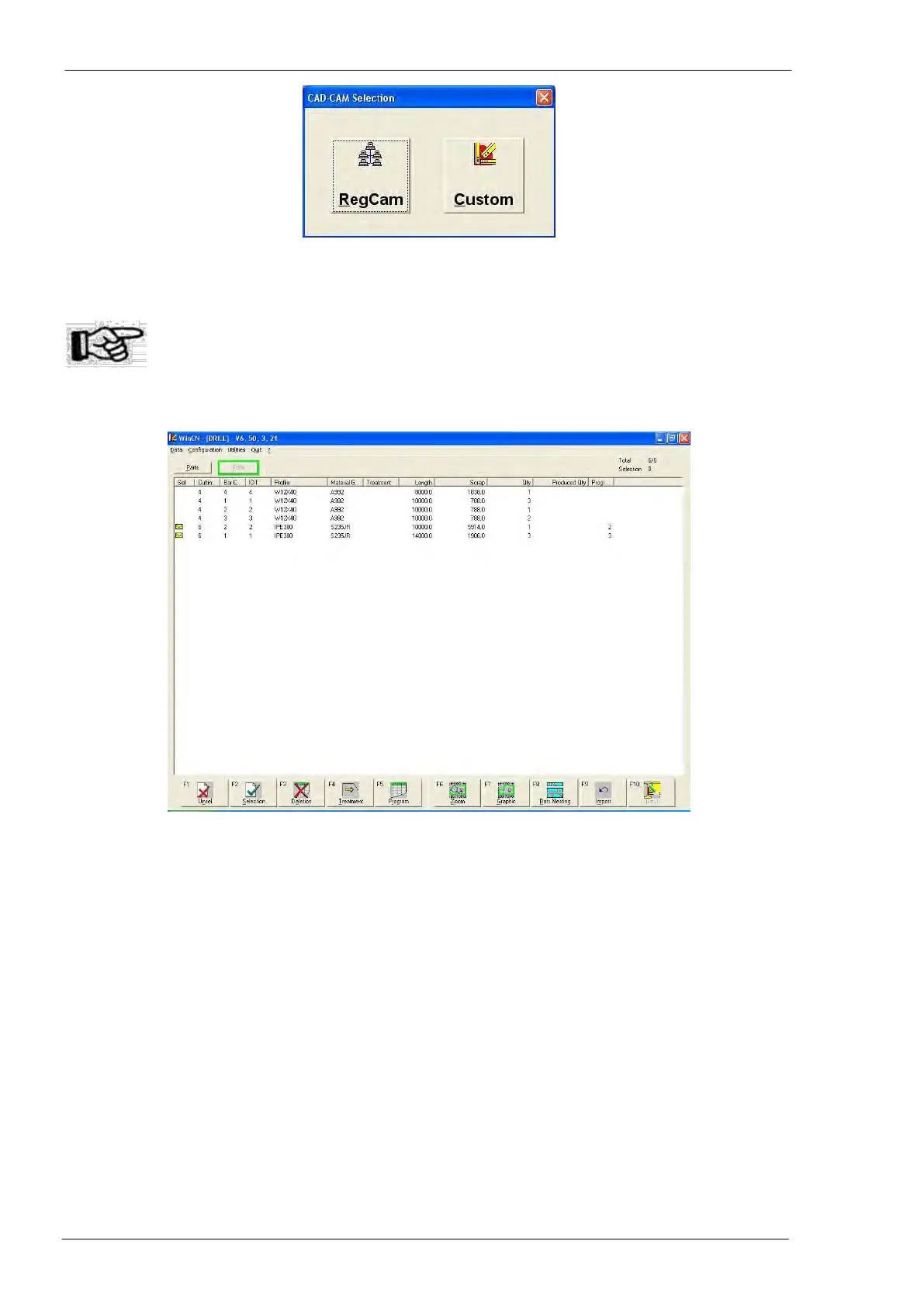
Pressing “Custom” a windows with a list of importable programs opens; all programs to import must be
stored in a directory known by “WinCN”.
ATTENTION: if you didn’t buy any import license the package “WinCN” is not installed on
your machine and the push-button “Custom” is not present. Thus, pressing
“Communication CAM” in the general window, you directly get statistic and his-
torical information on machine work as described below in the next section.
To achieve import operations the operator needs only to:
- Select the program(s) to import checking them double touching on the screen or pressing the space
bar of the PC keyboard
- press F4
If the import process ends without errors each imported program is marked by the icon of an envelope;
that means the program has been “sent” to the CNC
Pressing ESC, to come back to the CNC software, the operator can find the imported workings in the
pieces list and/or in the bars list.
The package WinCN needs a correct set of post-processing data normally tuned by FICEP technicians
during line setup.



 To Next Page