Programming and operating manual Model 1001 DFB
54 FICEP S.p.A.
“Archive”: to import/export, copy, delete, rename, etc. a part program
“Nesting”: to nest in bars the parts selected in the zone n. 5
“Bars list”: to open the list of the nested bars
“Print”: to print the selected part program, choosing between full printout and simplified printout.
Full printout gives all details of each instruction whereas the simplified one gives only ma-
croinstructions. To full printout it is necessary to select the “single operations” option in the
window displayed pressing the “print” push-button)
“Information”: to display a window with summarized information of a part: profile type, size, dimensions,
tools list, operations for each side, etc.
To input a new program
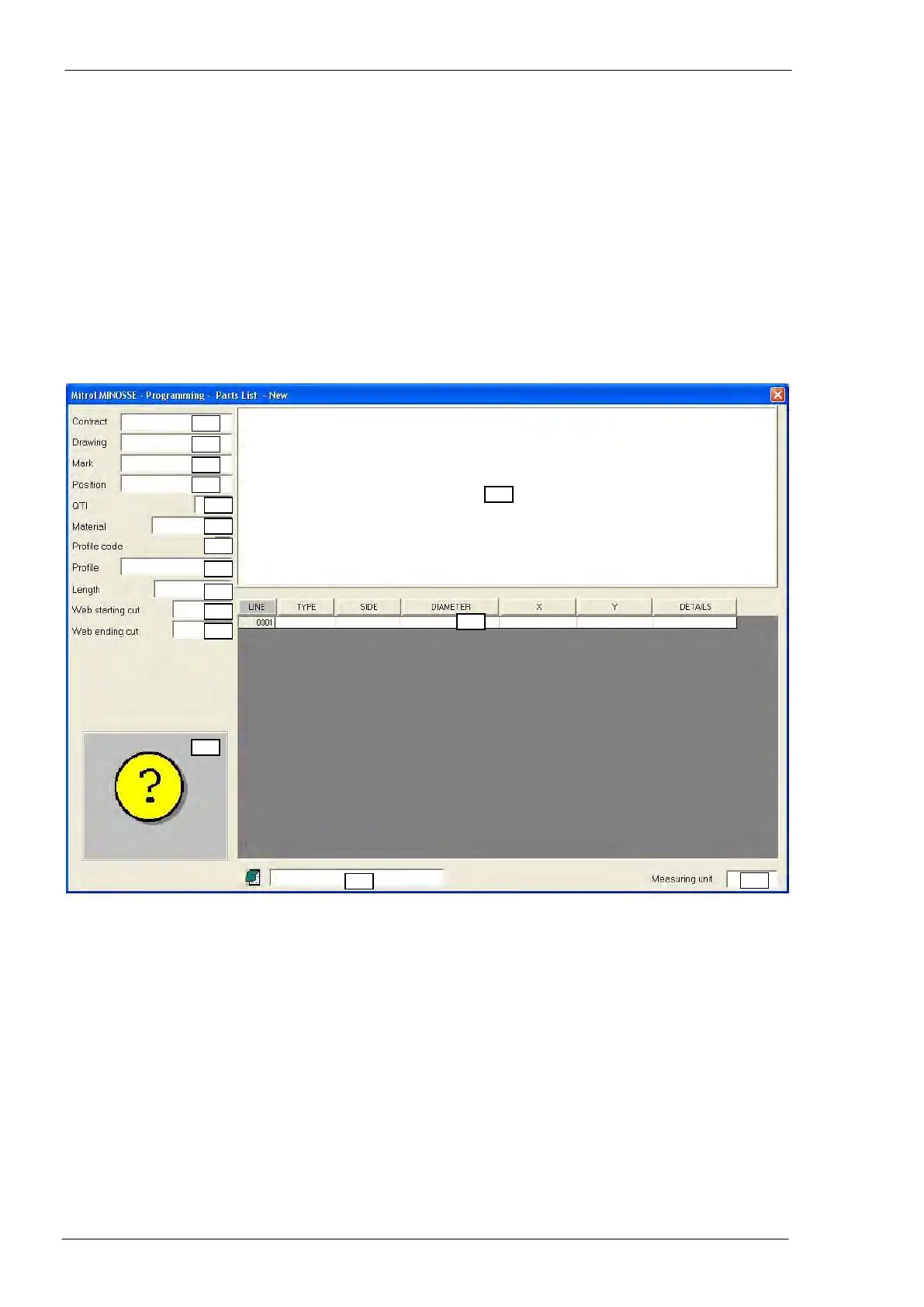
Pressing the “New” push-button in the programming section, a window to compile the part program is dis-
played:
Description of the data to be inserted
Alphanumeric string, which identify the contract (maybe the final customer’s name, the
work code, etc.). Max 12 characters.
Alphanumeric string, which identify the drawing. Max 12 characters.
Alphanumeric string, which identify the piece; if the part program contains marking opera-
tions with no other specifications, this is the text that will be marked. Max 12 characters.
Alphanumeric string, which identify the particular of an assembly drawing. Max 12 charac-
ters.
Note: it is not necessary to fill in all previous fields; it is possible to put in only one (better
the field n. 3).



 To Next Page