Programming and operating manual Model 1001 DFB
40 FICEP S.p.A.
Tables
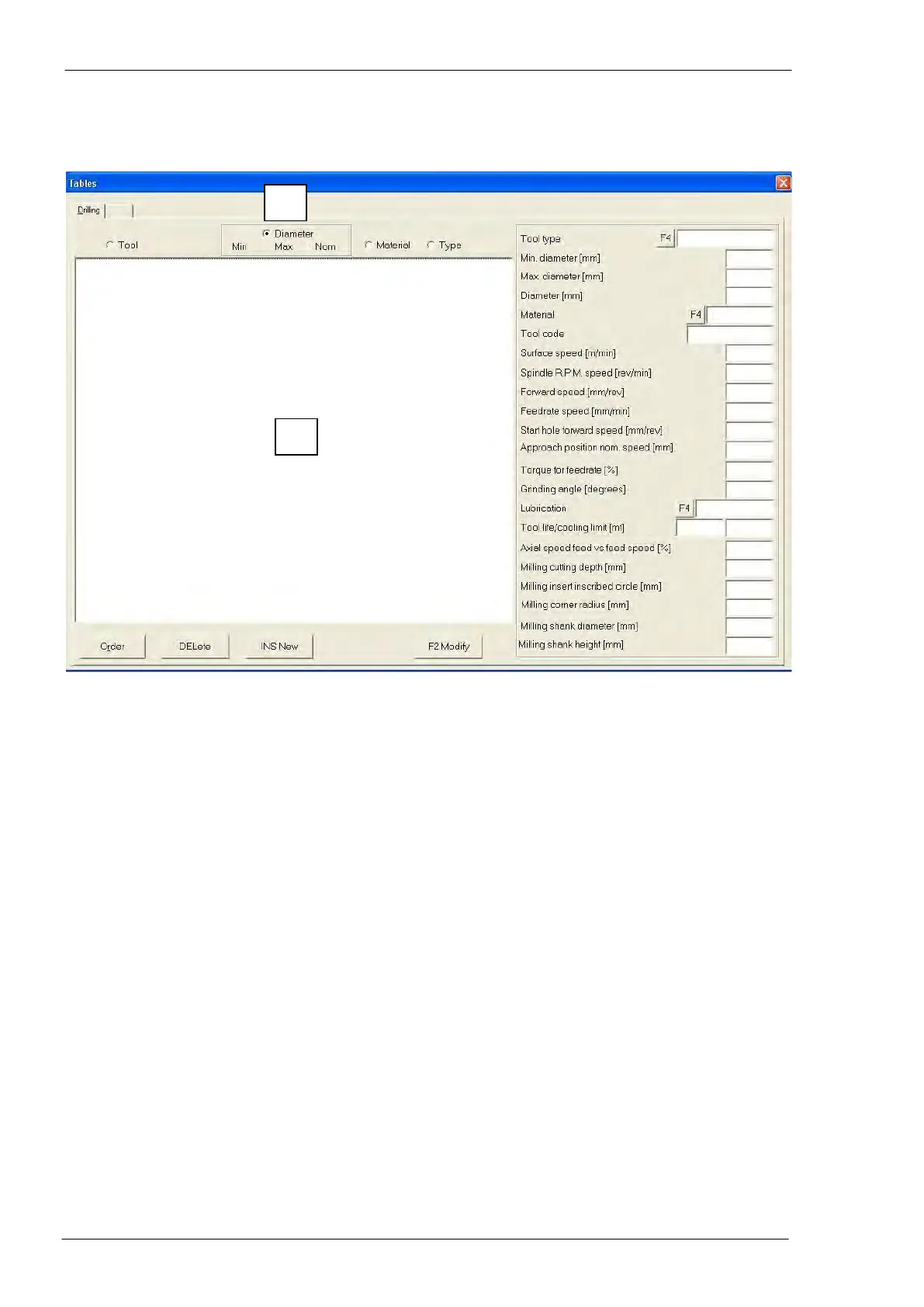
Drilling-milling operations table
Fields description
To display the list of all tools inserted in the CNC database.
To set in order the tools listed in the “A” zone according to the crite-
rion selected in the “B” zone.
To remove definitively the tool selected in the “A” zone from the
CNC database.
To insert a new tool in the database.
To modify a tool already inserted in the CNC database.
Code to identify the working process and the tool type; pressing
“F4” of PC keyboard a window with the predetermined list of tool
types opens.
Minimum diameter of the tool.
Maximum diameter of the tool.
Nominal diameter of the tool (this is the value used by the CNC to
carry out its calculations).
To limit the use of the tool only with the material here specified.
Pressing “F4” of PC keyboard a window with the list of materials
opens, where select, modify, insert or delete materials.
Additional code to identify the tool; it could be used to distinguish
identical tools from different suppliers.
Drill revolution tangential speed; the tool supplier could provide the
best value.
Revolution/minute speed, calculated as a function of the nominal
diameter.
Spindle forward speed per each revolution; the tool supplier could
provide the best value.



 To Next Page