Model 1001 DFB Programming and operating manual
FICEP S.p.A. 65
Permanent repositioning of the piece origin
If it is necessary to repeat the same operation, it is possible to write the needed instructions the first time
and then copy them changing the origin point.
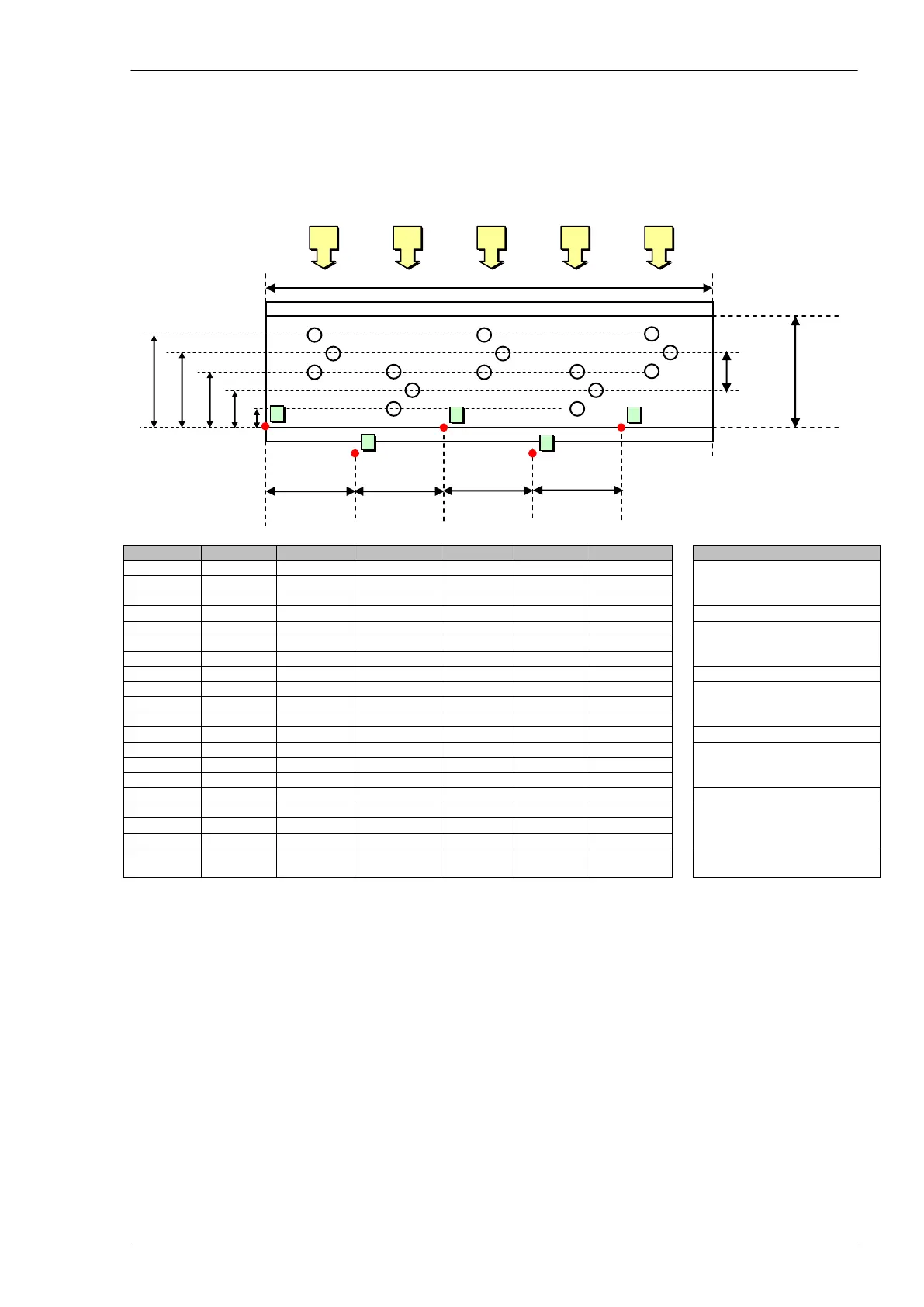
Example: the following picture shows a part program with the five repetition of the same group of holes.
1
st
Group of holes; the piece
origin is defined by CNC soft-
ware (point 1)
2
nd
Group of holes; the holes
coordinates are the same of
the first one
3
rd
Group of holes; the holes
coordinates are the same of
the first one
4
th
Group of holes; the holes
coordinates are the same of
the first one
5
th
Group of holes; the holes
coordinates are the same of
the first one
Origin displacement is reset
(back to point 1)
Note:
- each origin displacement is incremental in according to previous origin and not to the one set by the
CNC software
- the displacement of X origin coordinate is suitable for all sides of the piece whereas the displacement
of Y origin coordinate is suitable only for the one where it is defined
- the “ORG” instruction without X and Y coordinates resets all the displacements and takes again the
origin in the initial position set by the CNC software
Programming of special functions
Put the cursor in the “TYPE” field, press F4 and choose the command “MISC” (Miscellaneous); after that
put the cursor in the “DETAILS” field and press F4 to get a window with the list of all programmable spe-
cial functions:



 To Next Page