Programming and operating manual Model 1001 DFB
22 FICEP S.p.A.
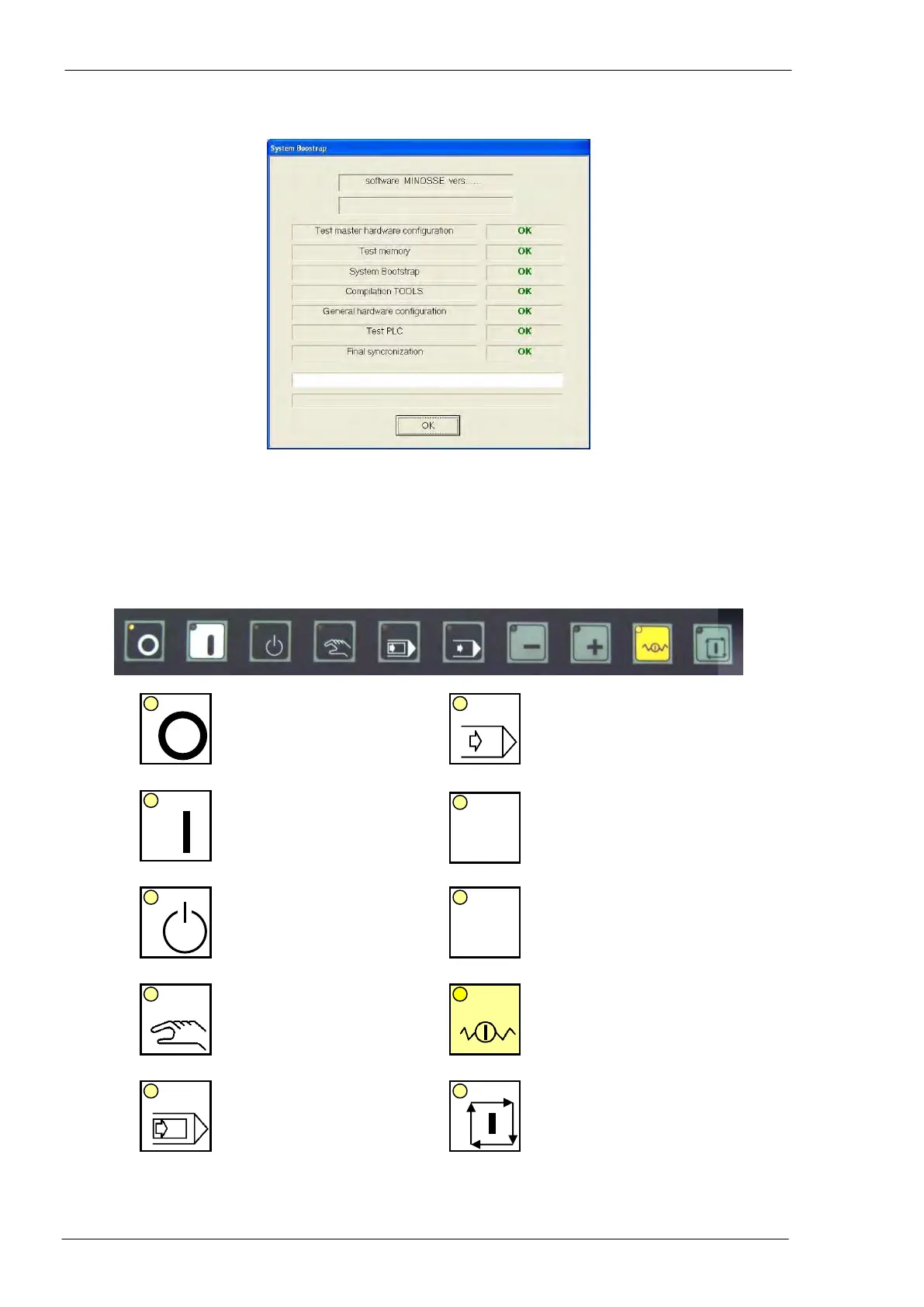
All the items have to result as “OK”; if any “NOT OK” answer appears, the CNC has hardware or software
problems.
End the procedure pressing the “OK” push-button.
The main push-button panel
Switching OFF of the line
auxiliary circuits (ex. the
oil pump)
Automatic mode, continu-
ous execution
Switching ON of the line
auxiliary circuits (ex. the
oil pump)
JOG -: manual movement
of the selected axis to-
wards negative direction
(decreasing coordinates)
Stand-by mode: axes are
not qualified. Program-
ming and setup opera-
tions are enabled
JOG +: manual movement
of the selected axis to-
wards positive direction
(increasing coordinates)
Manual mode: it enables
the axes manual control
by means of the push-
buttons “+” and “-“ when
the “Jog” window is open
Hold cycle: all the axes
stop and keep the actual
position
Automatic mode, single
execution (step by step)
Automatic cycle start: the
selected cycle is started
(part process, zero cycle,
etc…)



 To Next Page