Programming and operating manual Model 1001 DFB
106 FICEP S.p.A.
Summary of all commands of menu “View” and “Setup”
Displays the normal “Execution” window
Displays the “Execution” window with I/O condition
Displays the “Execution” window with dynamic synoptic
Enable/disable the comment display in the canonic program
Opens a window in which the operator can display and force
the condition of a limited number of selected channels
If a message is active, the operator can recall the related win-
dow (same as “ALT” + “H”)
By this command it is possible to define the display format of
axes coordinates; only for FICEP technicians. Default: “User“.
By this command it is possible to define the display format of
canonic program; only for FICEP technicians. Default: “User“.
By this command it is possible to open two different windows:
- in the first one, open by “Configuration” command, the oper-
ator can configure what type of channels he wants to display
- in the second one, open by “Set/Reset” command, the oper-
ator can force by the activation and the deactivation of each
channel by pressing “+” and “-“ of the main push-button pan-
el.
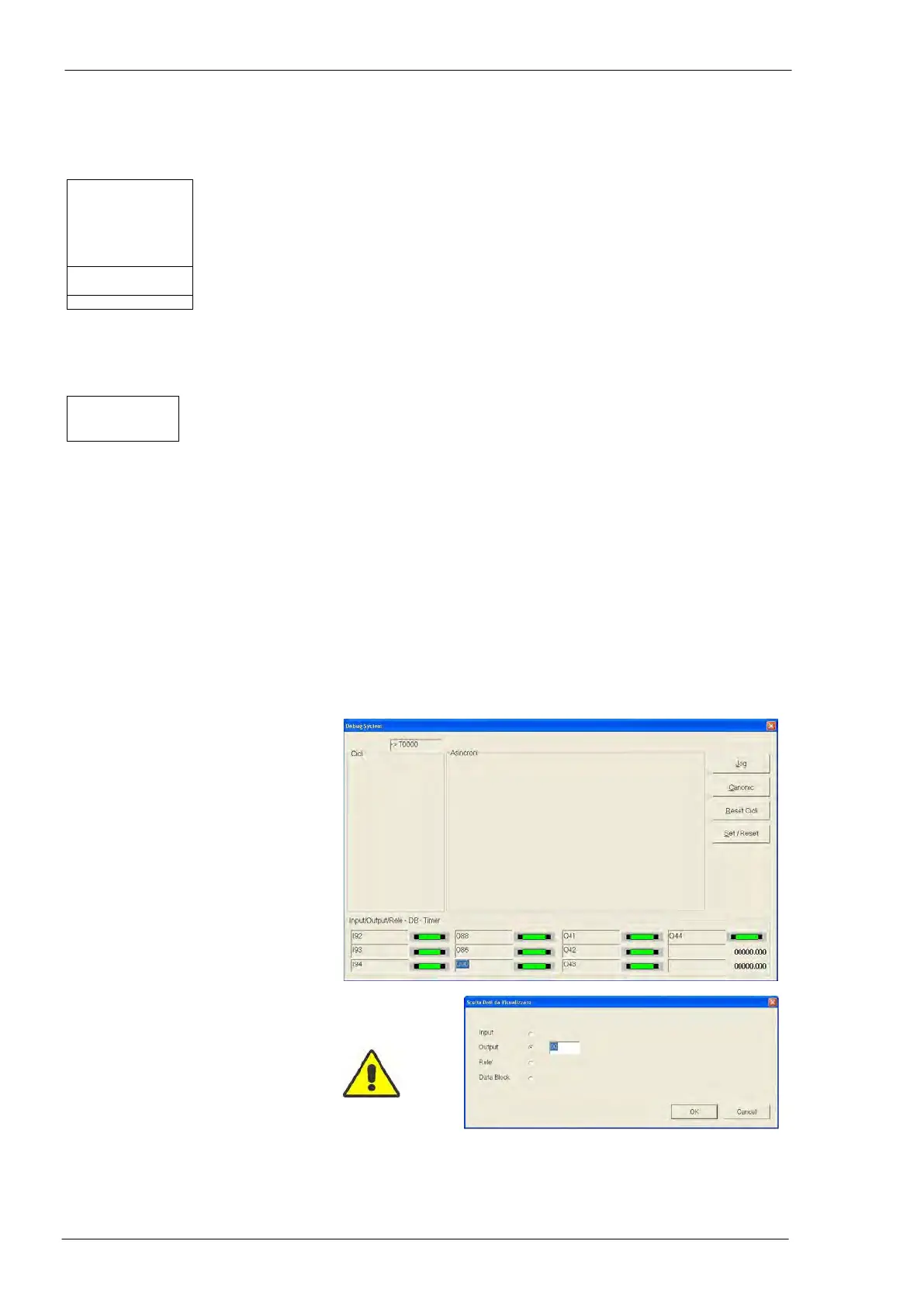
“Debug” window
Debug window
(Menu “View” “Debug”)
In the lower part of the window twelve
signals are displayed by their address
and value (little green/red rectangle
as state or numerical value); when the
cursor in one of these box and F2 is
pressed a window opens to allow the
operator to choose what he wants to
display in the selected box.
By the graphic push-button
“Set/Reset” the operator can change
the condition of the selected signal
ATTENTION
Any given order is under direct re-
sponsibility of the operator; the CNC
software only executes what request-
ed without any control.
An incorrect command of I/O
channels could be very dangerous
for peoples and machine.
Axis coordinates
Channels
Synoptic
Comment
Double cononic
Debug
Can. 1 activated
Can. 2 activated
Alarm/messages
Axis coord. ►
Canonic ►
Channels ►



 To Next Page