Model 1001 DFB Programming and operating manual
FICEP S.p.A. 29
Procedure to manual control the axes
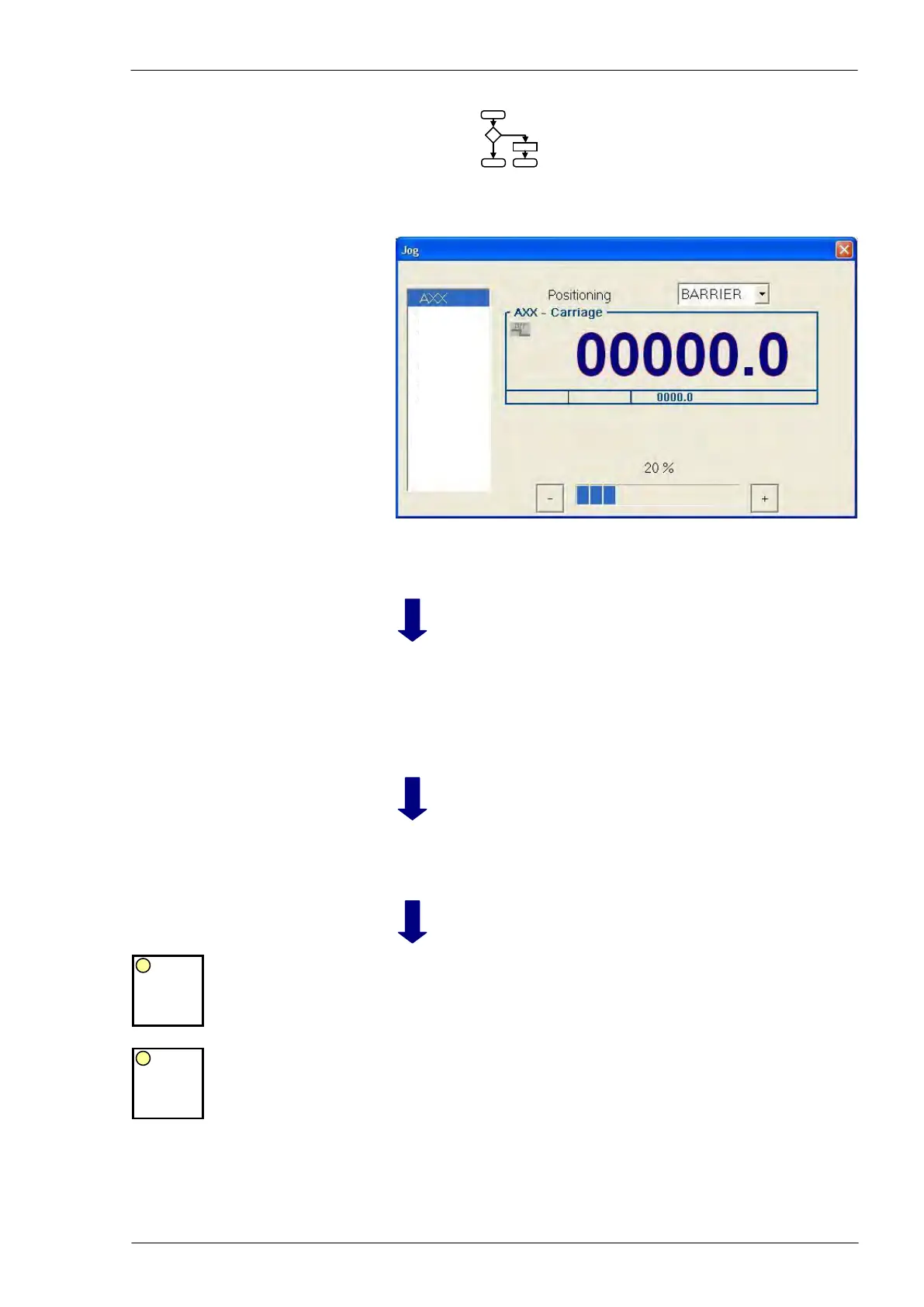
Axes manual control activated; “Jog” window opened.
Select the axis to be
manually displaced
in the list on L.H.
side of the window
It is possible by means of the arrows keys on the PC keyboard or
touching the screen.
Select the
displacement
step
Select the dis-
placement step in
the pull-down menu
on upper side of the
window
- “Barrier”: the selected axis moves in continuous until the opera-
tor presses “JOG +” or “JOG -“ push-button on the main push-
button panel or until the achievement of the electronic barrier
- 0,01 - 0,1 - … - 1000 mm: each time the operator presses the
“JOG +” or “JOG -“ push-button, the axis executes a displace-
ment equal to the selected step.
Adjust the maxi-
mum speed rate
By means of the “+” or “-“ keys on the PC keyboard or touching the
screen, adjust the speed per step of 10 percent.
Perform the dis-
placement
As long as the operator presses the push-button the axis moves,
the LED of the pressed push-button remains illuminated and the
axis coordinate value on the screen changes accordingly.
When the operator releases the push-button, the axis stops and the
LED of both push buttons blink.
AXY
AXZ
MDY
AMM
ADM
APD
AXR
AXS
AXU



 To Next Page