Model 1001 DFB Programming and operating manual
FICEP S.p.A. 89
The operator resets the system pressing the push-button
to clear the optical barrier alarm (if provided).
The operator starts again the execution of the program;
the pincher catches the material, the LED into START
push-button is ON and the coordinates change dynami-
cally; the line is working.
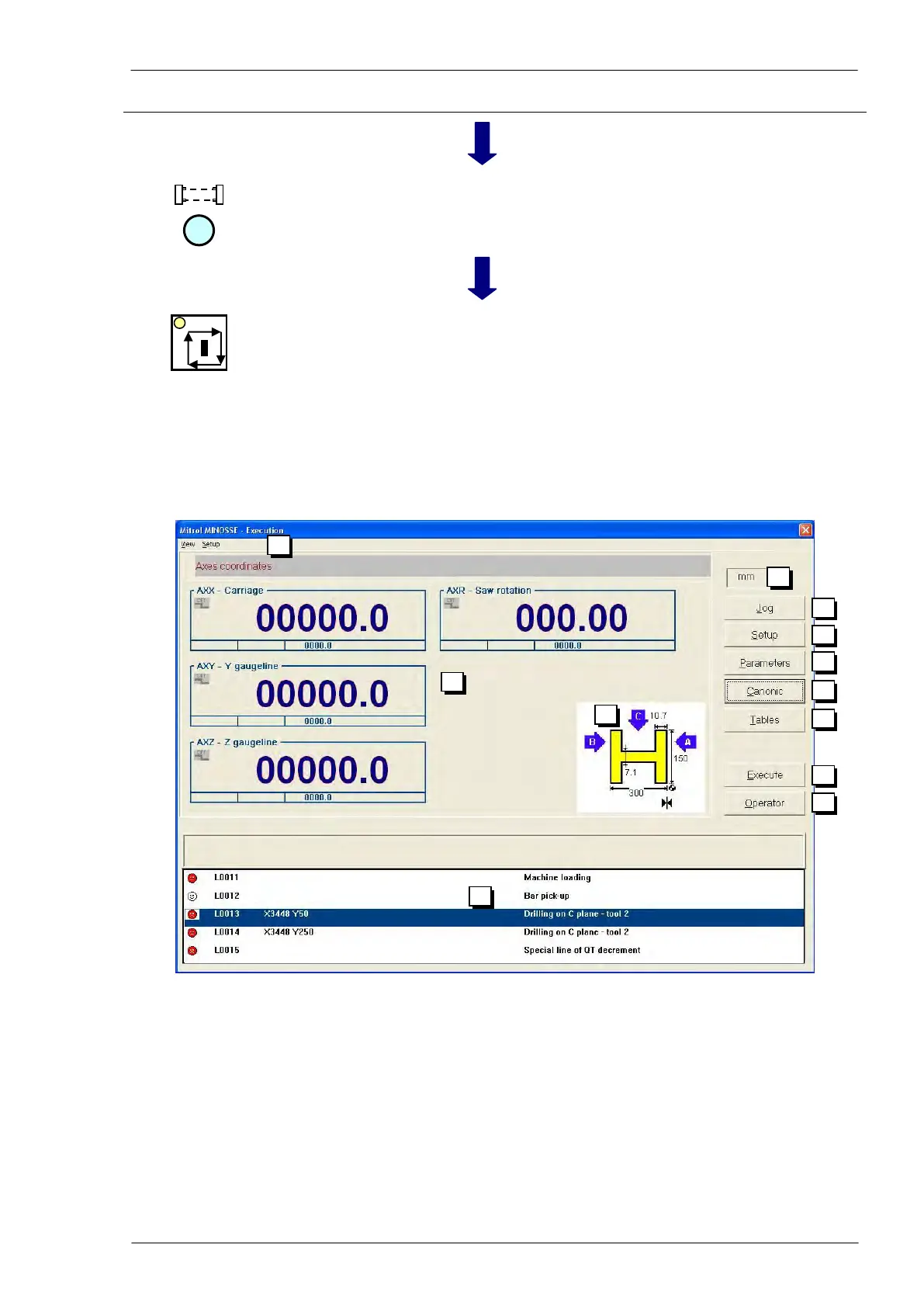
The execution window
Display of coordinates of main axes
Graphic information of worked profile
Program in execution (canonic). The display of program is in textual understandable
mode and what the operator sees in the window is what the machine is doing.
Each program line is marked by
a smile which could be
white = setup line without movement instructions
red = line to be executed
green = line already executed



 To Next Page