Model 1001 DFB Programming and operating manual
FICEP S.p.A. 105
It is possible to customize number and type of
channels to view by using “Setup” “Channels”
“Configuration”.
A window opens to allow the operator configure
what to see with direct method.
For the function and address of each input and output signal refer to electric, pneumatic and
hydraulic drawings of your line.
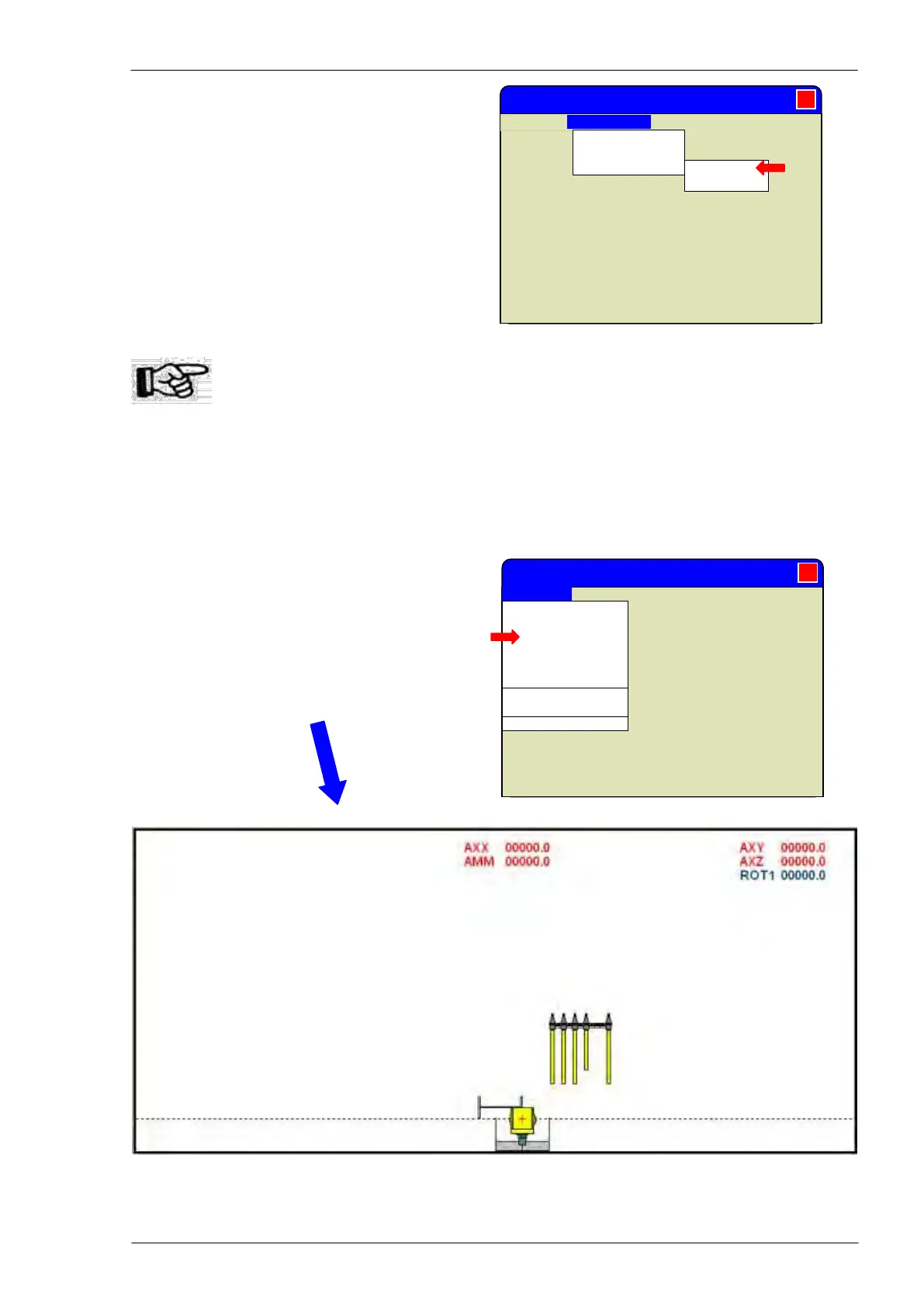
Dynamic synoptic
Clicking on “View” “Synoptic” command in the
“Execution” window the operator gets a dynamic
representation of current movement and tool; the
synoptic takes place of axes coordinates.
To come back to normal display with axes coordinates choose “View” “Axes coordinates”
Mitrol MINOSSE - Execution
Axes coordinates
Channels
Synoptic
Comment
Double canonic
Debug
Can. 1 activated
Can. 2 activated
Alarm/messages
Mitrol MINOSSE - Execution
Axes coord. ►
Canonic ►
Channels ►



 To Next Page