CONTROLS
1001 DFB
Drilling & Sawing Line
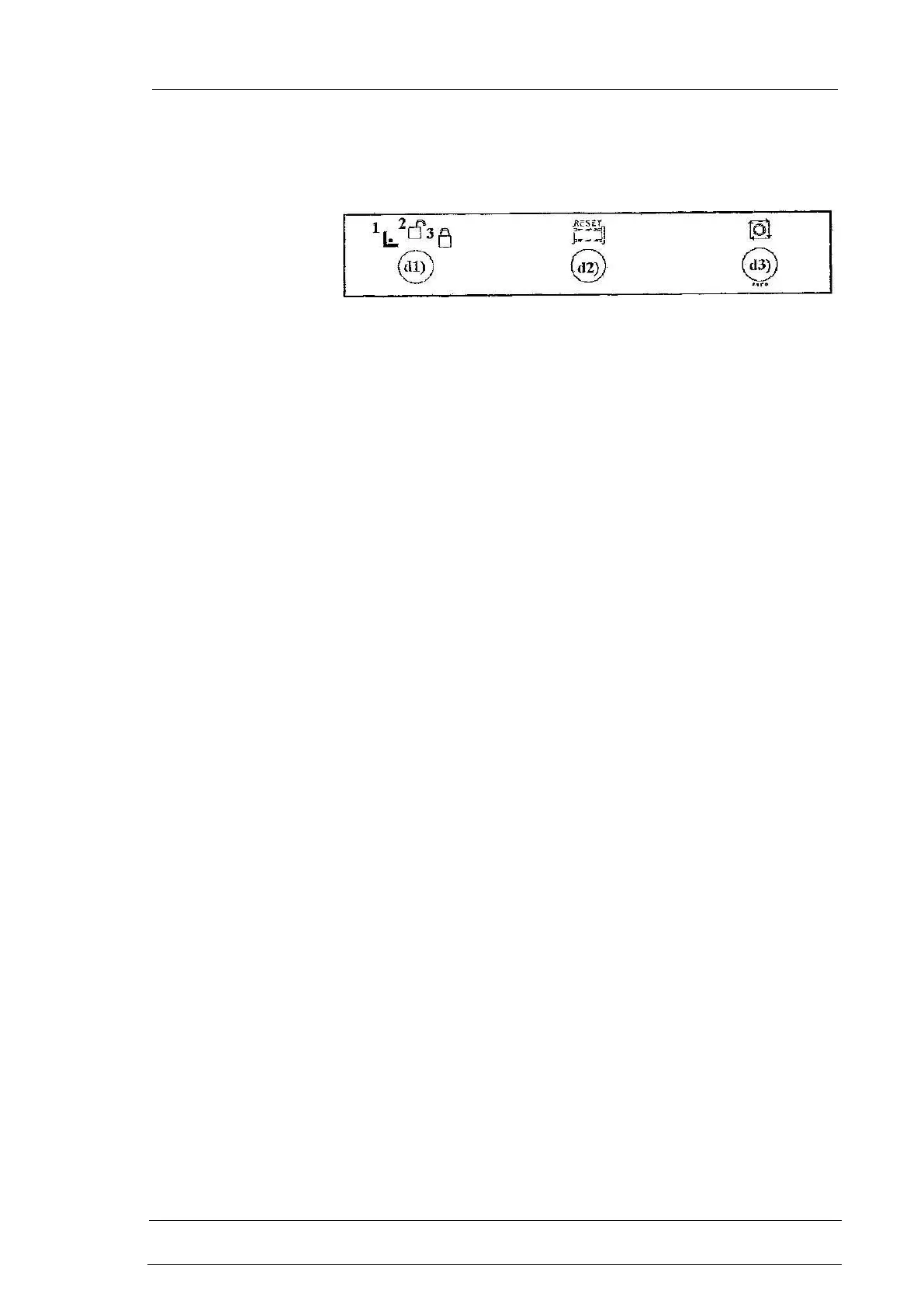
3.1.2 PUSH-BUTTONS PANEL
d Located under CNC
d1 3-positions key type selector switch to lock the operation modes
1. set-up position
It forces the machine into set-up mode. The passing through the
photoelectric barrier (if present) causes the same effect. The set-up
mode (4) is similar to the standby (3) mode but it is safer because it
is not possible to go into hold (5) state and from this to the
execution mode acting on the CNC control station without a
voluntary act from operator: either the photoelectric barrier reset or
the return of the key type selector switch to position 2. Furthermore
in the set-up mode, besides the software safeties, the machine is
interlocked even from the electric point of view and a fault of the
CNC cannot cause the unexpected movement of an axis.
2. position of operation mode unlocked
No restriction is given to keyboard push-buttons operation
3. position of operative mode locked
In this position the machine stays in the operatiion mode previously
selected. It is possible to go into “safer” modes or states, for
example: from the automatic execution mode (1) to the hold (5)
state pressing the hold push-button, or from the hold (5) state to the
standby (3) mode pressing the standby push-button
d2 photoelectric barrier reset illuminated blue push-button (if present)
It is used to reset the safety device for photoelectric barrier control.
It causes the passage from the set-up mode (4) to standby mode (3).
d3 Cycle stop push-button
Active in automatic execution (1) mode. When pressed if a drilling
(marking if present) cycle is under way, it is interrupted if in a
position to be interrupted, otherwise it is completed; the machine
goes into the hold (5) state, the active program is interrupted and
the reset (passage to automatic execution mode) is possible
pressing the cycle activation (b16) push-button. If the cycle has
been interrupted it restarts from the beginning. Take due note that
the operation of this push-button is similar to the one of hold push-
button except for the stop of the axes movement.



 To Next Page