Programming and operating manual Model 1001 DFB
76 FICEP S.p.A.
Variants for basic nesting procedure: automatic nesting
Maybe the operator needs to nest pieces into bars of different length drawing them from factory store-
house in random order. To do that the operator must perform a full automatic nesting. In this case the
bars number can’t be pre-calculated by the CNC software and it is left to the maximum value (9999). The
effective bars number will be fixed only at the end of the job.
In the “Bars list” window all automatic nestings are marked by a star.
To perform un automatic nesting press the push-button “Automatic” in the nest window and confirm the
number 9999; saving in the bars list is automatic and the operator doesn’t need to press “Save”,
When an automatic nesting is performed neither quantities in the zones n. 14 and n. 19 nor
drawing in the zone n. 2 are updated.
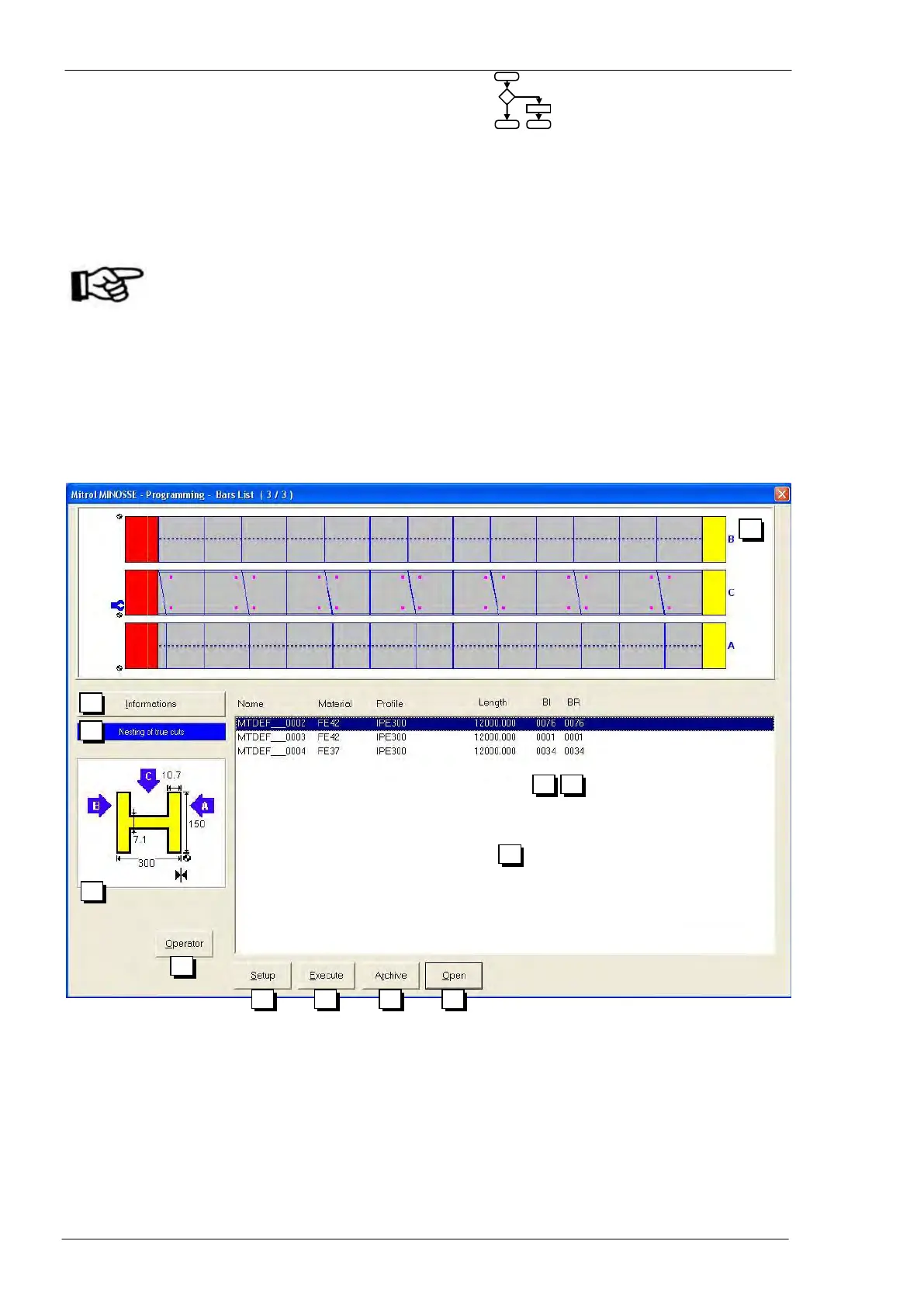
Bars list
To start a job of nested pieces the operator must press “ESC” to close the nesting window and to come
back to general programming window and, then, press “Bars list”. A window with a list of bars to work
opens.
Picture showing the nest selected in the zone n. 05 (not scale drawing)
Pressing this push-button the operator gets some general information about the nest
selected in the zone n. 05: profile type, contract data, required tools and so on.
Display of nesting type:
- True cuts
- Simulated cuts
This selection is performed in the “Execution parameters” window (see page 77)
Graphic information on the selected profile



 To Next Page