Programming and operating manual Model 1001 DFB
52 FICEP S.p.A.
CHAPTER 6: PROGRAMMING
Preliminary remarks
“Programming” means translate the drawing of the piece to perform into CNC executive instructions.
A program can be inserted into the CNC by:
- importing files from an external PC, in this case the program could be generated with other pro-
grams like, for instance, Winsteel
- direct editing on the touch screen of CNC; in this case display the “Programming” screen page
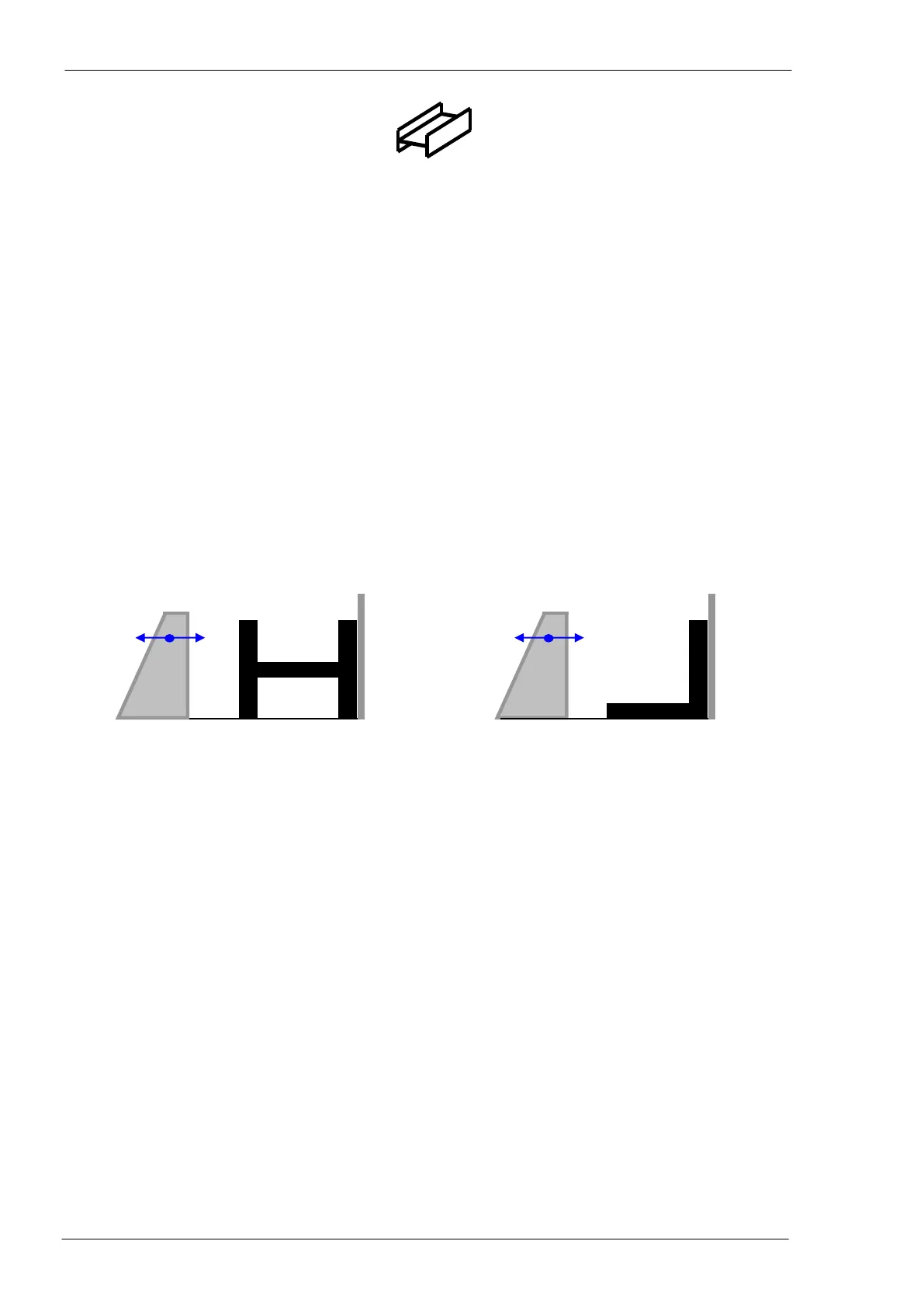
Anyway, these agreements are valid:
all profiles different from “L”
side “A”: profile side toward datum line; from here, we shall call it “flange A”
side “B”: profile side toward mobile vice reference side; from here, we shall call it “flange B”
side “C”: horizontal upper side of the profile; from here, we shall call it “upper web”
side ”D”: horizontal lower side of the profile; from here, we shall call it “lower web”
“L” profiles
side “A”: vertical profile side toward the datum line; from here, we shall call it “flange A”
side “B”: horizontal profile side on the working plane; from here, we shall call it “flange B”
NOTE: To program, the activation of auxiliary circuits (oil pump, etc…) is not required.
Terminology
instructions list to program a piece into the CNC software
list of all pieces programmed in the CNC software (available in the program-
ming window)
row material to be cut to get the programmed pieces
to arrange the pieces into a bar
list of all the nested bars
executing program of the CNC generated starting from
- piece program to execute a single piece
- bars list to execute a nested bar



 To Next Page