Model 1001 DFB Programming and operating manual
FICEP S.p.A. 41
Forward absolute speed of the spindle; calculated by CNC.
Spindle forward speed during contouring operation.
Forward speed of the spindle for each revolution, entering the mate-
rial.
Coordinate in which the speed of item 11 becomes the one speci-
fied at item 09.
Stress limit of the tool before the drilling cycle is stopped.
Drill total width, from cutting edge to cutting edge.
Selection of tool lubrication type; pressing “F4” of PC keyboard a
window with the predetermined list of lubrication types opens.
Maximum distance covered by the drill inside the material before
the sharpening or replacement of the tool (CNC software takes care
of the whole totality of the holes that a tool makes adding the rela-
tive thickness).
Maximum distance covered by the drill inside the material before
the replacement to allow its cooling.
Pocketing speed (POCKET operation) related to a front cutting tool;
this value is a percentage of the contouring speed (MILL operation).
With milling tool, this value is equal to the maximum rapid approach
speed.
Maximum depth of each milling passes
Edges radius of the tool inserts
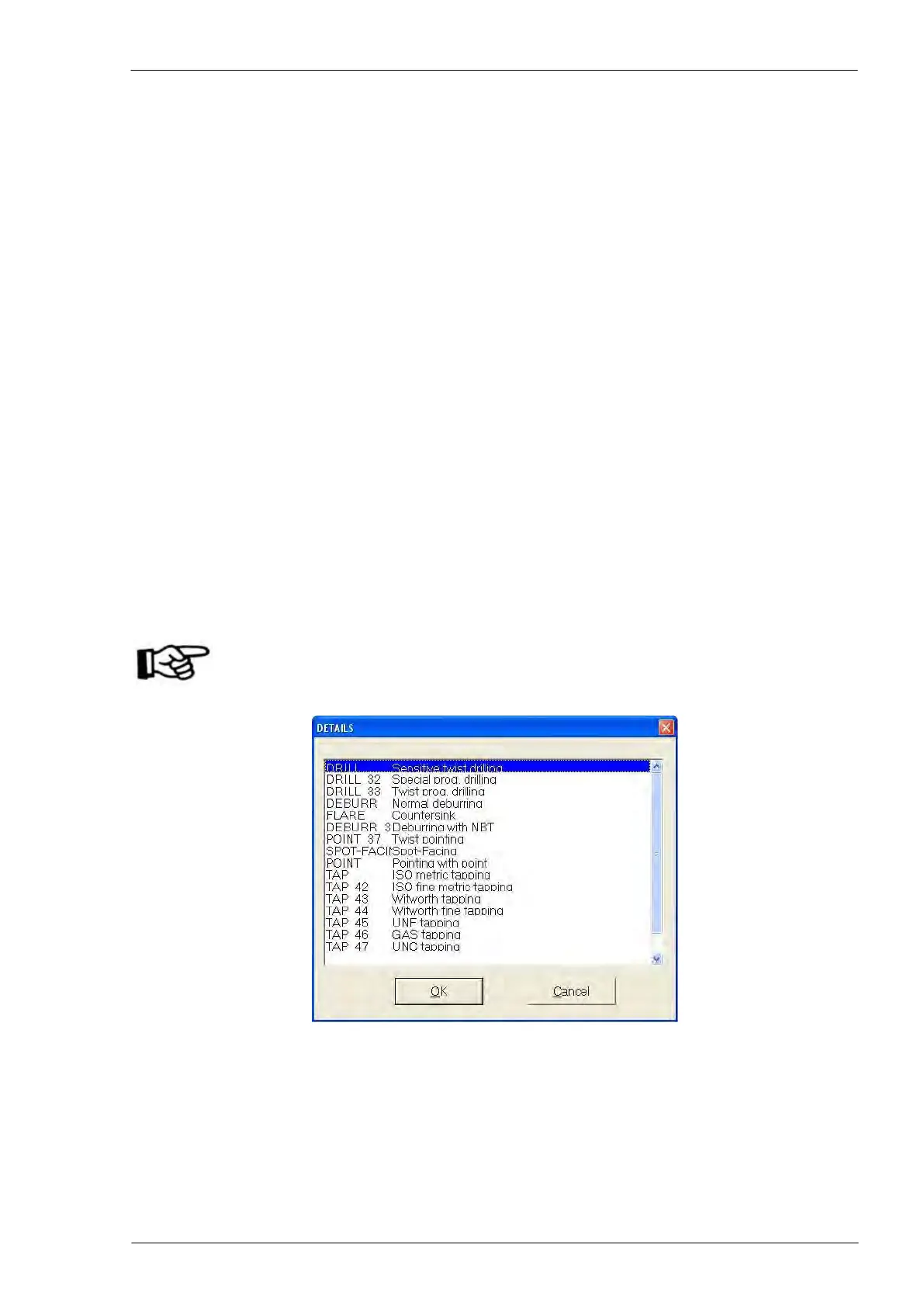
When modifying an already existing tool (F2 key) or when inserting a new tool (INS key), pressing “F4”
with the cursor in field 01 “Tool type” the window with the list of tool type opens.
ATTENTION: The entry of the windows depends on the configuration of the line
bought so it could be different from the following pictures.
The entries on the L.H. (“DRILL”, “DRILL 32”, etc) are codes defining the tool type for the CNC software;
the operator chooses the required tool by arrow keys on the PC keyboard or directly on the touch screen
and validates the selection pressing “OK”.



 To Next Page