Model 1001 DFB Programming and operating manual
FICEP S.p.A. 71
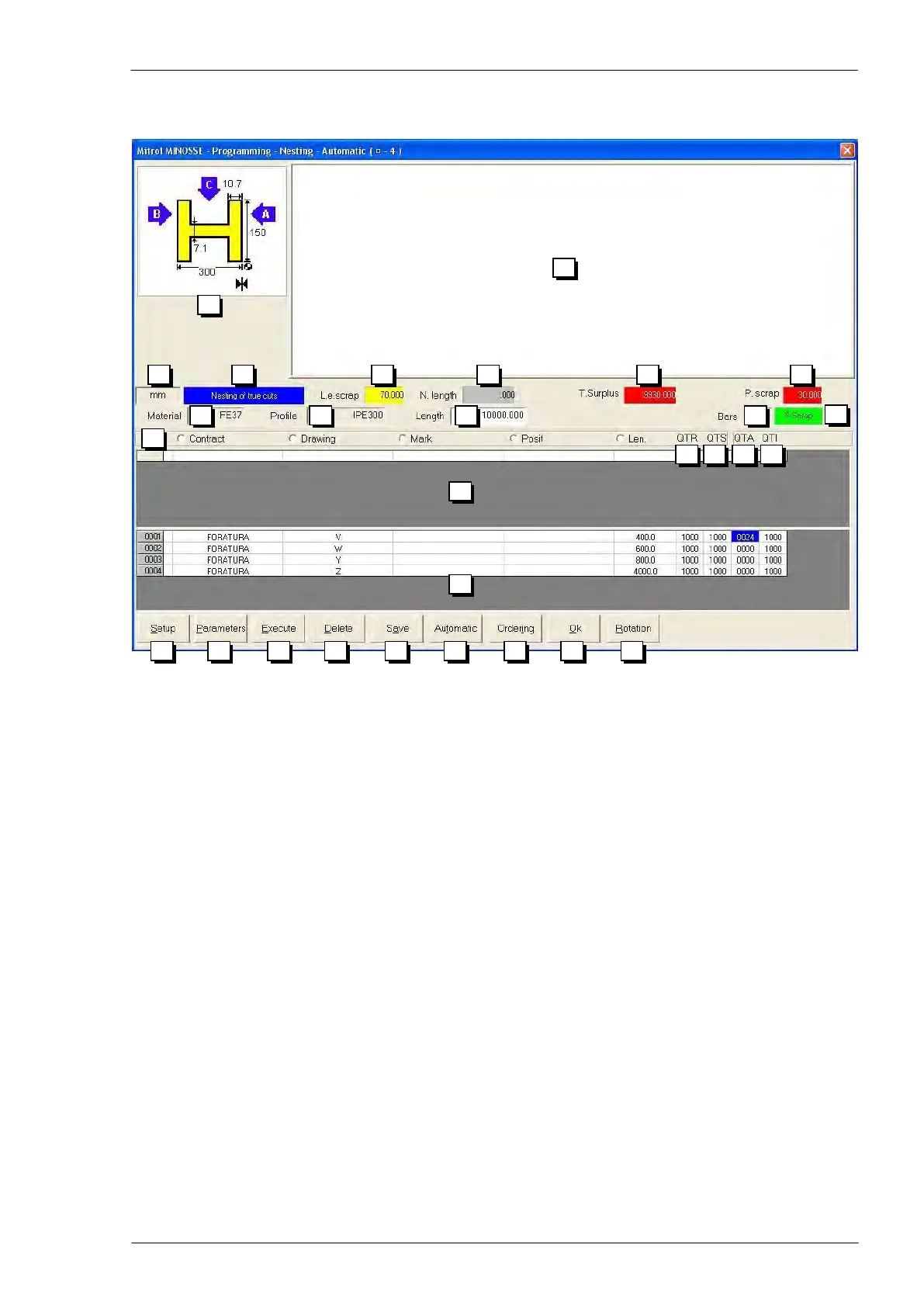
The following window opens; in the lower part there is a list of all pieces to nest. All pieces have same pro-
file and same material and, thus, can be nested into a same bar.
Graphic information of the selected profile
Drawing not in scale of the nesting carried out
Selected nesting type (see execution parameters)
Possible initial cut of the bar to get perfect initial squaring (zone n. 1 of nested bar)
If in the “Parameters” window “Pincher scrap” is selected, this field contains the total
length of the nesting (zone n. 2 of nested bar)
If in the “Parameters” window “Leading edge scrap” is selected, this field contains
the total scrap (zone n. 3 + zone n. 1 of nested bar)
If in the “Parameters” window “Pincher scrap” is selected, this field contains the total
scrap (zone n. 3 + zone n. 1 of nested bar)
If in the “Parameters” window “Leading edge scrap” is selected, this field contains
the total length of the nesting (zone n. 2 of nested bar)
Pincher scrap (zone n. 4 of nested bar)
Type of material of present nesting
Type of profile of present nesting
Length of the bar of present nesting
Number of bars for the present nesting as described in zone n. 14
Signalization area for sorting criteria used for pieces to be nested
Remaining pieces to be worked (this output field is updated only during the execu-
tion)
Remaining pieces to be nested into extra bars; all bars must be of the same type
(see zone n. 14 with the number of pieces specified in 17)
Number of pieces nested in a single bar of the present nesting
Initial quantity of pieces
List of piece types to nest



 To Next Page