Model 1001 DFB Programming and operating manual
FICEP S.p.A. 81
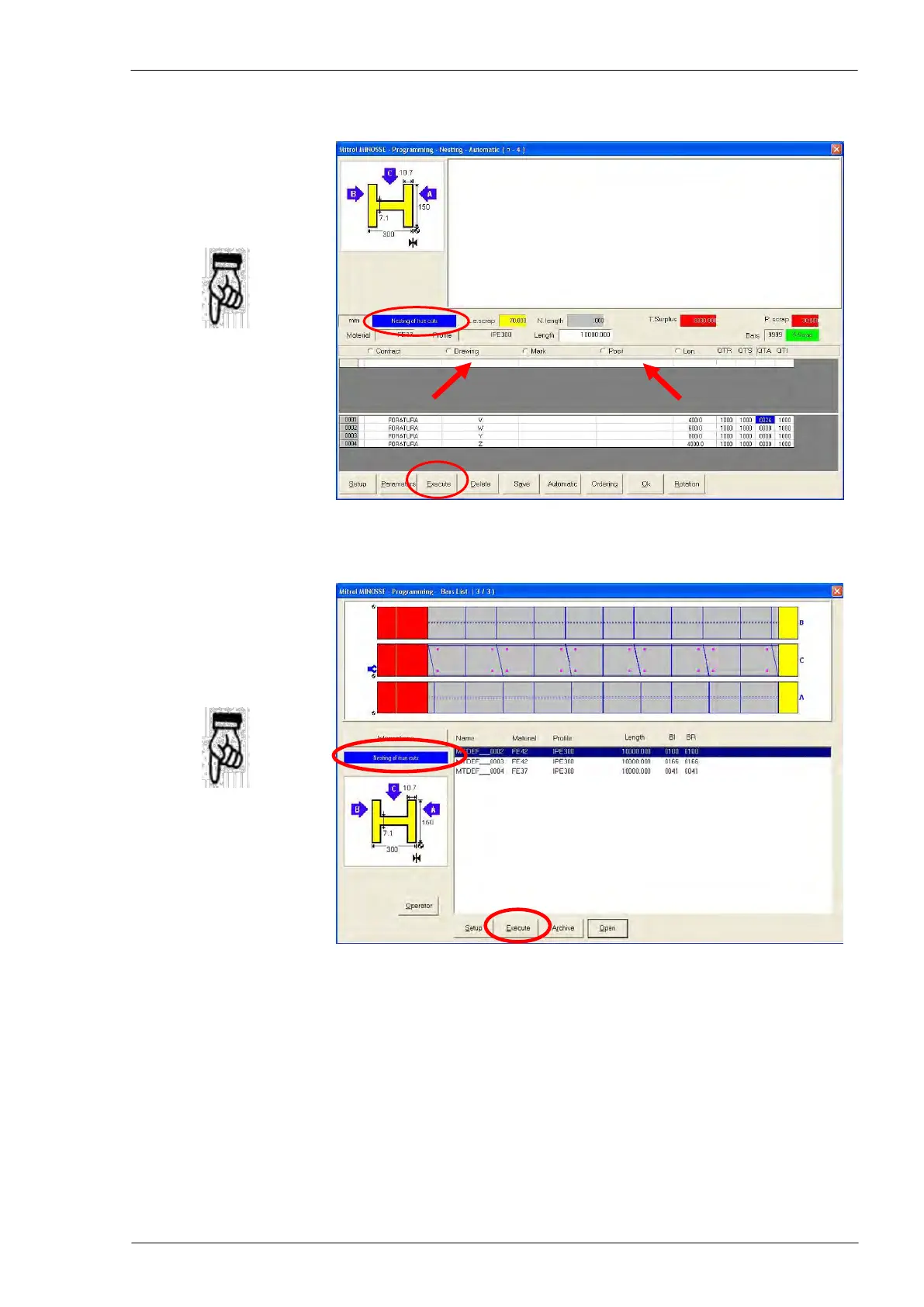
Nesting execution – option 1
“Nesting” window; The
push-button “Execute”
starts the execution of the
nesting selected in the
central area of the window.
Attention: be sure that
“Nesting of true cuts” or
“Nesting of simulated
cuts” is displayed in the
window. If not, adjust the
right value in the field n. 1
in the “Execution parame-
ters” window as described
in the previous section.
Nesting execution - option 2
“Bars list” window; the
push-button “Execute” start
the execution of the nest-
ing selected in the lower
area of the window.
Attention: be sure that
“Nesting of true cuts” or
“Nesting of simulated
cuts” is displayed in the
window. If not, adjust the
right value in the field n. 1
in the “Execution parame-
ters” window as described
in the previous section.



 To Next Page