103
────────────────────────────────────────────────────
7.4 Taking Measurements
────────────────────────────────────────────────────
NOTE
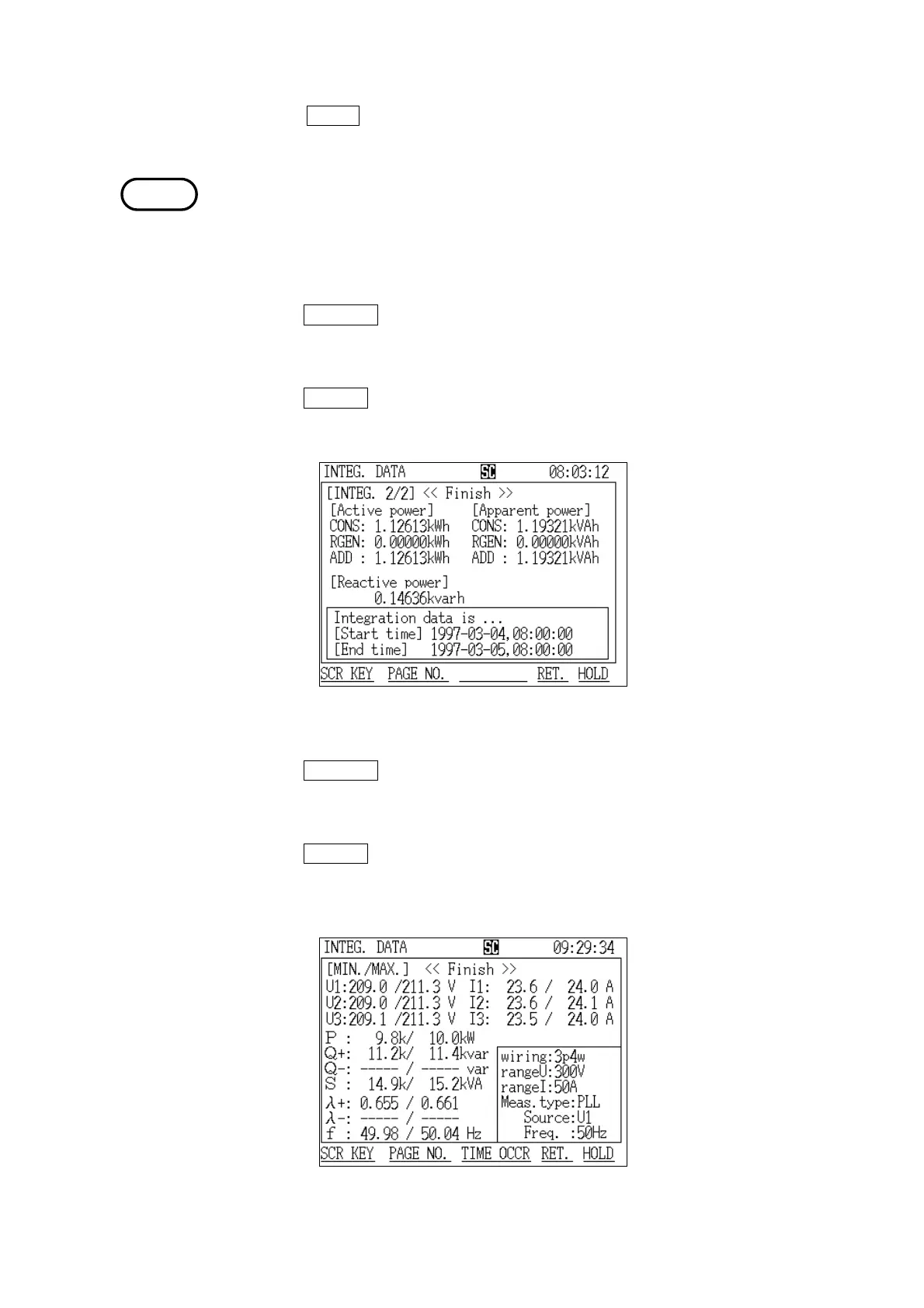
Integration Screen (page 2/2)
Integration Minimum/Maximum Screen
4. The time at which the item specified by the cursor was generated is displayed.
When the
CLOSE function key is pressed, the "Generation Time" window closes
and the display returns to the "Integration" screen (page 1/2).
The maximum demand values are not displayed until the initial demand
measurement time elapses. Furthermore, the displayed values do not include
measured values from the current demand period.
(2) Displaying the "Integration" screen (page 2/2)
1. Press the
PAGE NO. function key.
2. The "Display Selection" window appears.
3. Position the cursor at "Integration 2/2 (Integ.2/2)."
4. Press the DETERM function key.
5. The "Integration" screen (page 2/2) is displayed.
(3) Displaying the "Minimum/Maximum" screen
1. Press the
PAGE NO. function key.
2. The "Display Selection" window appears.
3. Position the cursor at "Minimum/Maximum (MIN./MAX.)."
4. Press the DETERM function key.
5. The "Minimum/Maximum" screen is displayed.



 To Next Page