133
────────────────────────────────────────────────────
8.2 Settings for Each Item
────────────────────────────────────────────────────
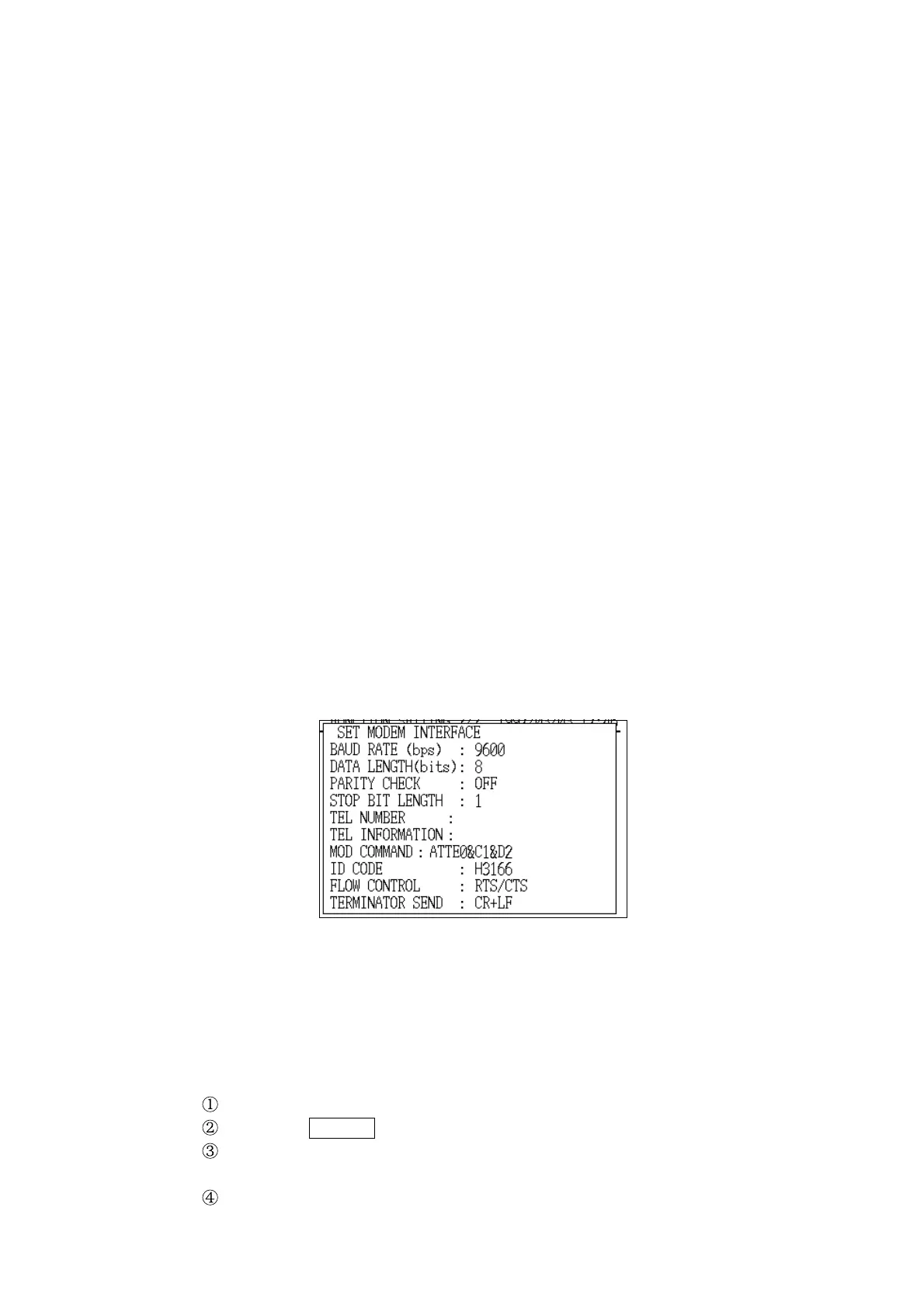
Modem Setting Window
(3) Modem settings
These are special settings that should be adjusted to suit the modem
connected to the power meter.
Settings:
Baud rate (bps): 2400/9600
* 9600
Data length (bits): 7/8
*8
Parity checking: OFF/ODD/EVEN
* OFF
Stop bit length: 1/2
*1
Telephone number: Input the telephone number being called.
(normal-width numeric characters, "−", "," )
Telephone information : Can be used to input comments.
Modem initialization command: 50 characters
(Input the command for the modem that is
connected.)
*ATTE0&C1&D2
ID code: 10 characters (Any character string)
(This code is used to identify the power meter.)
* H3166
Flow control: OFF /XON/XOFF/RTS/CTS/BOTH
* RTS/CTS
Terminator send : CR/LF/CR+LF
*CR+LF
The procedures for changing these settings are described below. The
procedures for changing settings from baud rate to flow control are the same
as those used for the printer settings.
Example Setting the destination telephone number
Position the cursor at " Telephone number (TEL NUMBER)" item.
Press the CHANGE function key.
The "Telephone Number Input" window is displayed.
Operation is the same as for file name input.
Set the telephone number with normal-width numeric characters.



 To Next Page