132
────────────────────────────────────────────────────
8.2 Settings for Each Item
────────────────────────────────────────────────────
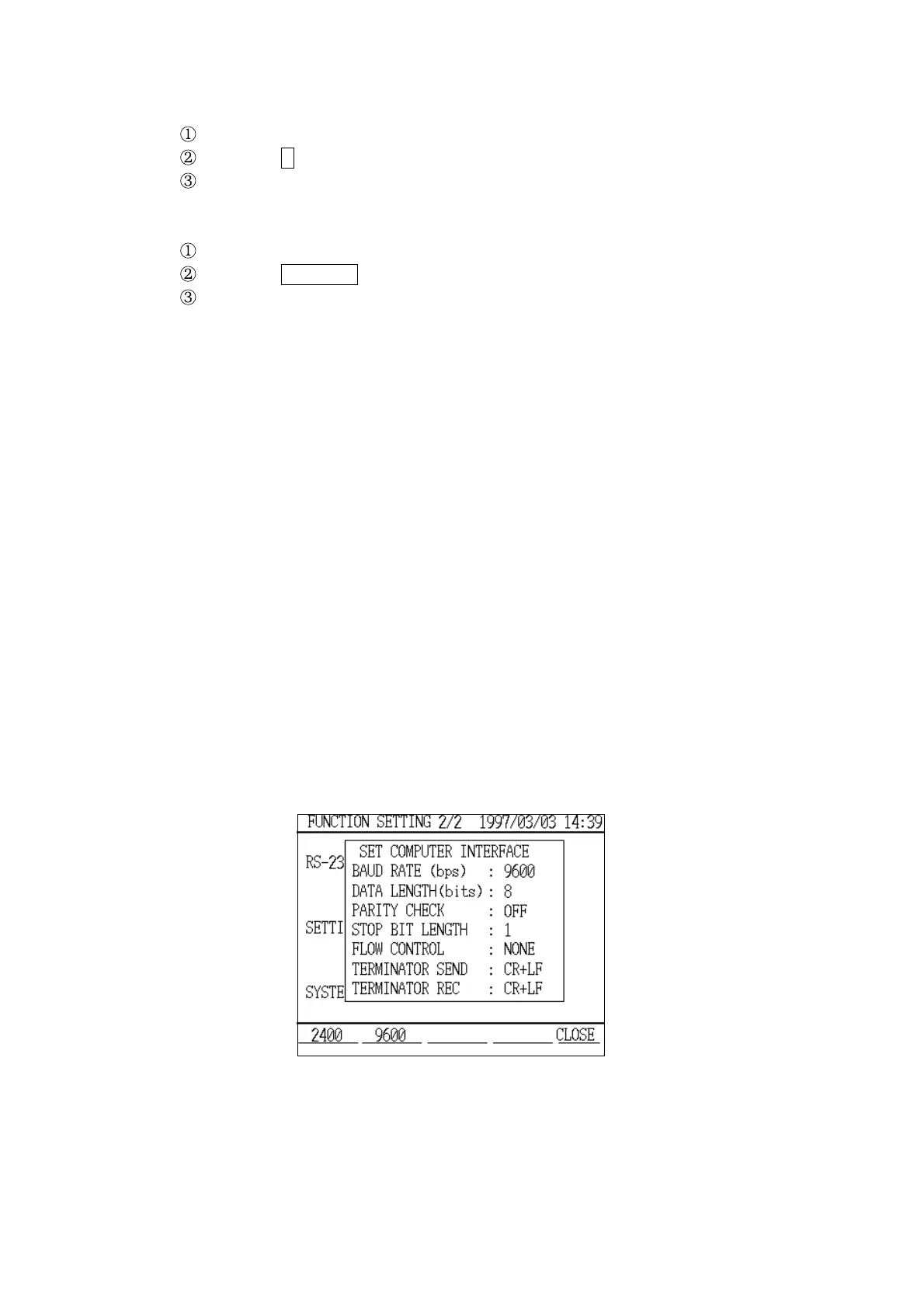
Personal Computer Setting Window
Example Changing the stop bit length setting to "2"
Position the cursor at "Stop bits (STOP BIT LENGTH)" item.
Press the 2 function key.
"2" is set and is displayed in the "Stop bit length" field.
Example Changing the flow control setting to "XON/XOFF"
Position the cursor at "Flow control (FLOW CONTROL)" item.
Press the XON/XOFF function key.
"XON/XOFF" is set and is displayed in the "Flow control" field.
(2) Personal computer settings
These are special settings that should be adjusted to suit the personal
computer connected to the power meter.
Settings:
Baud rate (bps): 2400/9600
* 9600
Data length (bits): 7/8
*8
Parity checking: OFF/ODD/EVEN
* OFF
Stop bit length: 1/2
*1
Flow control: OFF/XON/XOFF/RTS/CTS/BOTH
* OFF
Terminator send : CR/LF/CR+LF
* CR+LF
Terminator reception: CR/LF/CR+LF
* CR+LF
The procedures for changing these settings are the same as those used for the
printer settings.



 To Next Page