160
────────────────────────────────────────────────────
11.2 Overview of the RS-232C Interface
────────────────────────────────────────────────────
DOS/V, PC-9801 PC
Flow control: RTS/CTS, both
To power mete
To PC
D-sub 9-pi
Female D-sub 25-pi
Female
D-sub 25-pi
Male
D-sub 25-pi
Male
DOS/V, PC-9801 PC
Flow control: None, XON/XOFF
To power mete
To PC
D-sub 25-pi
Female
D-sub 25-pi
Male
Reference ・Connecting to a DOS/V personal computer
Flow control: None, XON/XOFF:
Use a cable such as Sanwa Supply’s KRS-423XF1K KRS-403XF1K RS-232C
Cable (reverse).
Flow control: RTS/CTS, both:
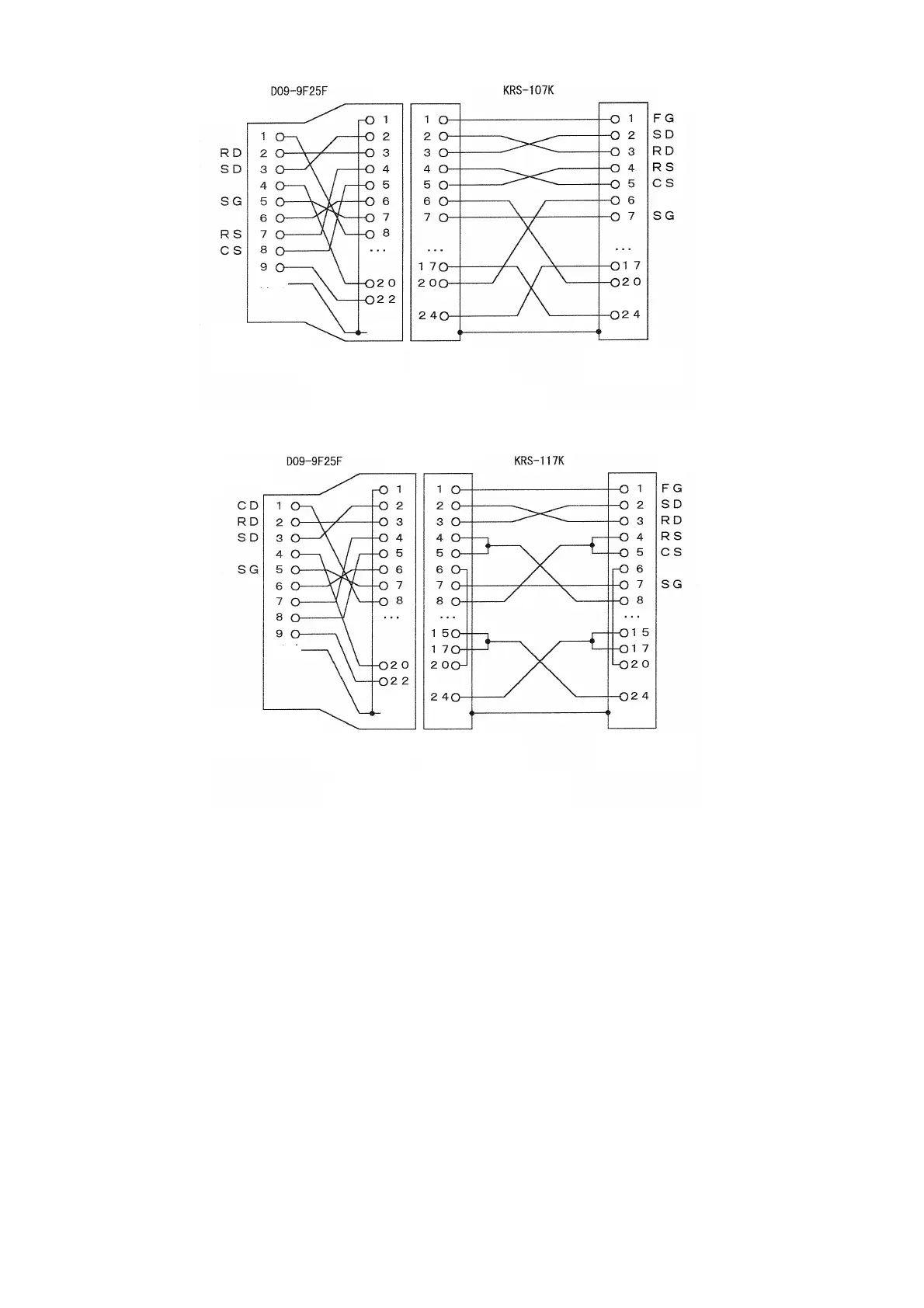
Use a cable such as Sanwa Supply’s KRS-107K RS-232C Cable (reverse) in
combination with the D09-9F25F Adapter.
・Connecting to an NEC PC-9801
Flow control: None, XON/XOFF:
Use a cable such as Sanwa Supply’s KRS-117K RS-232C Cable (reverse) in
combination with the D09-9F25F Adapter.
Flow control: RTS/CTS, both:
Use a cable such as Sanwa Supply’s KRS-107K RS-232C Cable (reverse) in
combination with the D09-9F25F Adapter.



 To Next Page