56
────────────────────────────────────────────────────
5.5 Changing the Settings
────────────────────────────────────────────────────
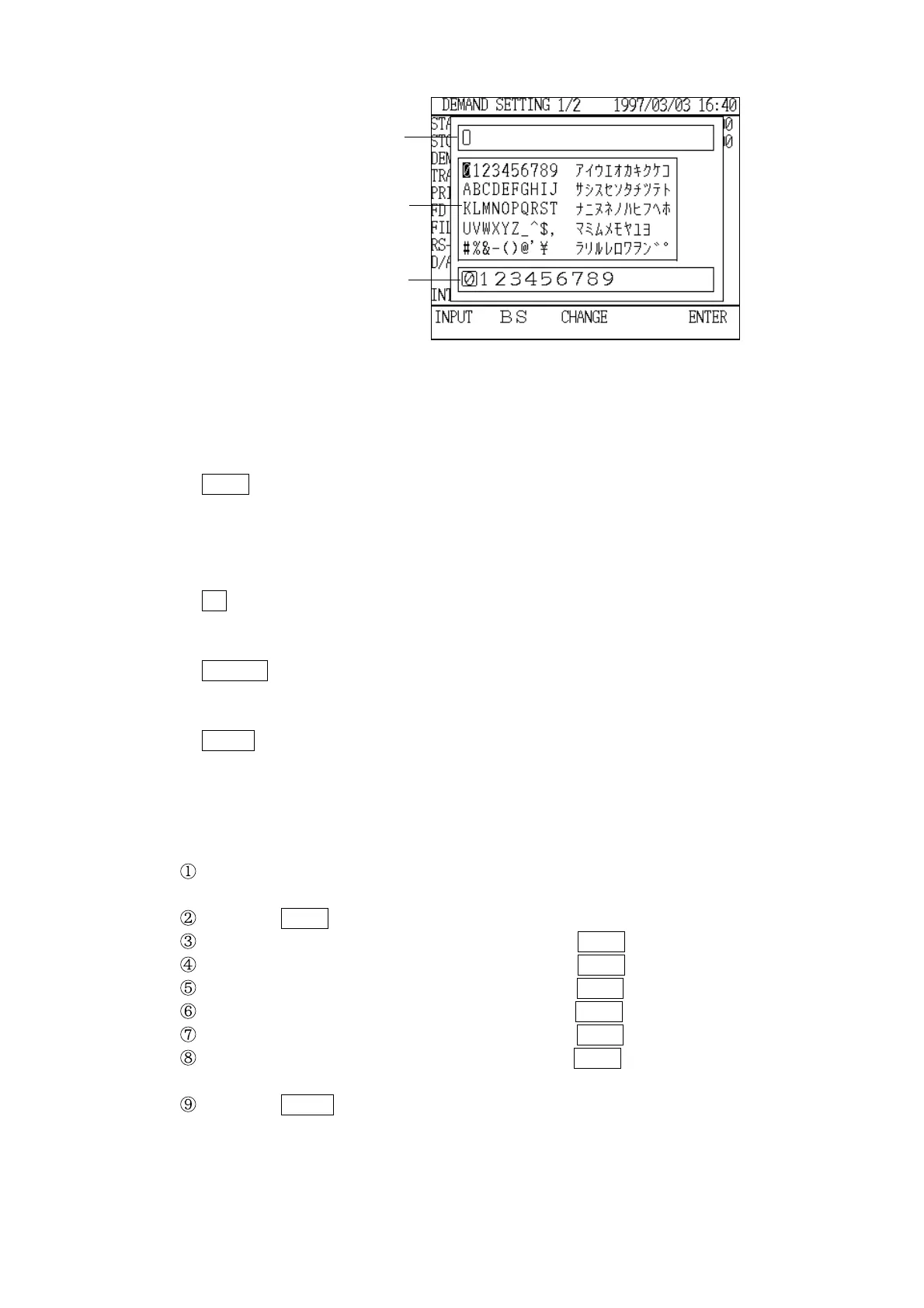
Input fiel
Nornal-width selection fiel
Double-width selection fiel
Text Input Window
4. Function key operation
INPUT key: Writes the selected character to the input field. (Valid only when
the cursor is in the normal-width or double-width character
selection area.)
Once the character is input, the input cursor automatically moves
to the next character.
BS key: Move the input cursor back one character from its current position.
(Normally valid.) This key is used to delete a character that was
input.
CHANGE key: Switches the cursor between the input field, the normal-
width character selection area, and the double-width
character selection area.
ENTER key: Registers the file name that was input as the new file name, and
returns the display to the "Setting" screen.
Example Input "MODELA1" for the file name
Using the cursor key, move the selection cursor to the "M" in the normal-width
character selection area.
Press the INPUT function key. An "M" appears in the input field.
Move the selection cursor to "O" and press the INPUT key.
Move the selection cursor to "D" and press the INPUT key.
Move the selection cursor to "E" and press the INPUT key.
Move the selection cursor to "L" and press the INPUT key.
Move the selection cursor to "A" and press the INPUT key.
Move the selection cursor to "1" and press the INPUT key.
The name "MODELA1" is now displayed in the input field.
Press the ENTER function key. The "Text Input" window closes, and
"MODELA1" is set as the file name and is displayed in the "File Name" field
in the "Normal Measurement Settings" screen (page 1/2).



 To Next Page