57
────────────────────────────────────────────────────
5.5 Changing the Settings
────────────────────────────────────────────────────
Text Input
NOTE
(2) Partially changing the file name from "MODELA1" to "MODELA3"
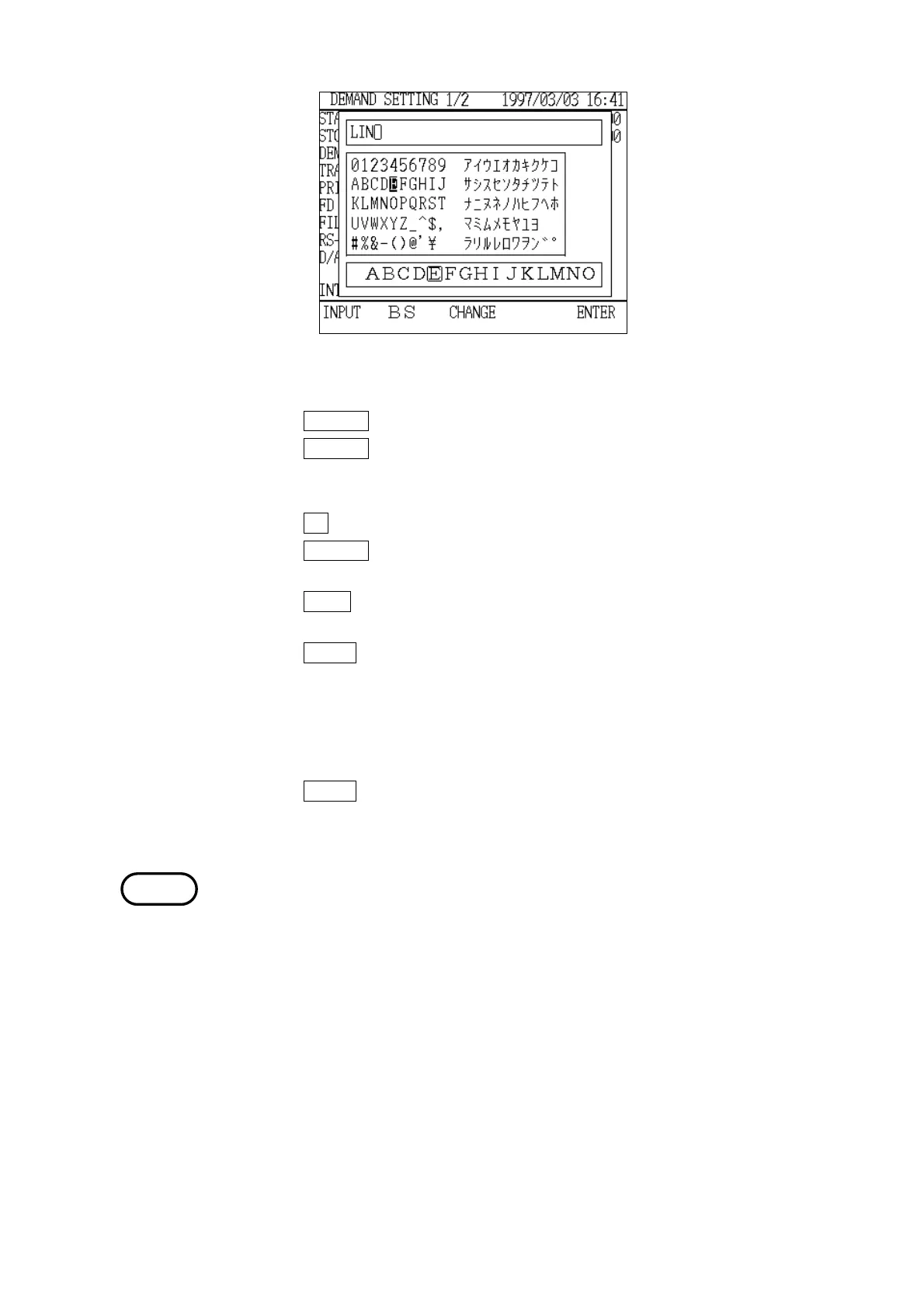
1. Press the CHANGE function key to open the "Text Input" window.
2. Press the CHANGE function key twice to move the selection cursor to the input
field and then position the input cursor in the space after the "1" in
"MODELA1".
3. Press the
BS function key, deleting the character "1".
4. Press the CHANGE function key, move the selection cursor to the normal-width
character selection area and position it on the character "3".
5. Press the
INPUT function key.
Confirm that the input field has been changed to "MODELA3".
6. Press the
ENTER function key.
7. The "Text Input" window closes, and "MODELA3" is set as the file name and
is displayed in the "File Name" field.
(3) Closing the just-opened "Text Input" window without changing the file name
1. Press the ENTER function key.
2. The same file name as before is set and is displayed in the "File Name" field.
・When performing normal measurement, if any settings other than "D/A
output items," "backlight," "contrast," or "buzzer" are changed but anew file
name is not set, the data is saved under a file name that is generated
automatically.
・If no file name is set, a file named "AUTOXXX" is generated automatically
and the setting conditions are saved in that file.
"XXX" represents a number from "000" to "999"; the program uses the smallest
number that is still available.
・Up to eight normal-width (alphanumerics and katakana) or four double-width
characters (kanji, hiragana, and katakana) can be used in file names. JIS
level 1 kanji can be used.
・Although measurement data that has been saved can be output directly to a
printer.
・In order to save measurement data to floppy disk, the optional 9595 FDD
UNIT must be connected to the power meter.



 To Next Page