6-74 ELECTRICAL SYSTEM / FUEL LEVEL SENSOR
ICON A5 / MAINTENANCE MANUAL CHANGE C2
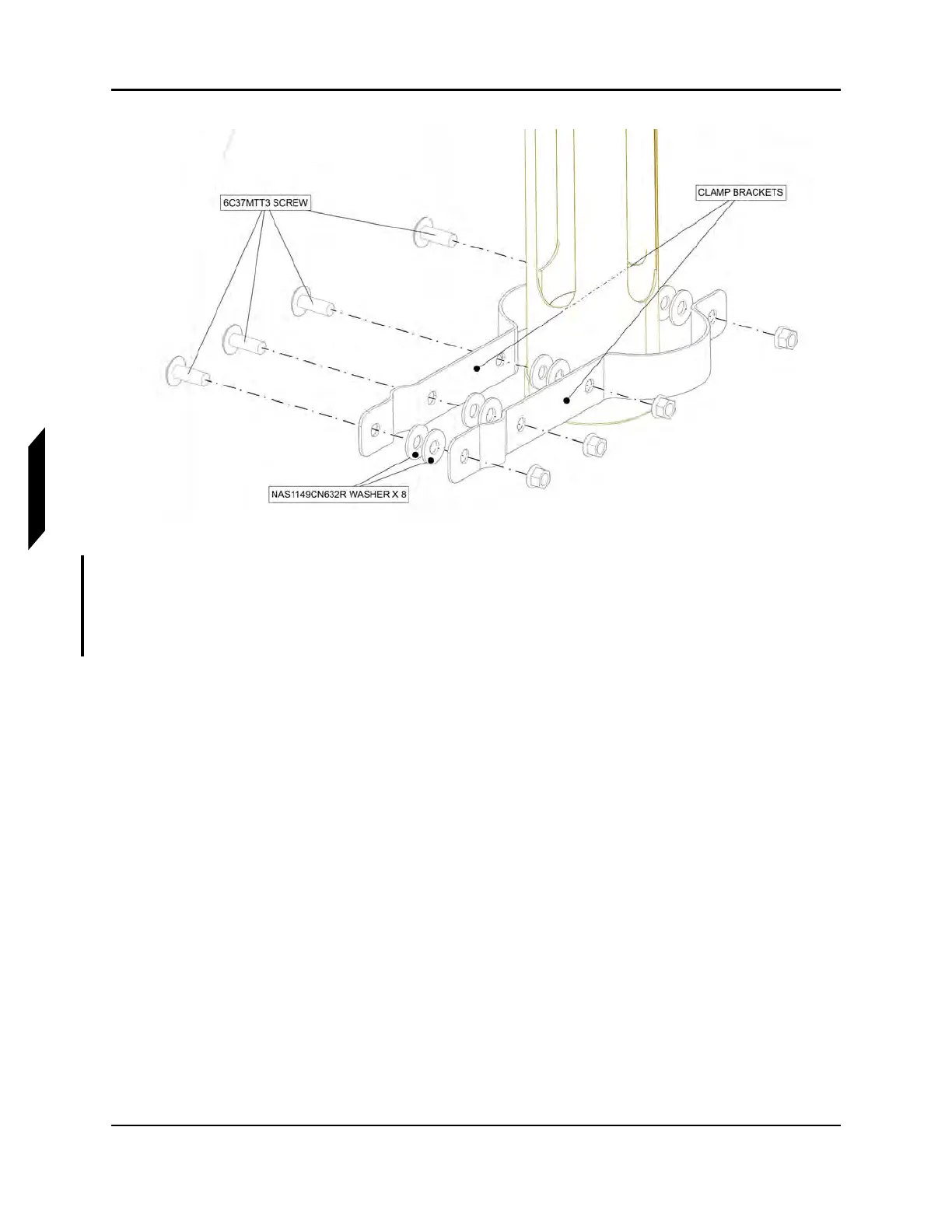
FIGURE 6-23
REMOVE CLAMP BRACKETS
7. Remove the bolts attaching the fuel level sensor to the FUEL TANK ACCESS PLATE. The sensor
is attached to the FUEL TANK ACCESS PLATE using six MS35307 BOLT threaded into blind
fasteners on the other side of the FUEL TANK ACCESS PLATE. Remove both ground wire RING
TERMINAL attached to the bolts.



 To Next Page