ELECTRICAL SYSTEM / FUEL LEVEL SENSOR 6-75
CHANGE C2 ICON A5 / MAINTENANCE MANUAL
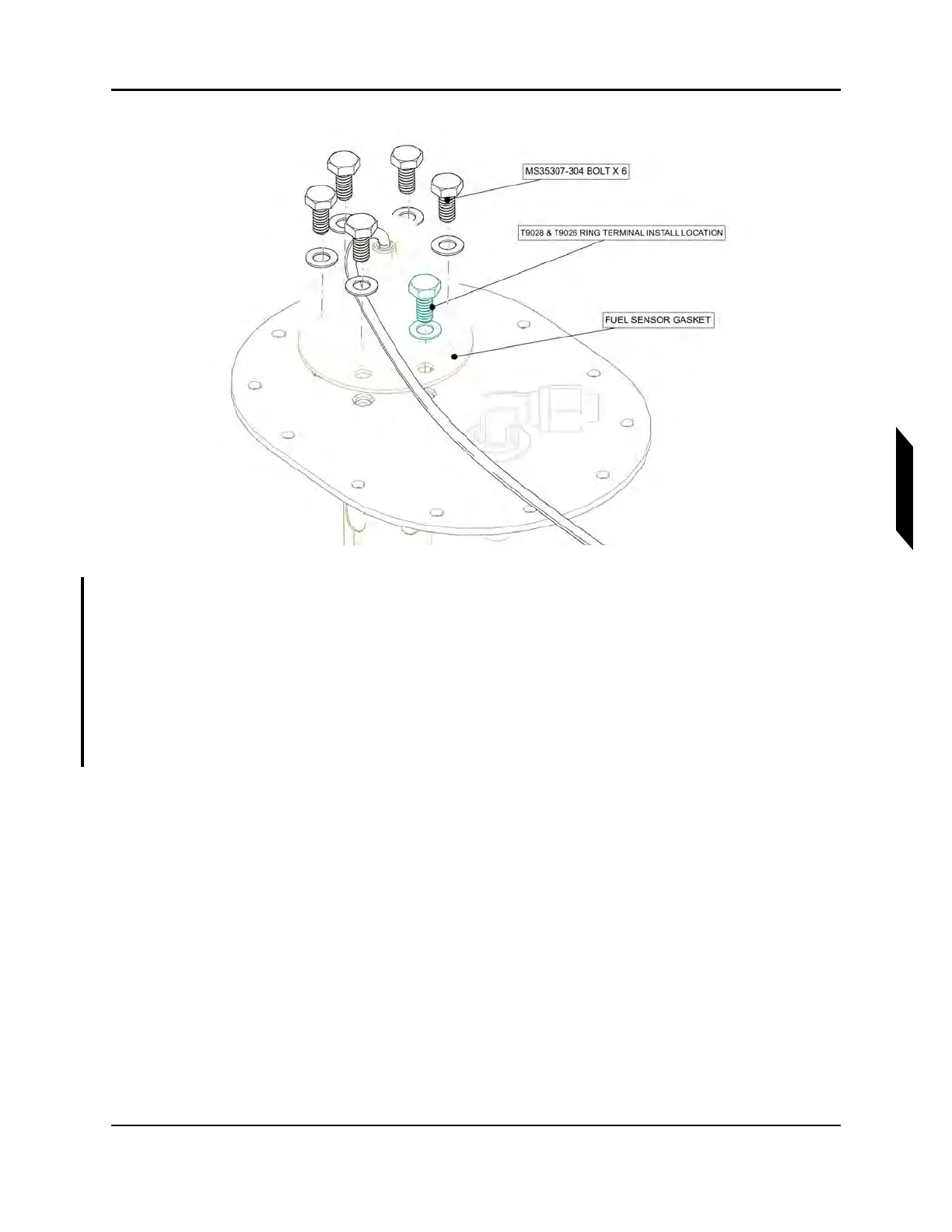
FIGURE 6-24
REMOVE FUEL LEVEL SENSOR
8. Connect the FUEL SENSOR GASKET from the fuel level sensor and check its condition.Replace
if necessary.
9. Install new fuel level sensor and its gasket onto the FUEL TANK ACCESS PLATE. Torque the five
MS35307 BOLT in star shaped pattern to 40 in-lbs each. (See Figure 6-24.)
NOTE: The last bolt for RING TERMINAL in the fuel level sensor will be
installed at a later step.
10. Position CLAMP BRACKETS as shown, reinstall CLAMP BRACKETS onto the fuel level sensor.



 To Next Page