10-16 FUEL SYSTEM / FUEL TANK (MY18+)
ICON A5 / MAINTENANCE MANUAL CHANGE C2
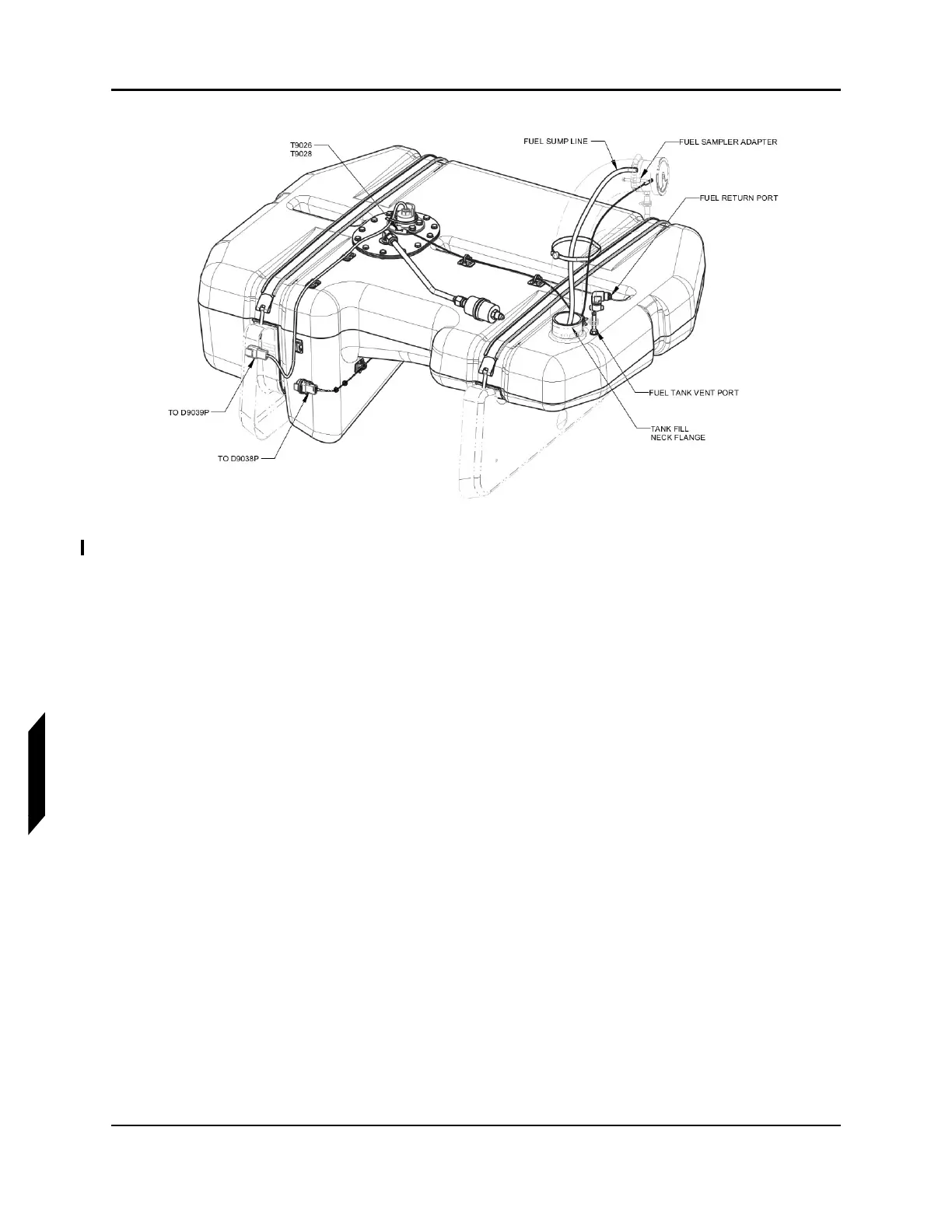
FIGURE 10-2
FUEL SUMP LINE AND ELECTRICAL CONNECTIONS (T9028 WIRE HARNESS NOT SHOWN)
7. Disconnect the fuel level sensor connector from D9038P. (See Figure 10-2.)
8. Use a 7/16 wrench to remove bolt, washer, and T9028 terminal on fuel level sensor plate. (See
Figure 10-2.)
9. Remove three cable ties securing T9028 terminal wire harness.
10. Remove #6-32 screw securing the T9027 terminal on the fuel cap adapter. (See Figure 10-3.)



 To Next Page