13-30 INSTRUMENTS (AND AVIONICS) / INSTRUMENTS AND AVIONICS GENERAL MAINTENANCE
ICON A5 / MAINTENANCE MANUAL CHANGE C2
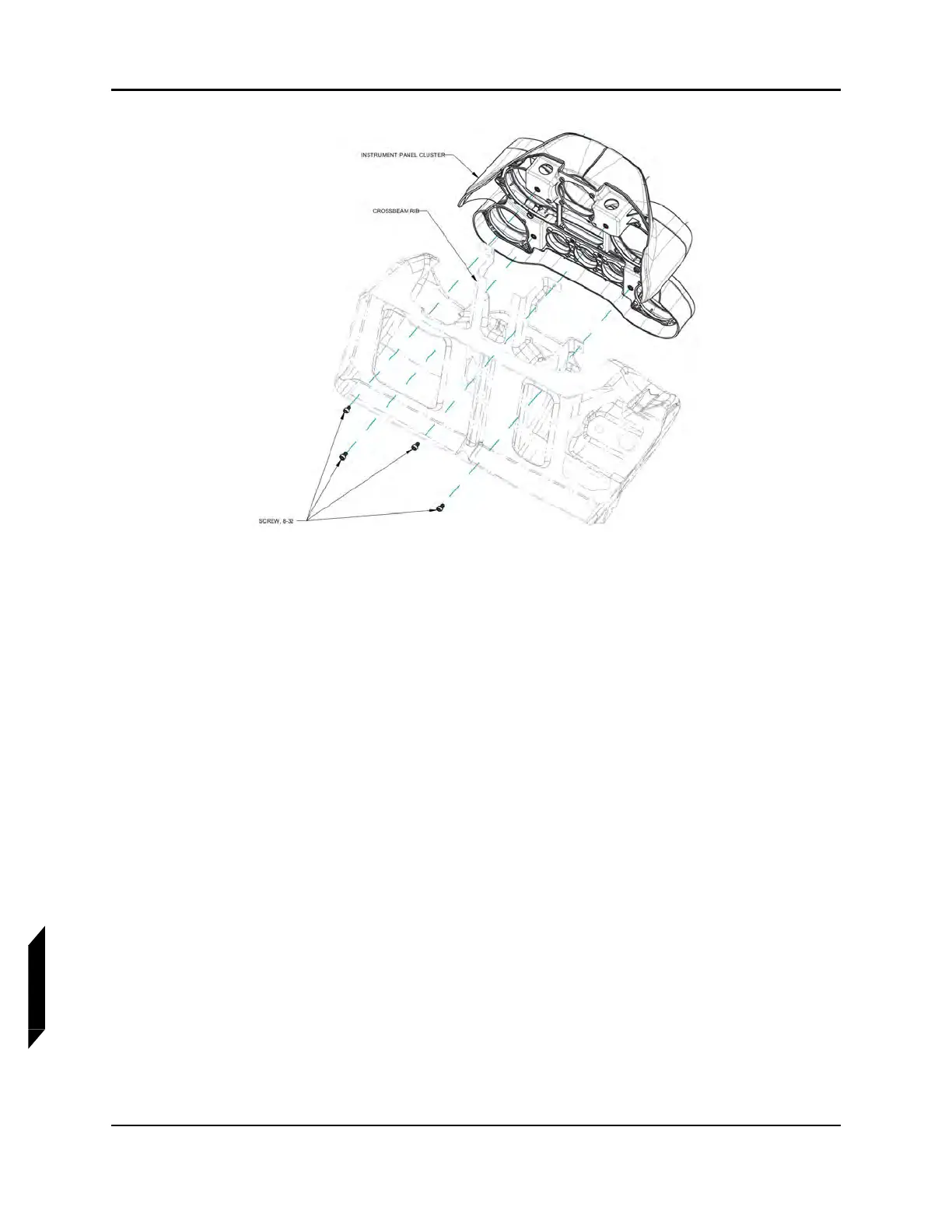
FIGURE 13-3
INSTRUMENT PANEL MOUNT ATTACHMENT DETAIL—EXPLODED VIEW
3. Disconnect all electrical connections to the instrument cluster. Take note of wiring harness
layout for re-installation.
4. Disconnect two static and one pitot tube from airspeed indicator and altimeter.
5. Remove cluster from aircraft.
6. Remove cluster bezel by removing 10 #6-32 mounting panel attachment screws. See Figure 13-4.



 To Next Page