13-56 INSTRUMENTS (AND AVIONICS) / ELT
ICON A5 / MAINTENANCE MANUAL CHANGE C2
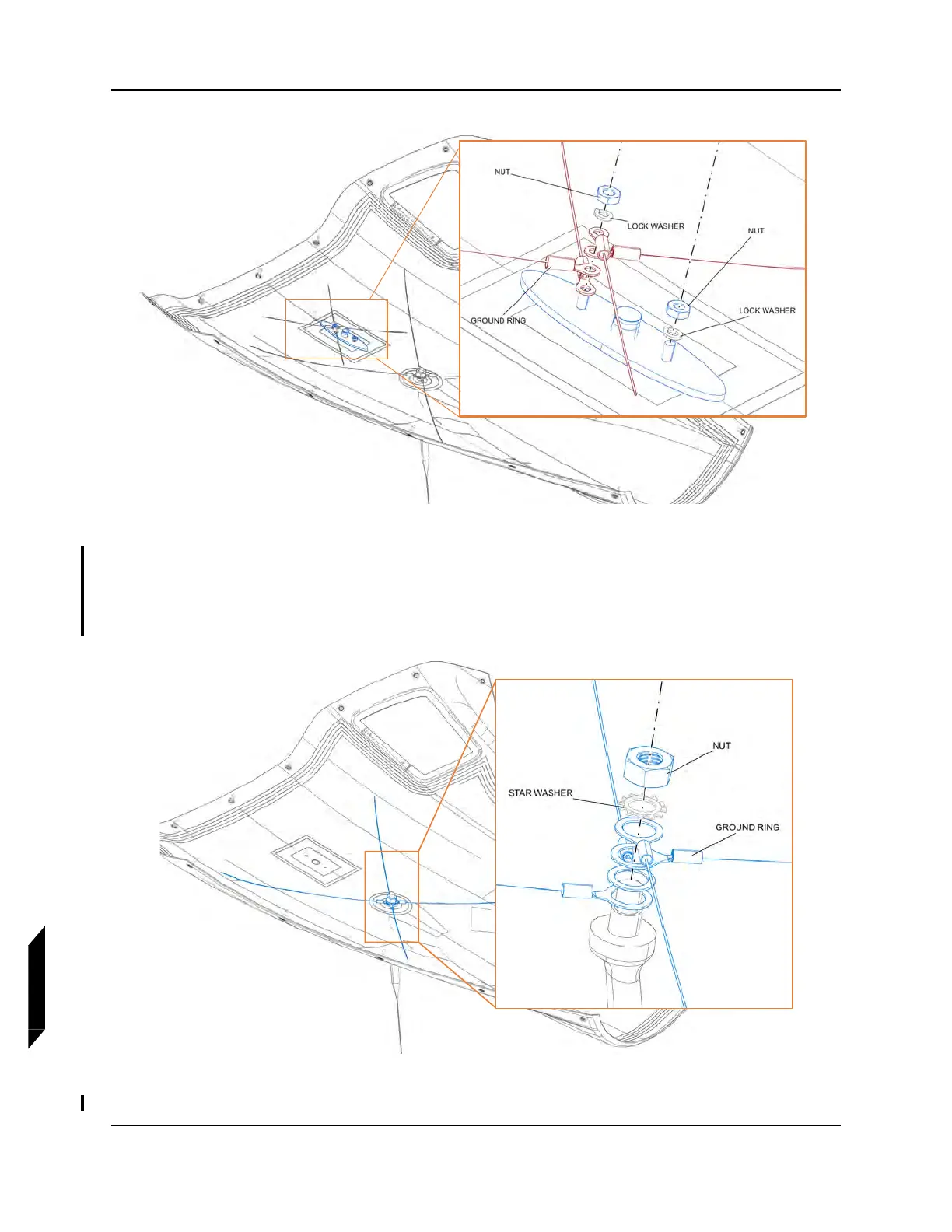
FIGURE 13-11
REMOVE TRANSPONDER ANTENNA
3. Remove the nut and star washer to remove the ELT ANTENNA.
4. If ground wires need to be replaced, carefully remove the adhesive bonding the eight ground
wires to the cowl surface, otherwise leave ground wires in place.
FIGURE 13-12
REMOVE ELT ANTENNA



 To Next Page