LANDING GEAR / TROUBLESHOOTING 14-11
CHANGE C2 ICON A5 / MAINTENANCE MANUAL
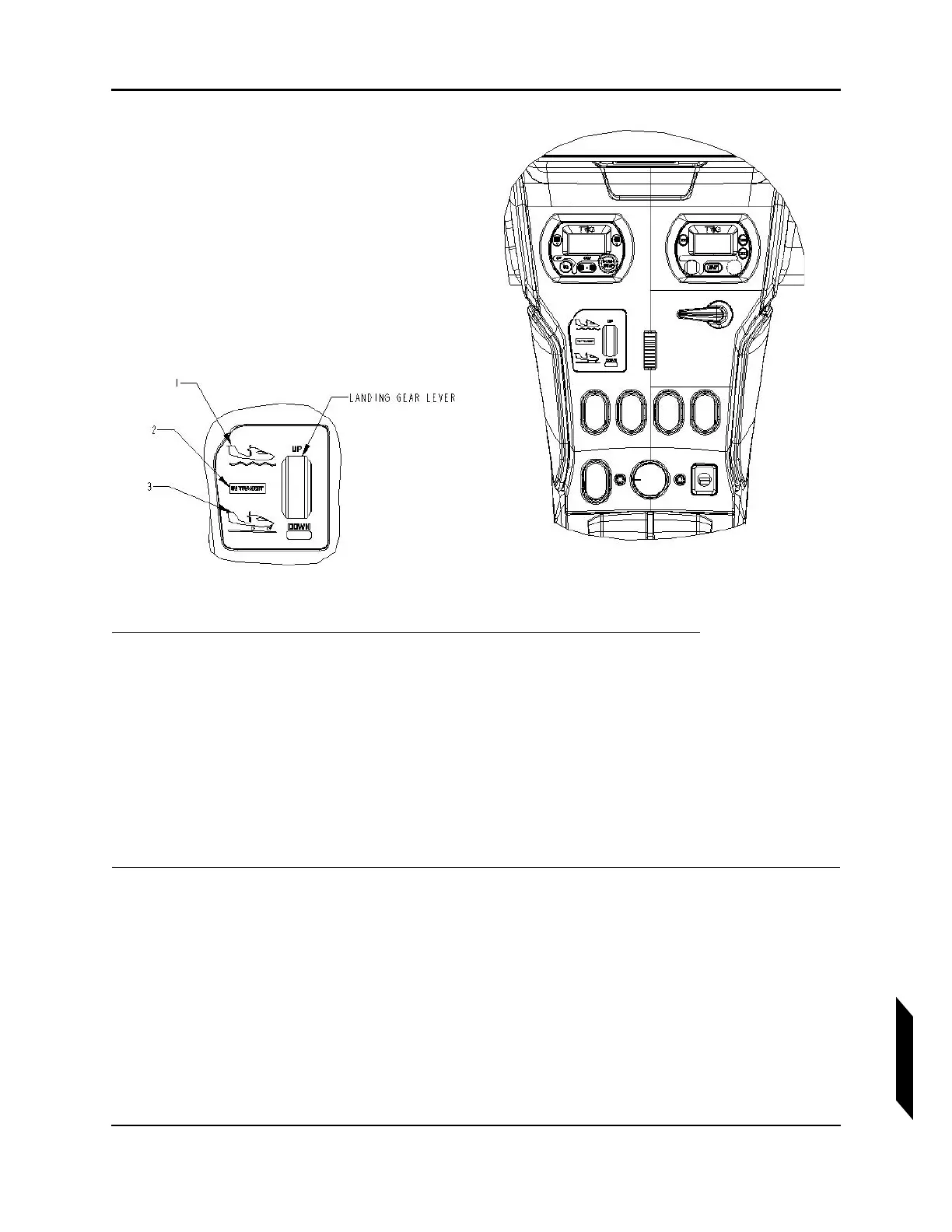
FIGURE 14-3
LANDING GEAR INDICATOR.
1. Verify Key Switch is in OFF position.
2. Follow jacking procedure to lift the aircraft off the ground. (See “Empty Weight and CG Measure-
ment While on Jackpoint Scales” on page 3-32.)
3. Move Master Switch to ON position.
4. Verify icon 3 (see illustration) is lit.
5. Move Landing Gear Lever to UP position.
6. Verify icon 2 (see illustration) is lit while the landing gear retracts.
7. Verify icon 1 (see illustration) is lit after the landing gear finishes retracting.
VERIFICATION METHOD:
If each of the three lights indicated properly at DOWN, UP, and in transit when commanded, then the
check is successful.



 To Next Page