Remote RMX-3200 Version 5.2x Configuration Guide
Configuring Jobs: Job Configuration Overview
23-3
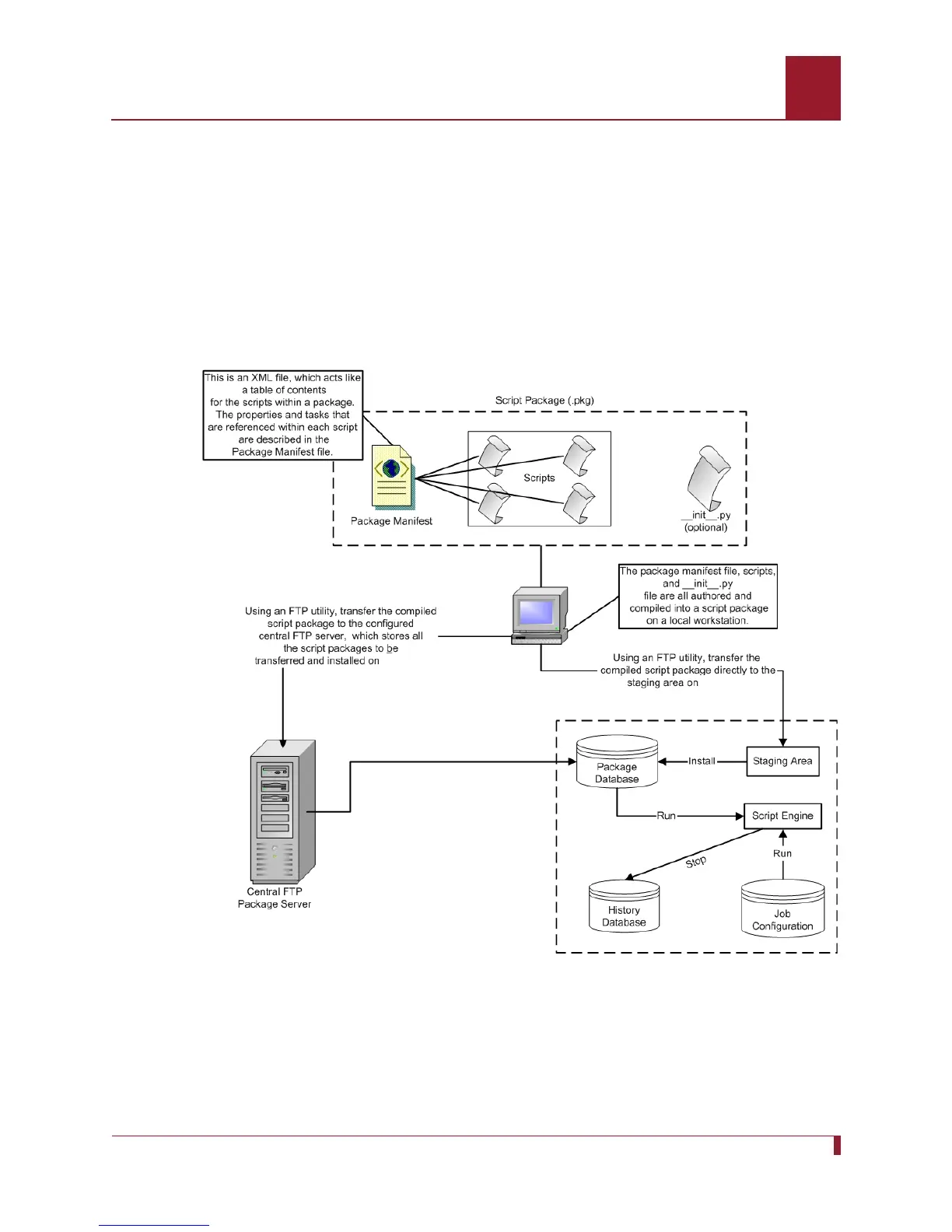
Once a script package is created on a local workstation, you can use an FTP utility to
transfer the script package either directly to the pkgstage directory on Remote RMX-
3200, or to a directory on a central FTP package server that contains script packages.
After you transfer the script package, you can install it onto Remote RMX-3200.
When a script package is installed on Remote RMX-3200, it is stored in a database
for executing jobs. A job must refer to a script package and a script in order for it to
execute properly. Basically, a job configured through the Remote RMX-3200 CLI runs
the function(s) within the script module. After configuring and executing a job, the
script package is retrieved from the package database and run by the script engine.
Figure 23-1 Remote RMX-3200 Scripting Architecture
Remote RMX-3200
Remote
Remote
Remote



 To Next Page